Automation
Answer messages

Instagram brand collaboration DM automation: catch every request

Want every collab and brand deal DM caught instead of buried in your inbox? This template makes sure you see each offer and the sender knows it arrived.

Instagram brand collaboration DM automation: catch every request
About

Someone DMs you a brand deal and Inrō files them in a folder, emails you and sends a holding reply. Copy the Instagram template.

Copy the template, add your email address and turn it on. When someone DMs you an offer of a collaboration, sponsorship, partnership, UGC deal or paid promotion, Inrō reads the message (no keyword), files the sender in "Collabs: requested", emails you and sends a holding reply 5 seconds later. It asks the sender nothing and sends no link.
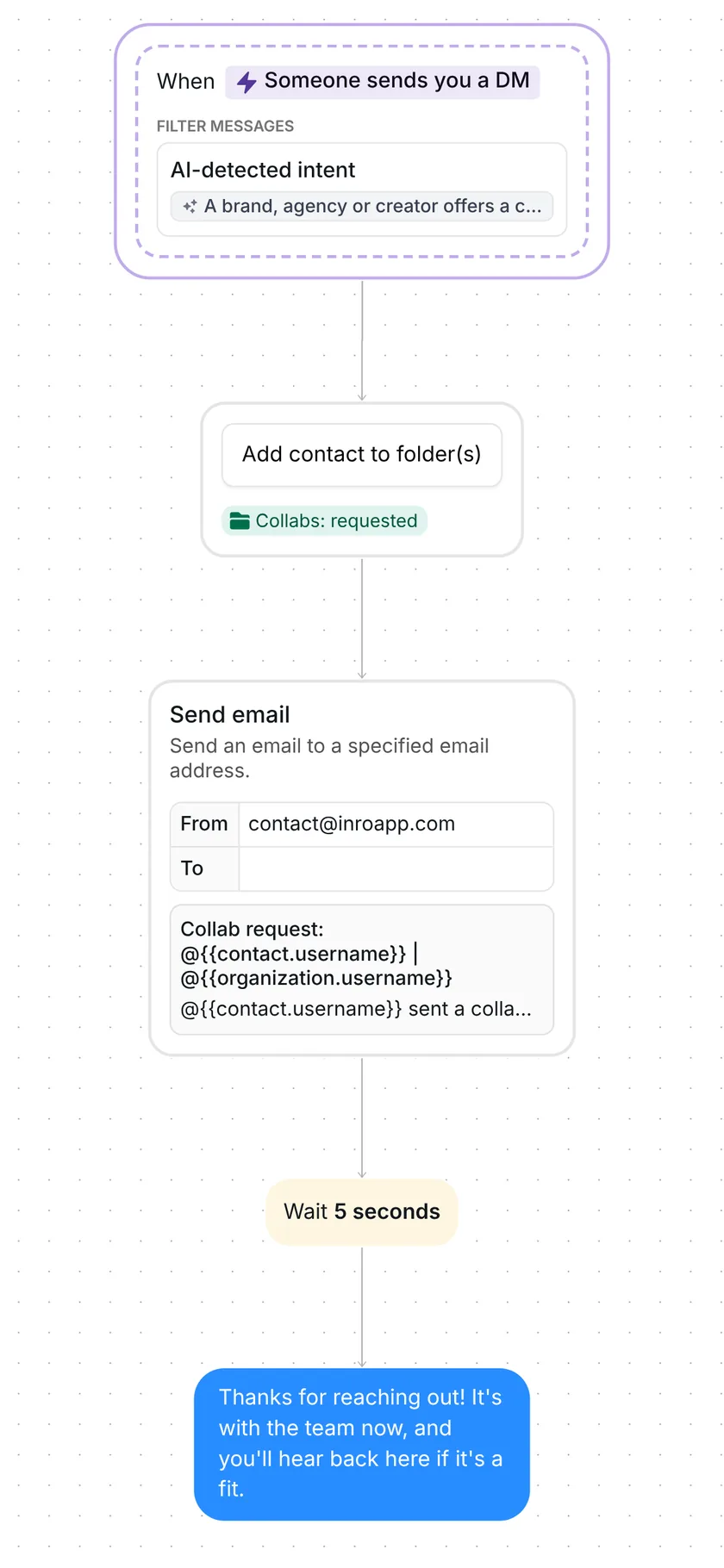
Whole collab flow in Inrō: AI-detected DM, folder, email alert, 5 second wait, holding reply

What the template does, step by step

1. Someone DMs you an offer

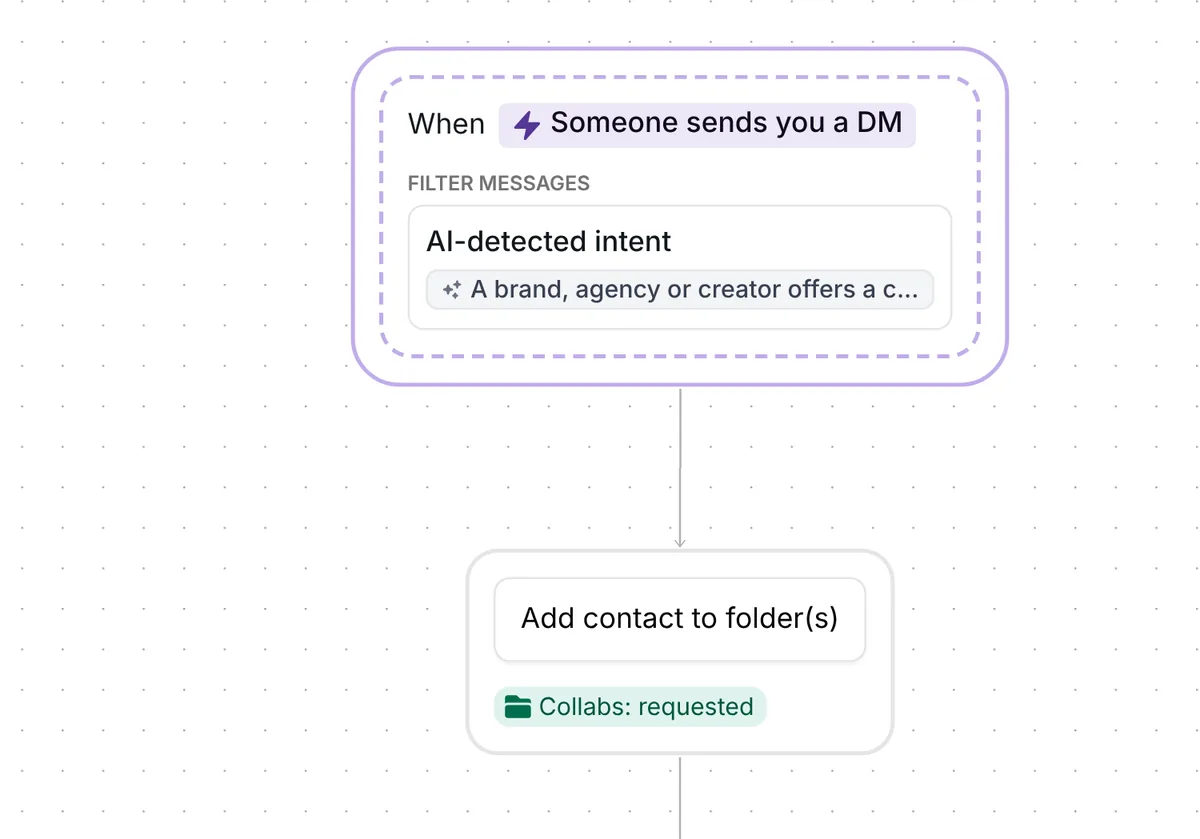
The trigger is "Someone sends you a DM", set to an AI-detected intent: Inrō starts the flow when the meaning of a message matches a description you can edit, instead of looking for a word. The description comes written for you: "A brand, agency or creator offers a collaboration, sponsorship, partnership, UGC deal or paid promotion. Not a customer question, an order, a compliment or a button reply." The builder shows only the start of it, so it is quoted in full here.

The trigger checks every message in a conversation, so a brand you have already talked to can still start it. Inrō waits until the person has paused for 5 seconds, then judges their last message together with the conversation so far.
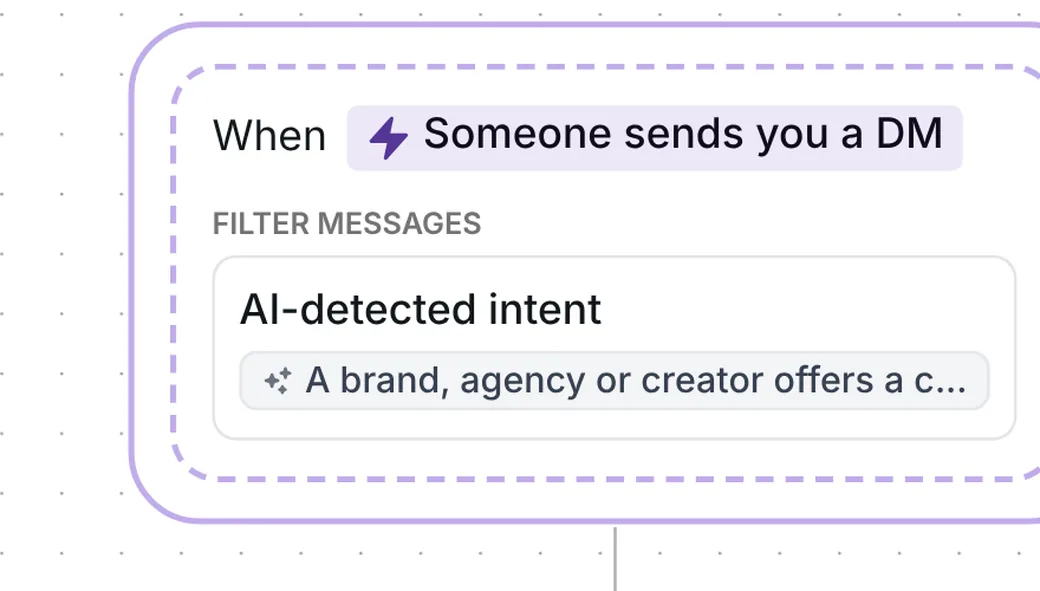
Inrō trigger: Someone sends you a DM with an AI-detected intent for brand, agency or creator offers

The trigger has a "Test intent detection" box. You type a message and it answers "Intent detected" or "Intent not detected". The builder also warns that AI-detected intents may not always be accurate, which is why the box is there.

2. The sender goes in a folder

The first step adds the sender to the folder "Collabs: requested". A folder is a label that groups contacts, so every offer you receive sits in one list.
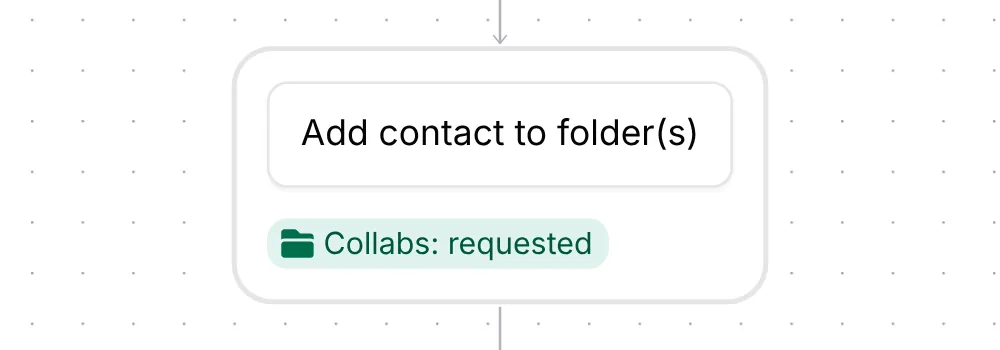
Inrō step Add contact to folder(s) with the Collabs: requested folder

3. You get an email

The second step emails you. The subject reads "Collab request: @username | @yourusername", with the sender's username and yours filled in. The body names the sender, quotes their DM, tells you they are in the "Collabs: requested" folder and ends with "Next step: reply if it's a fit."

The "To" box comes empty, so you add your own address before you turn the template on (see below).
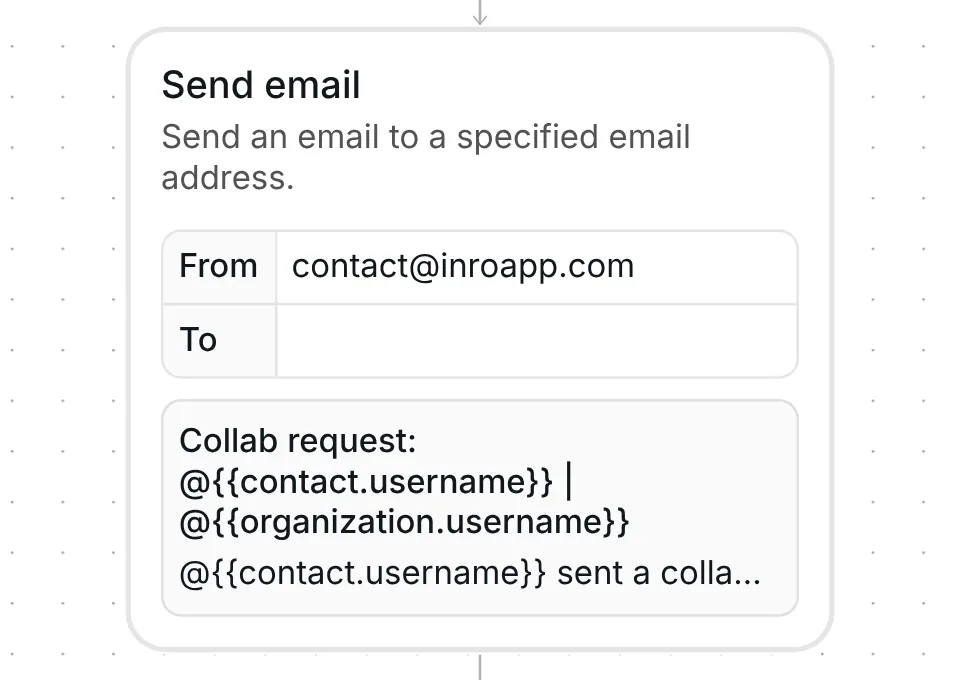
Inrō Send email step: an empty To box and the subject Collab request with the sender and your username

4. They get a holding reply

The flow waits 5 seconds after the email, then sends one message: "Thanks for reaching out! It's with the team now, and you'll hear back here if it's a fit." That is 89 characters.

It confirms that the offer arrived and promises an answer only "if it's a fit", so an offer you pass on needs no message from you.

This wait is a separate step from the 5-second pause in step 1.
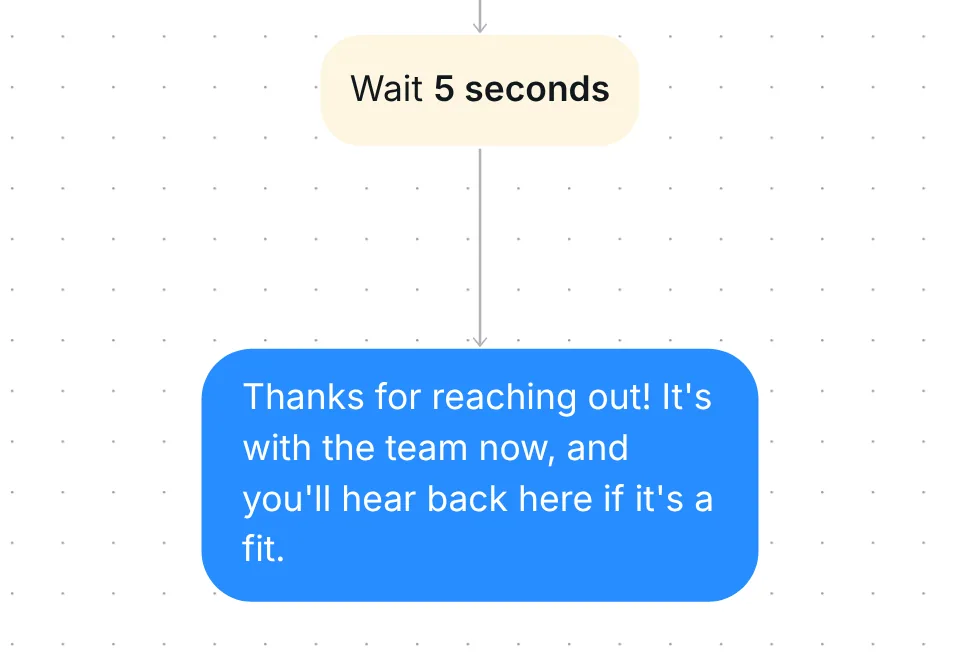
Inrō flow end: wait 5 seconds, then the message Thanks for reaching out! It's with the team now

What to change before you turn it on

The trigger comes written and the email step comes without an address. Check six things before you go live:

  1. The intent. Open the trigger "Someone sends you a DM" and edit the description to the offers you really get. Then open "Test intent detection" and paste a real offer you received and a real message from a fan. The offer should read "Intent detected" and the fan message "Intent not detected".
  2. Your folder. In the folder step, pick or create "Collabs: requested", or choose your own name. If you rename it, change the name in the email text too, so the email points to the right folder.
  3. Your email address. The "To" box of the email step is empty and the builder flags it with "Email address is empty". Type your own address there. It is the only place the alert for a new offer goes.
  4. The holding reply. Change "the team" if you work alone. Keep "if it's a fit" if you do not answer every offer.
  5. The settings. Open Advanced options. "Limit how often this scenario can run for each contact" decides how soon the same sender can start the flow again. Set the interval to match how often you want to hear from the same brand. Leave "Interrupt when you reply manually" as it comes, or change it to suit how you work.
  6. Turn it on. Switch the scenario on, then press Save scenario. Nothing sends before that.

There is no date to reset: the trigger is a DM trigger, not a next-post comment trigger.

Best tips for your scenario

  • Test the intent with offers you received. Paste 3 real pitches from your inbox into "Test intent detection" and edit the description until each one reads "Intent detected". The builder notes that AI-detected intents may not always be accurate, so a test on your own messages is the quickest check.
  • Work the folder on a schedule. Filter your Inrō inbox and CRM by "Collabs: requested" once a day or once a week. The folder lists the senders the flow caught, so one pass through it is your queue.
  • Run it beside an AI reply template in one priority folder, this one first. If you also use an AI reply template such as Answer Instagram DMs with AI, with your team as backup, put both in a priority folder: a folder of automations where only the highest one in the list runs when several match the same message. That template's intent is written to leave collab pitches alone, and the folder order settles any overlap.
  • Reply by hand when you want to say yes. The holding reply is a courtesy, so your own answer can follow it whenever the offer is a fit.
  • Keep rates out of the holding reply. Send them from a rate card once you know the offer fits. The free Influencer Pricing Calculator builds one from a base content fee plus usage rights, whitelisting, exclusivity and revisions, each as its own line. Add a one-page media kit from the Instagram Media Kit Generator if brands ask for one.

FAQ

Does it work without a keyword?

Yes. Inrō reads the meaning of each DM against the description in the trigger, so the sender does not type a special word. Test the description with your own messages before you go live.

What does the sender see?

One message: "Thanks for reaching out! It's with the team now, and you'll hear back here if it's a fit." The template asks them no question, books nothing and sends no link.

Is a collab request the same as Instagram's collab post?

No. A collab post is an Instagram feature where two accounts co-author one post. Here a collab request is a DM from a brand, agency or creator offering to work with you.

How do I decide which offers to accept and what to charge?

This template catches each offer and acknowledges it. To judge, price or decline one, read how to handle Instagram collaboration requests in your DMs.

Not sure how it work?

Read posts about templates on our blog.

Become a creator

Submit your template to the Inrō template gallery and get featured – all in just a few clicks.

Related templates

Copy this template and have it live today

It clones straight into your account. Change the message to sound like you, then switch it on.

Free plan available
Meta Tech Provider
Setup in 5 minutes