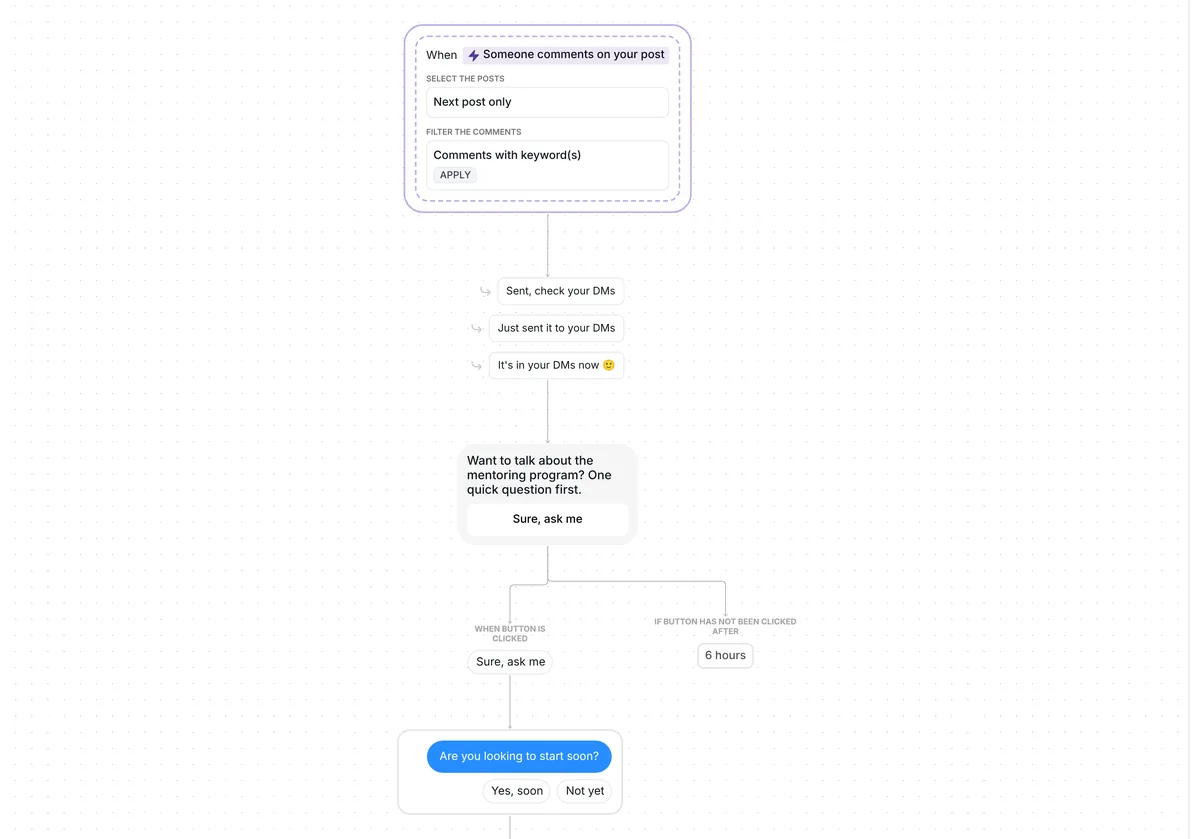
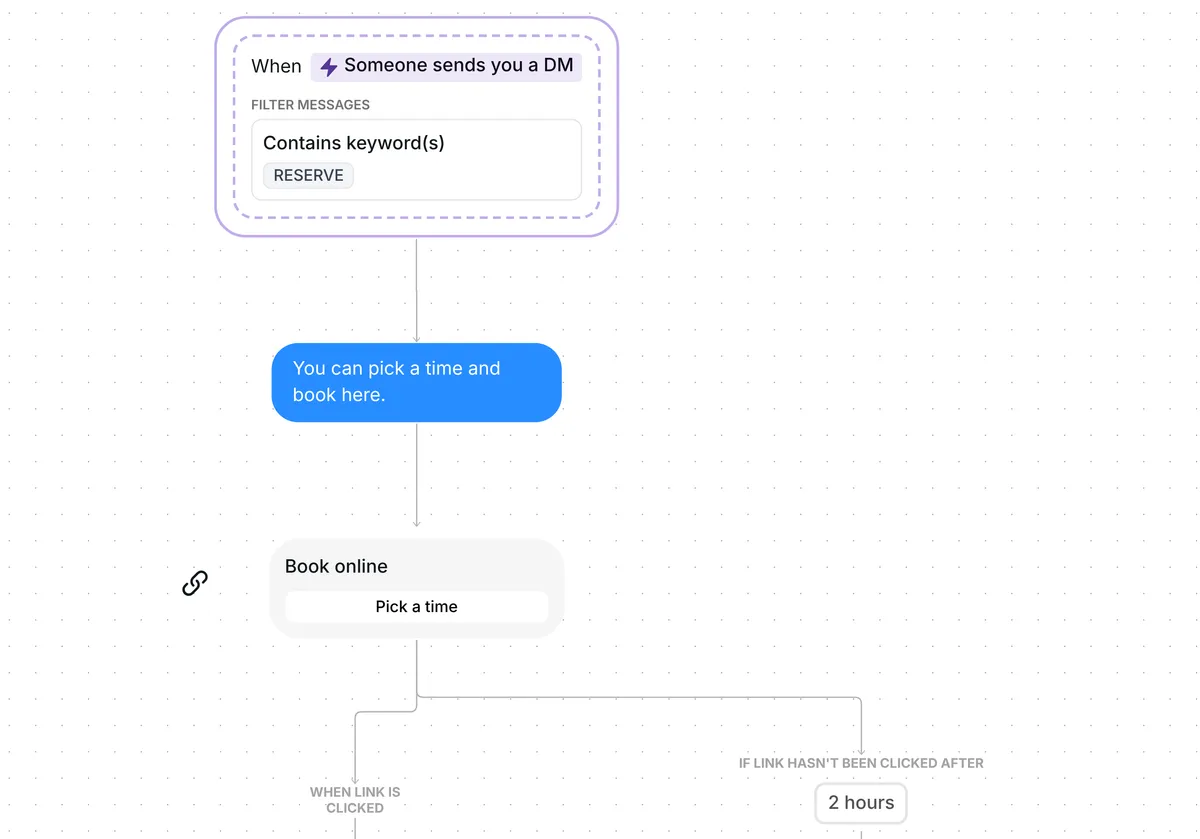
Want your calls to go only to people ready to start? This template answers the people who DM you, sends your booking link to the ready ones and keeps the rest warm with a free guide.

Kshitij Maheshwari


Someone DMs you COACHME and says what they need. AI sorts the reply: ready people get your booking link, you get an email, the rest a free guide.
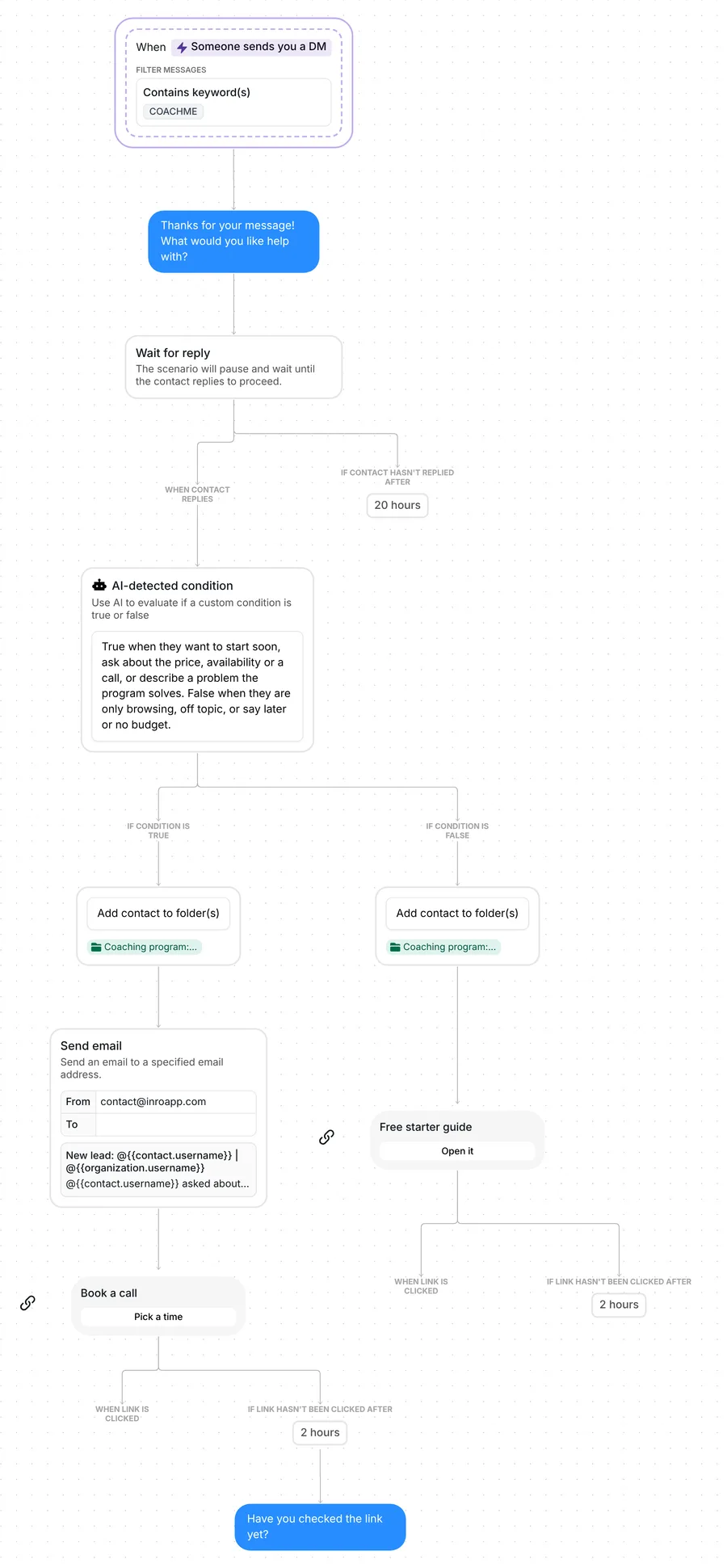
Ask people to DM you COACHME. Each one gets a reply, "What would you like help with?", and AI reads their answer against criteria you write in plain words. People ready to start get your booking link, and you get an email with their answer. Everyone else gets a free starter guide.
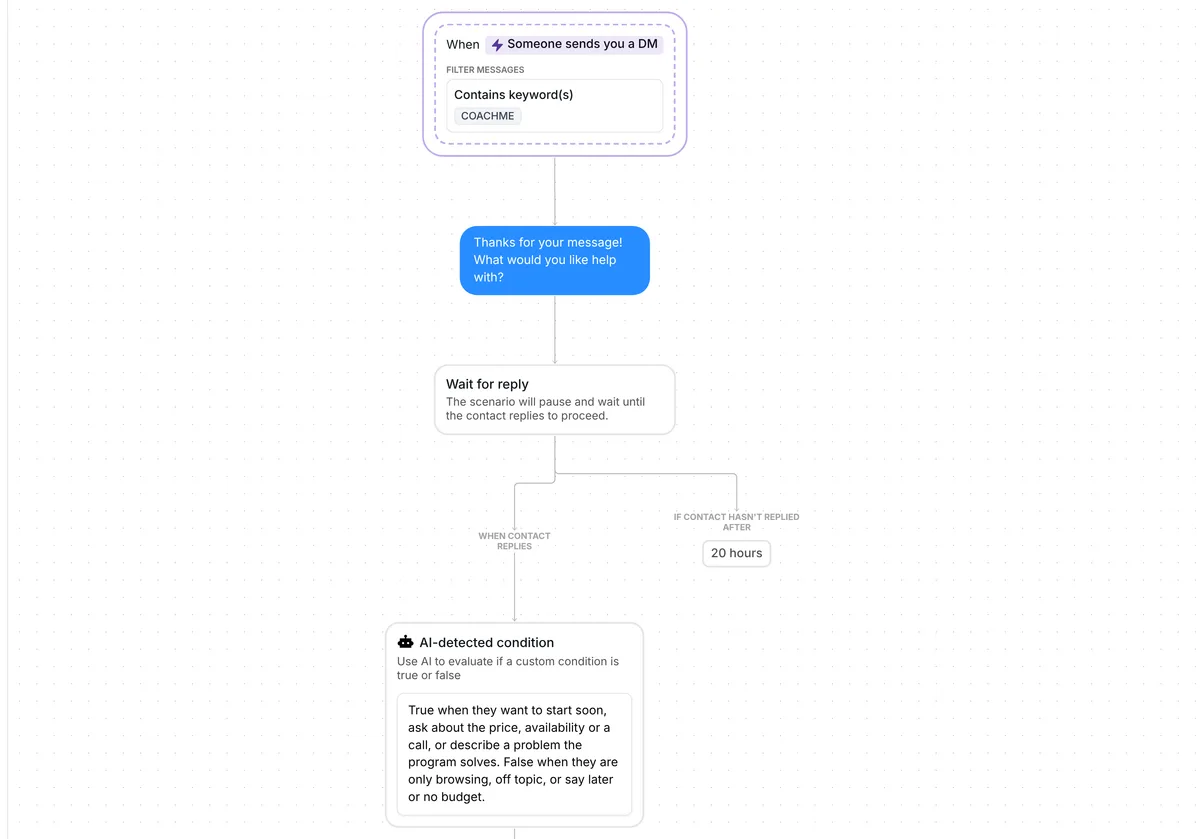
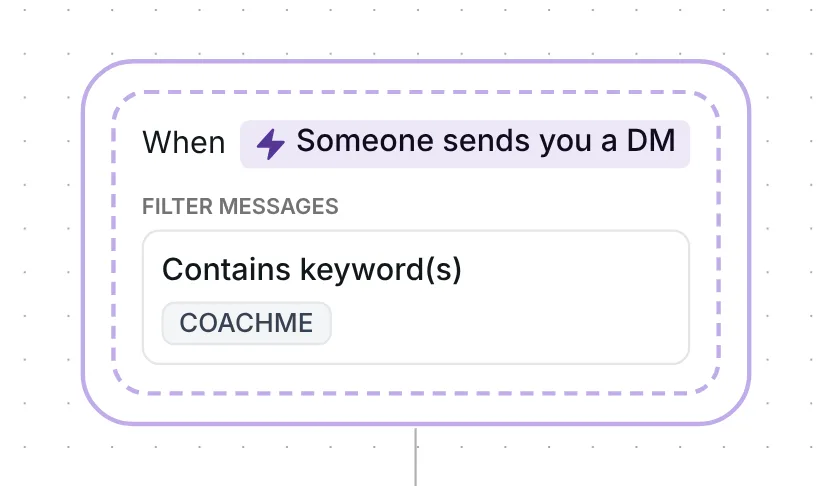
The flow starts on any DM that contains COACHME, at the start of a conversation or in the middle of one, so people who have messaged you before can start it too. The keyword counts as a whole word in any case: "coachme" and "Hi, COACHME please" both work.
Because the person writes first, Inrō can reply and carry the conversation. Meta's messaging rules say a business can send a message on Instagram only after the person has messaged it (Meta for Developers, checked 22 October 2026). So the flow needs no opening button, unlike the Book calls from Instagram comments template, which starts from a comment. DM keyword flows get a 20.9% click rate across Inrō, in our production data.
Inrō replies: "Thanks for your message! What would you like help with?" There are no buttons. The person answers in their own words, and that answer is what the AI reads next. The opener is 55 characters, and short openers do better: conversion with a first message under 120 characters was 39%, against 22% for longer ones, in Inrō's DM Benchmark of 798,041 conversations.
A wait for reply step then holds the flow for up to 20 hours. Any answer moves it on to the AI step. If no answer comes in that time, the flow ends for that person and nothing else is sent.
The AI step is a condition written in plain words:
True when they want to start soon, ask about the price, availability or a call, or describe a problem the program solves. False when they are only browsing, off topic, or say later or no budget.
The AI judges their reply against your condition. It answers true or false, and the flow takes the matching branch. Each decision uses AI credits.
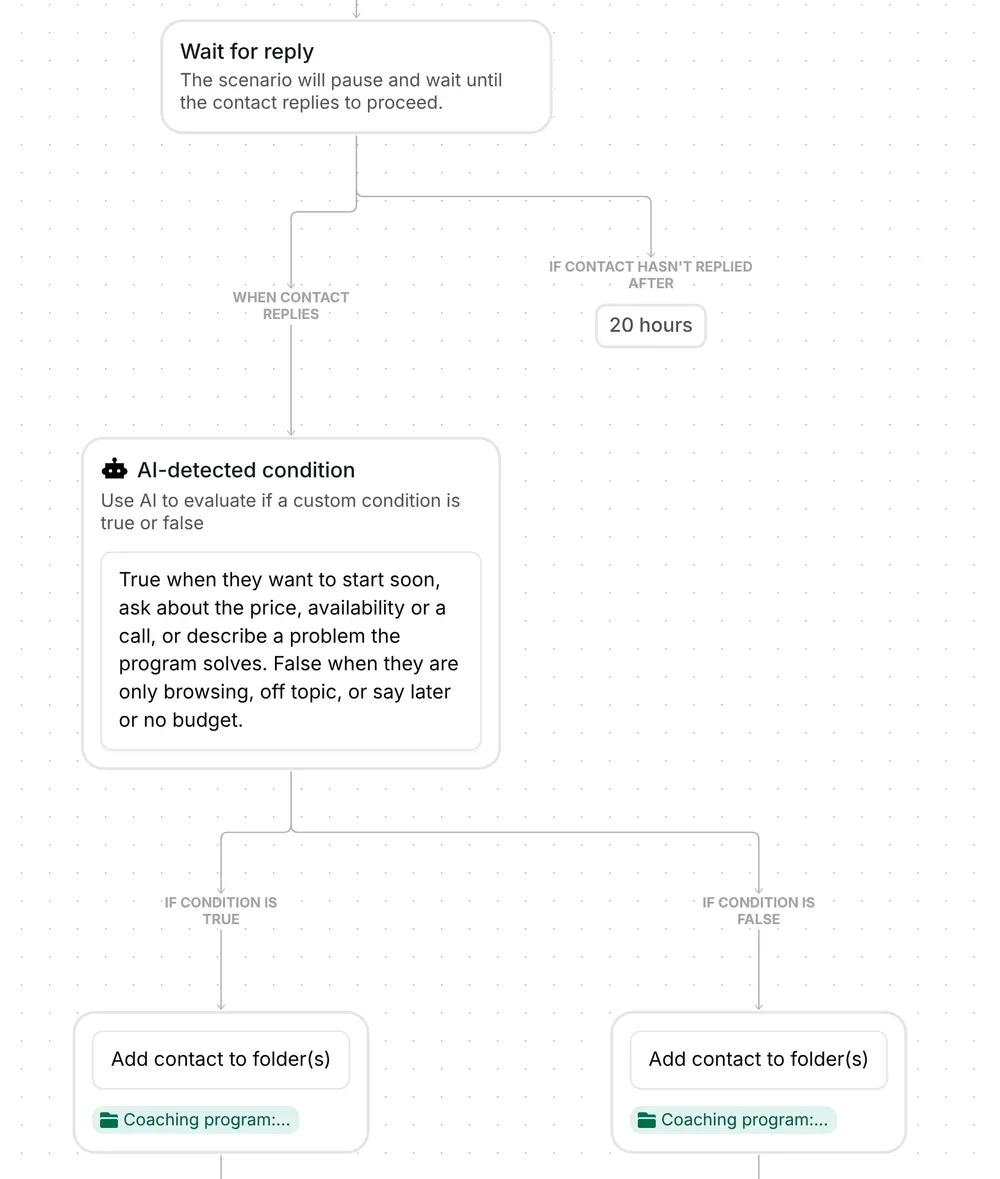
The person goes into the folder "Coaching program: hot lead". Inrō emails you: the subject is "New lead:" with their username, and the email says they "asked about the coaching program, and the AI judged them a fit", then quotes their answer.
Then Inrō sends a link card, "Book a call", with the button "Pick a time". If they have not tapped it 2 hours later, Inrō sends one nudge: "Have you checked the link yet?"
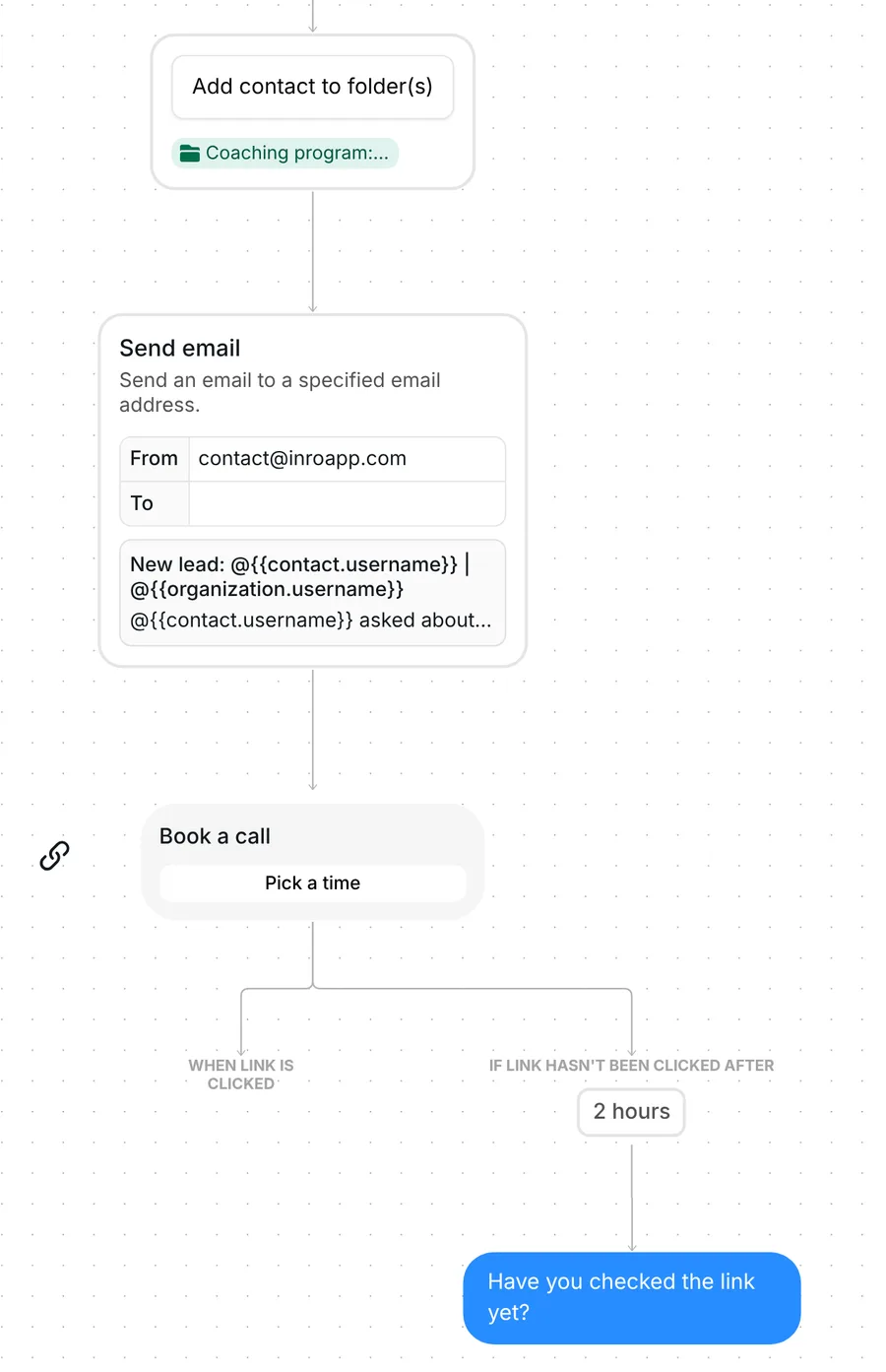
The 2 hours is only the wait before the nudge. The link keeps working after it. Inrō records each tap on the link, not the booking itself. To see bookings in Inrō, swap the card for a Calendly booking link.
The person goes into the folder "Coaching program: cold lead" and gets a link card, "Free starter guide", with the button "Open it". You have a list of people to come back to later.
The trigger comes set up: any DM that contains COACHME starts the flow, and it runs at most once every 7 days per person.
Check six things before you go live:
You can also rename the two folders, change the opener, the waits (20 hours for an answer, 2 hours before the nudge) and the 7-day limit. To sharpen your criteria, start from the lead qualifying questions generator. The Calendly integration lets Inrō track bookings as well as taps.
Same steps, different wording, folders and resource. The name below opens that version to copy.
Agencies: strategy calls. Keyword STRATEGY, and the whole message has to be that one word. The first question is "What's the main thing you need help with?" The AI text also sends job seekers and other agencies to "not yet". People who are ready get a "Book a strategy call" card, and a reminder after 2 hours if they have not tapped it: "No rush. The link is above when you have a minute." People who are not ready get a free content checklist. Agencies version
More flows for agencies: Instagram automation for agencies.
AI lead qualification means AI reads what a lead writes and decides whether they fit criteria you set. In this template it is one decision on one reply, ready now or not yet, and the flow then takes the matching branch.
No. The AI makes one decision inside a fixed flow, and every message the flow sends is written in the template. For an AI that holds the whole conversation, use the Inrō AI agent.
After 20 hours the flow ends for them and nothing else is sent. You can put the free starter guide on that branch. If they DM COACHME again more than 7 days after their last run, the flow starts again.
Yes, in the Inrō inbox or on Instagram. As soon as you send a message by hand, the automation stops for that person, so no automated nudge follows your reply.
Not sure how it work?
Read posts about templates on our blog.
Become a creator
Submit your template to the Inrō template gallery and get featured – all in just a few clicks.

It clones straight into your account. Change the message to sound like you, then switch it on.