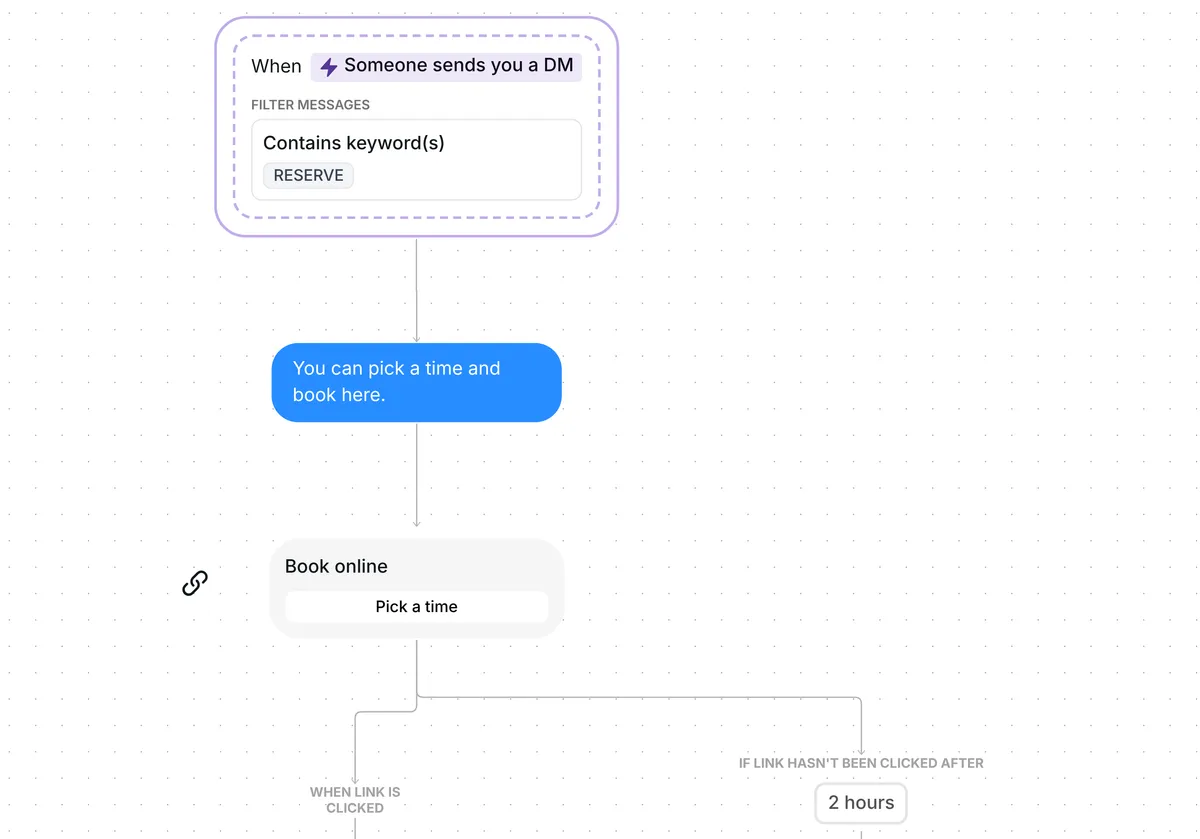
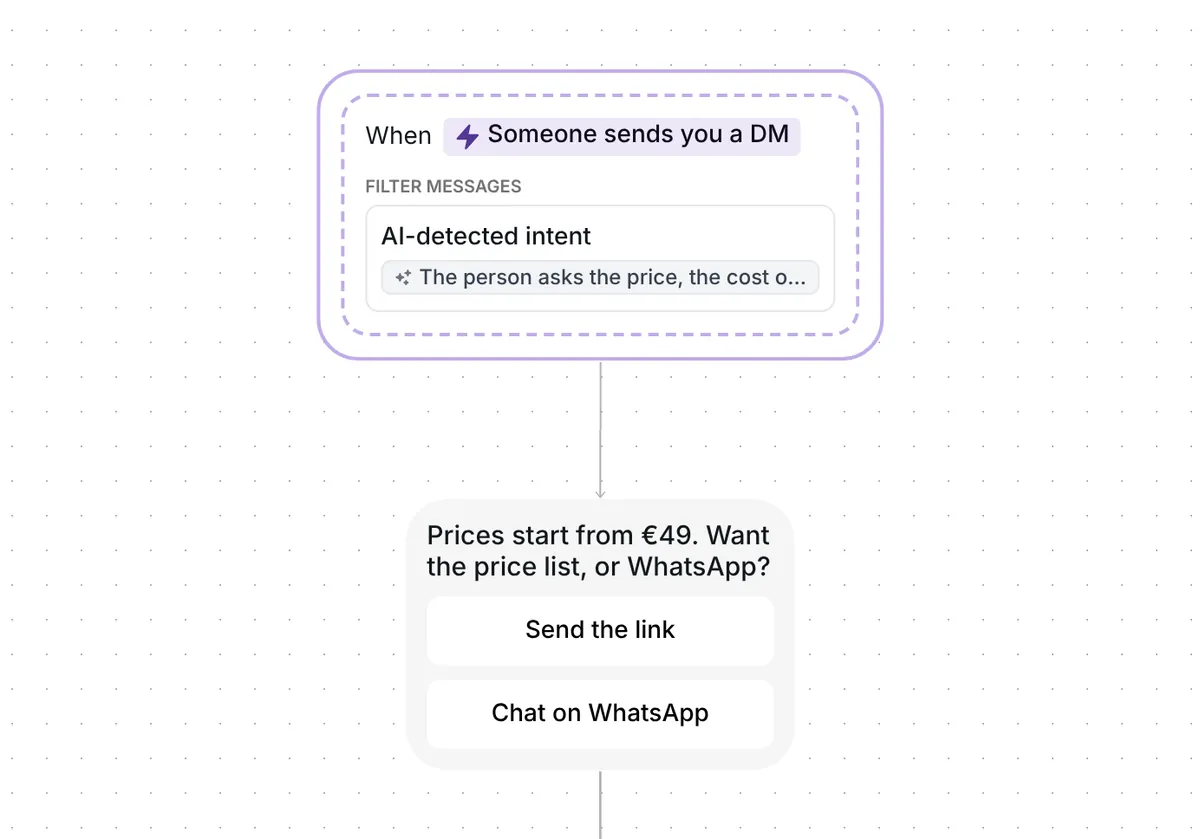
Want more quote requests from Instagram without typing the same reply to every DM? This template answers each request with your quote form and follows up with anyone who has not opened it.

Kshitij Maheshwari


Someone DMs you QUOTEME and gets your quote form, plus one reminder 2 hours later if they have not opened it. Copy the Instagram template.
Ask customers to DM you QUOTEME when they want a price for their job. Inrō answers with a short line and a "Get my quote" button that opens your quote form. Everyone who taps it goes into the folder "Quotes: clicked", and anyone who has not tapped it after 2 hours gets one reminder.
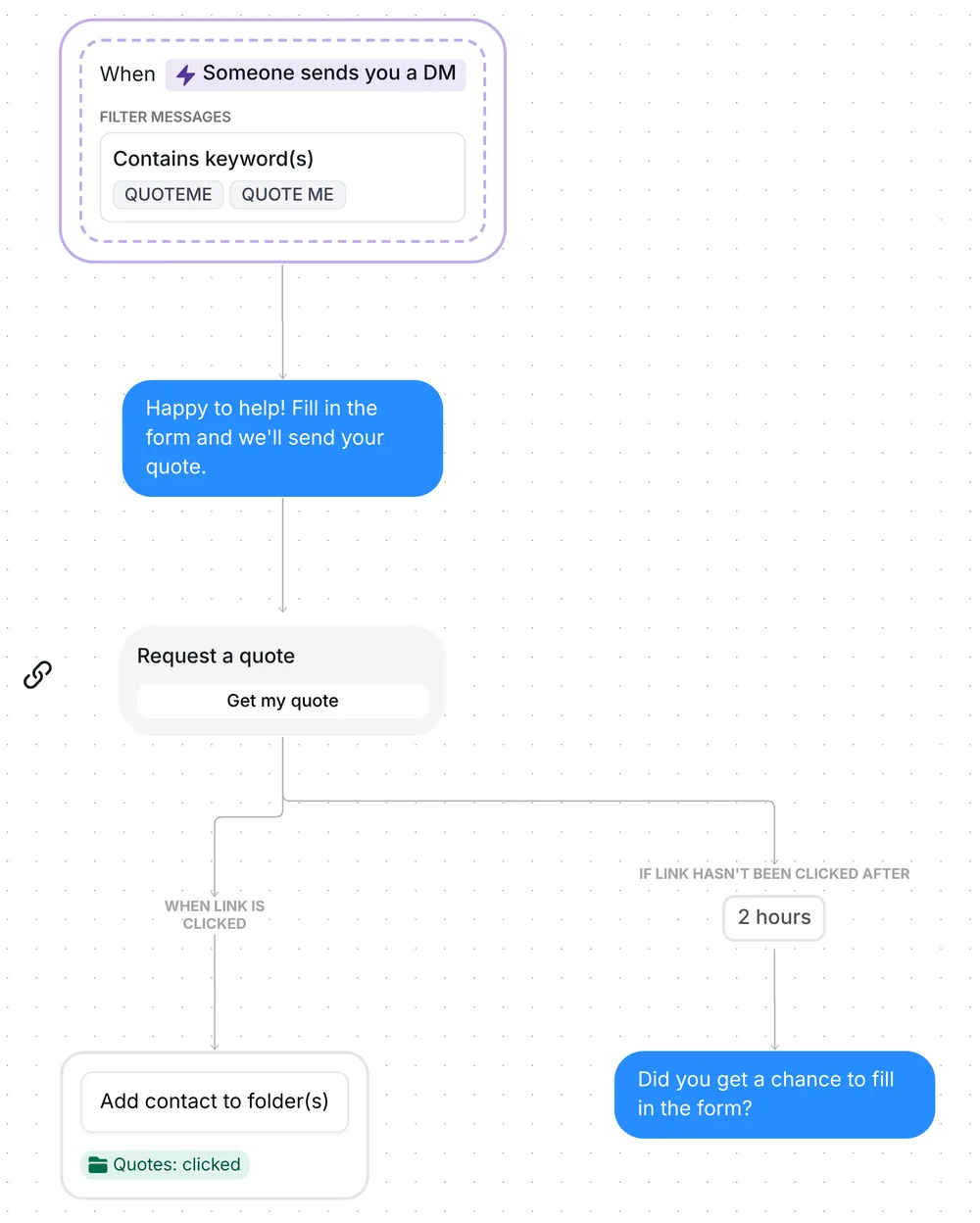
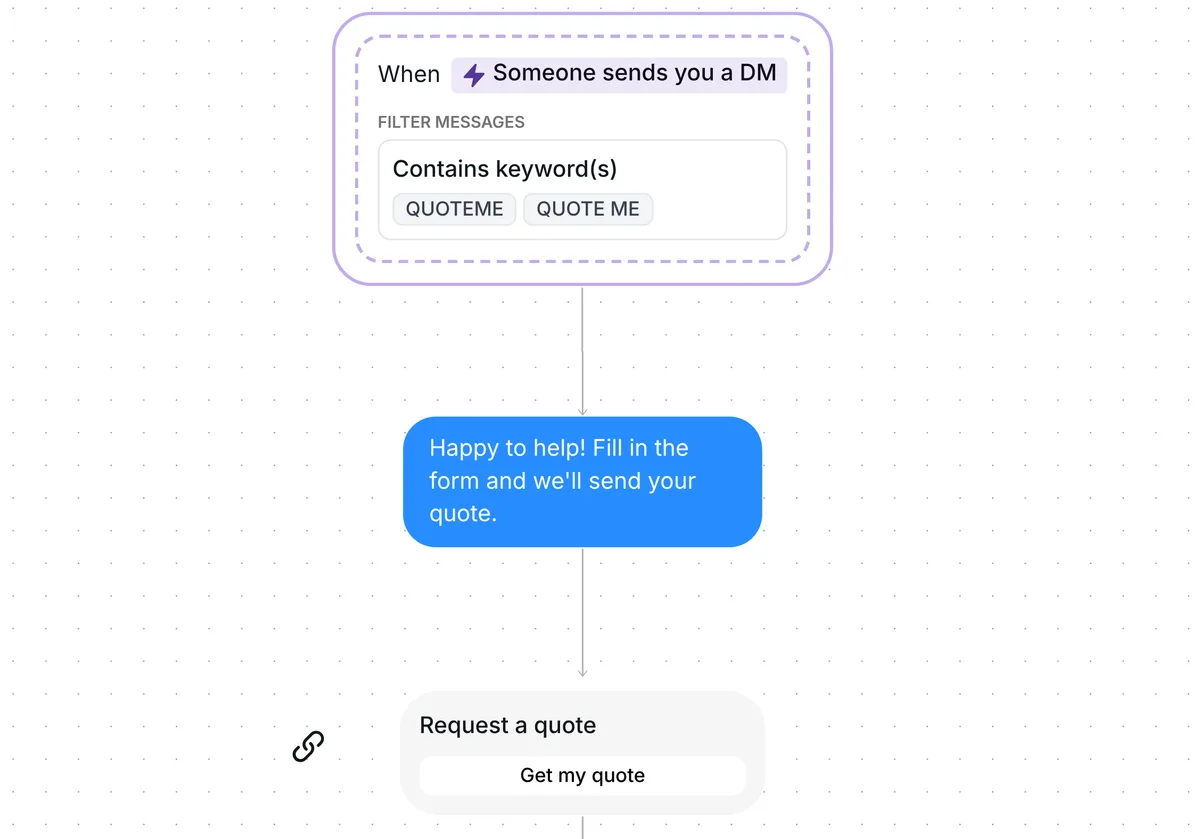
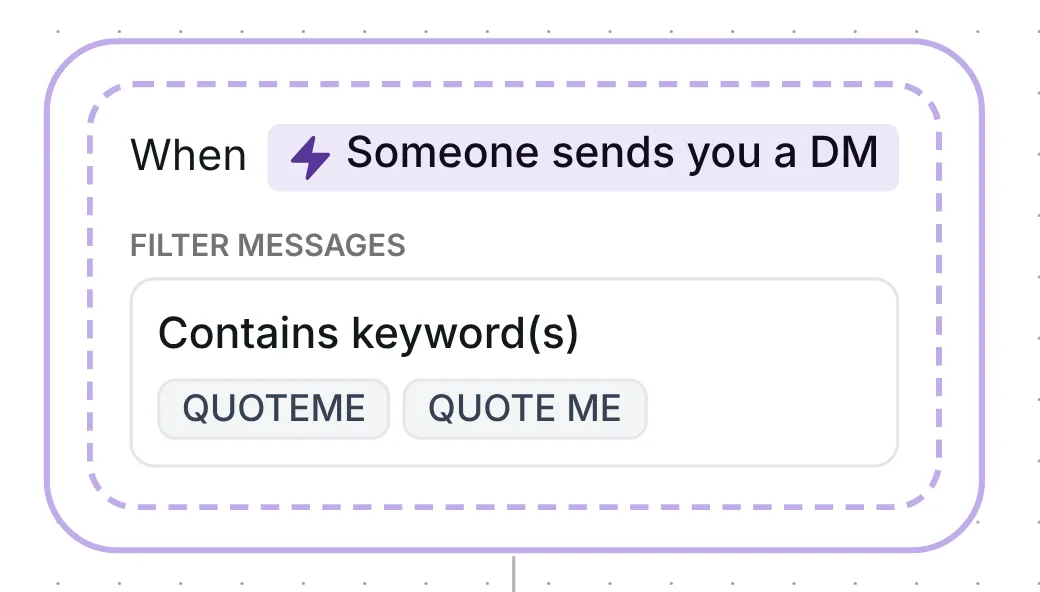
The trigger listens to your DMs for QUOTEME or QUOTE ME, and either spelling is enough. It reacts to the first message in a conversation or any later one, so a past customer who asks for a new job gets the form too.
The keyword can sit inside a longer message, in capitals or not: "quote me for 50 guests please" starts the flow. The word "quote" on its own does not, so "Can I get a quote?" gets no automated answer as the template is built (the tips below show how to catch it).
Inrō replies first with "Happy to help! Fill in the form and we'll send your quote." The next message is a link card titled "Request a quote", with the button "Get my quote". Behind that button goes your quote form: the place where the customer gives you the date, the quantity, the size or the address your price depends on.
The intro tells the customer what happens next, the form and then your quote, so they know why they are tapping before the button arrives. It is also short, at 58 characters: across the 798,041 conversations in our DM Benchmark, first messages under 120 characters converted at 39%, against 22% for longer ones.
Every customer who taps "Get my quote" is added to the folder "Quotes: clicked", even if the tap comes after the reminder. Filter your Inrō inbox and CRM by that folder and you see every customer who opened your quote form in one view, each next to their conversation.
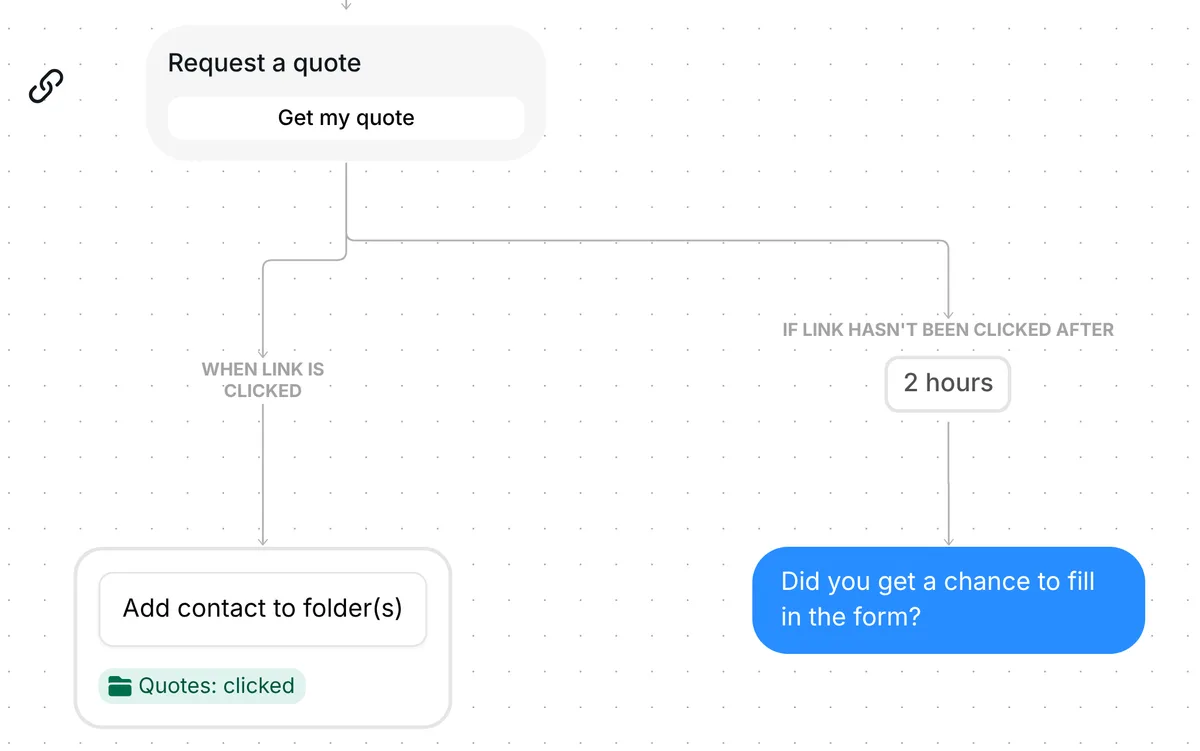
Inrō records the tap on the link, not the form itself. The answers land wherever your form lives, on your site or in your form tool, so the folder tells you who opened the form and the form tool tells you who sent it.
A customer who has not tapped the link 2 hours later gets one message: "Did you get a chance to fill in the form?" A customer who tapped it in time gets nothing more.
The 2 hours is only the wait before that reminder. The link keeps working after it, so someone who comes back the next evening can still open your form.
The trigger comes set up: DMs that contain QUOTEME or QUOTE ME, in any message of the conversation, and it stops as soon as you reply by hand.
Check five things before you go live:
If your customers pick a time slot rather than wait for a price, the Instagram appointment booking template sends your booking page instead of a form.
Ask people to DM you a keyword, like QUOTEME, wherever you show your work. This template answers each request with your quote form and sends one reminder to anyone who has not opened it 2 hours later.
No. Inrō records the tap on "Get my quote", so the "Quotes: clicked" folder shows who opened your form. The answers arrive in your form tool or on your site.
Yes, as built: a message from the customer does not stop the flow, only one from you does. To stop it when they write, turn on "Interrupt when contact replies" in the scenario settings.
Yes. Write to them in the Inrō inbox or in Instagram. As soon as you do, the automation stops for that person, so the reminder never follows your quote.
Not sure how it work?
Read posts about templates on our blog.
Become a creator
Submit your template to the Inrō template gallery and get featured – all in just a few clicks.

It clones straight into your account. Change the message to sound like you, then switch it on.