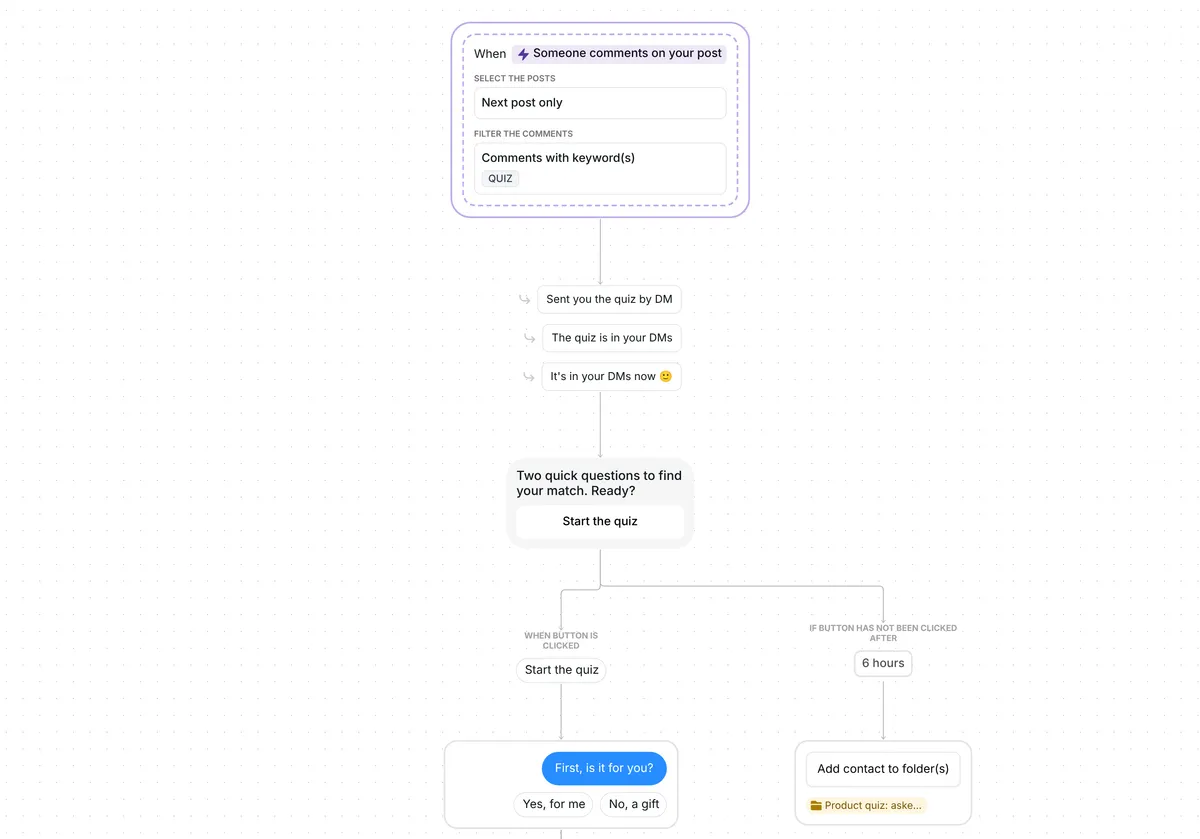
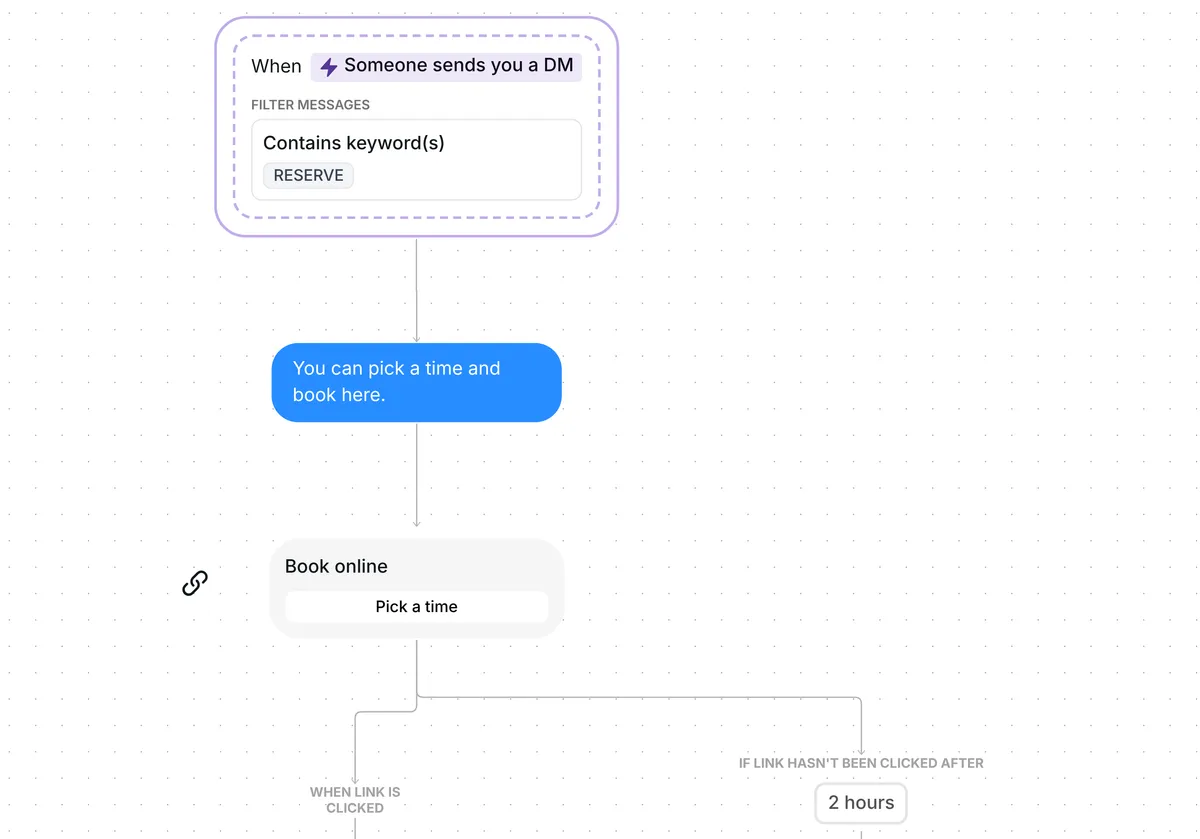
Selling more than one plan or package? This template answers "Which plan is right for me?" on your Instagram profile and sends each person to the plan that fits, or to a quick call if they are unsure.

Kshitij Maheshwari


Someone taps "Which plan is right for me?" on your profile, picks Starter, Pro or Not sure yet, and gets the right link in your DMs. Copy the template.
Someone taps "Which plan is right for me?" on your Instagram profile and picks one of three answers: Starter, Pro or "Not sure yet". Each plan answer gets that plan's link, "Not sure yet" gets a link to book a quick call, and everyone who opens a link goes into one folder you can follow up with.
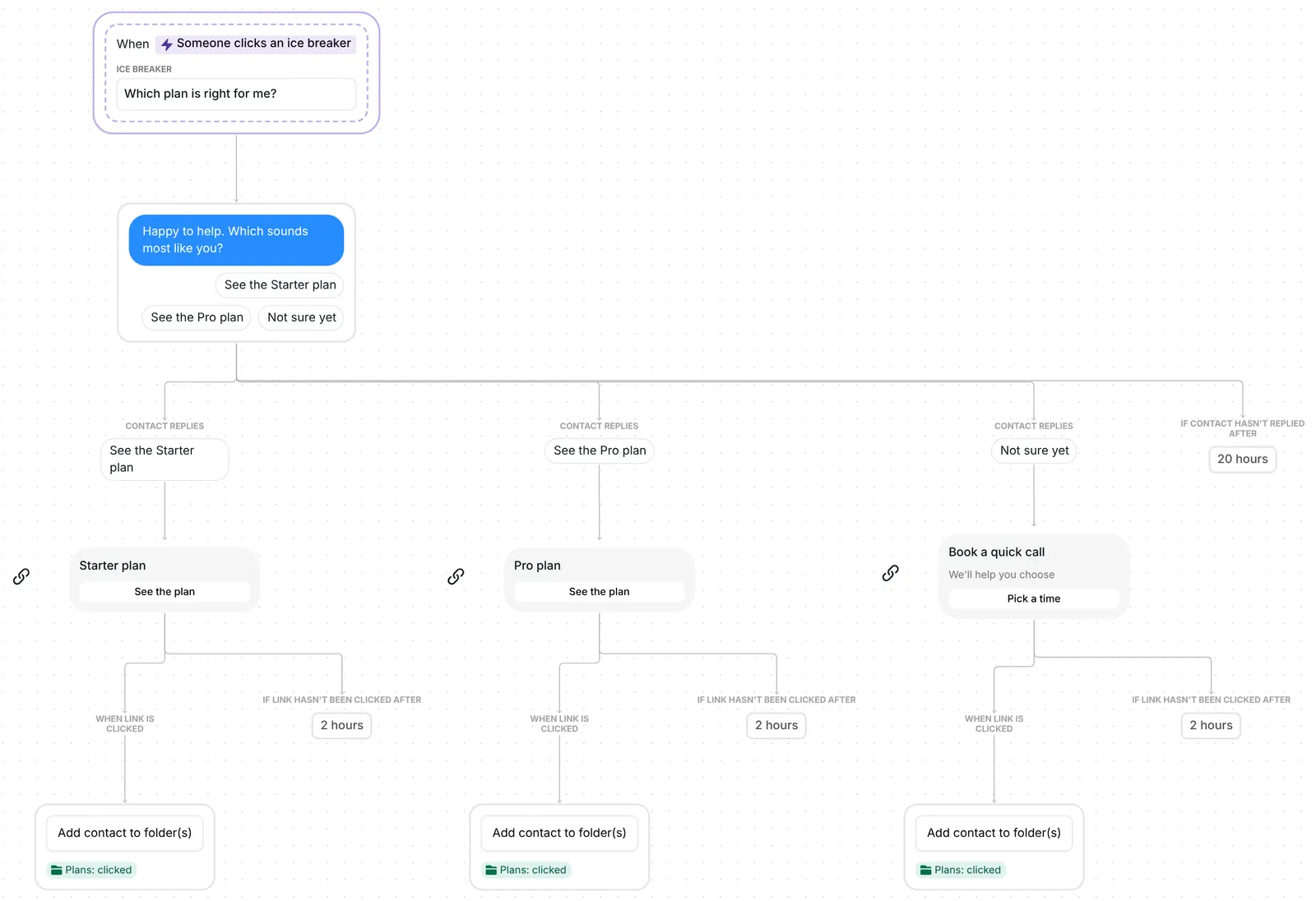
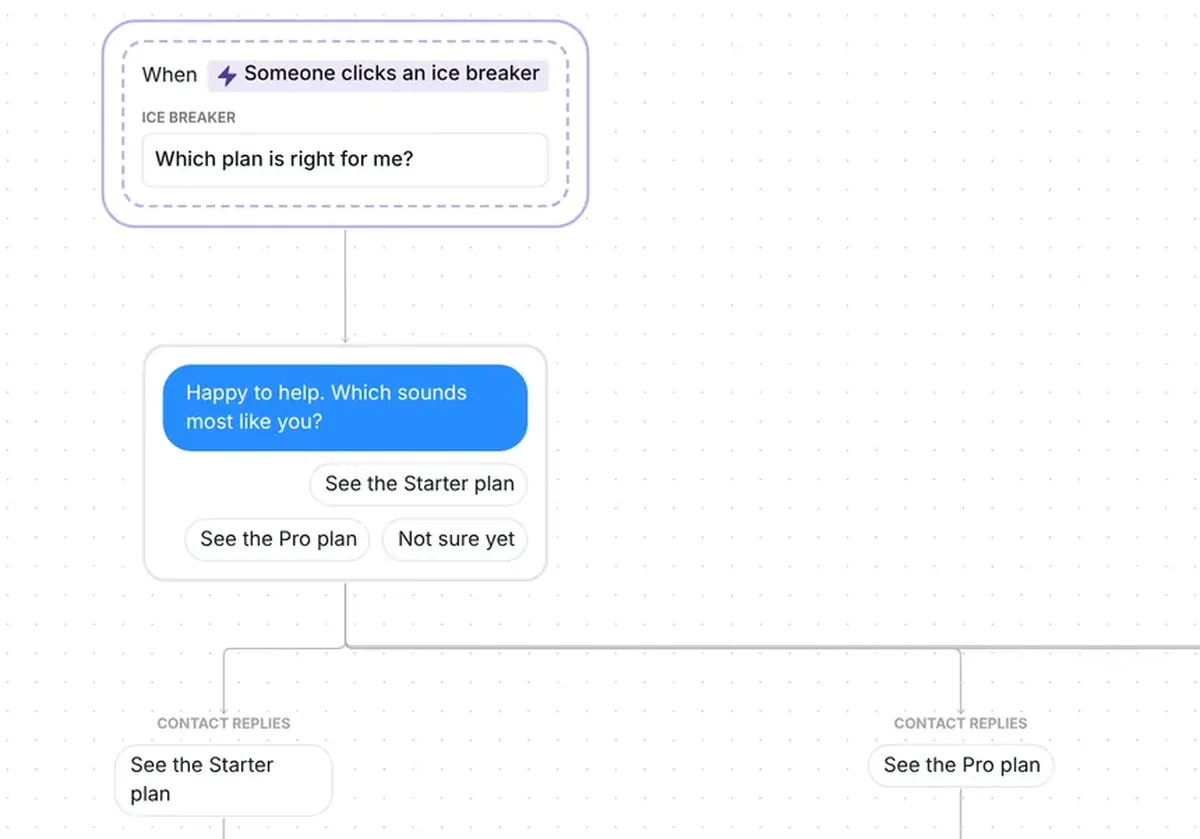
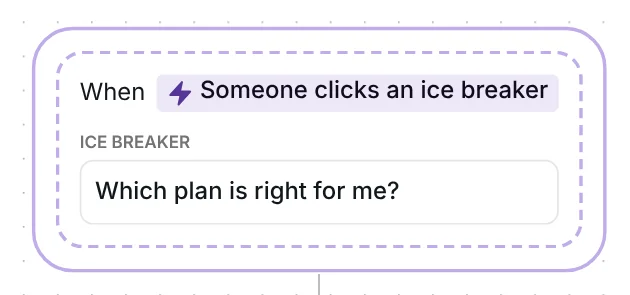
The flow starts when someone taps the ice breaker "Which plan is right for me?", a question on your profile that people tap to start a conversation with you. Ice breakers show the first time someone opens a conversation with you. Only a tap starts the flow: typing the same words in a DM does not.
On Inrō, 57% of people who tap an ice breaker go on to click a link or button, according to our production data across all ice breakers. The figure covers every ice breaker, not this template alone. You can find more ways to use ice breakers on your profile on our use case page.
Inrō answers the tap with one question: "Happy to help. Which sounds most like you?" It comes with three answers to tap: "See the Starter plan", "See the Pro plan" and "Not sure yet". When someone taps one, Instagram removes the buttons and posts their answer in the chat. "Starter" and "Pro" are example names that you replace with your own plans or packages.
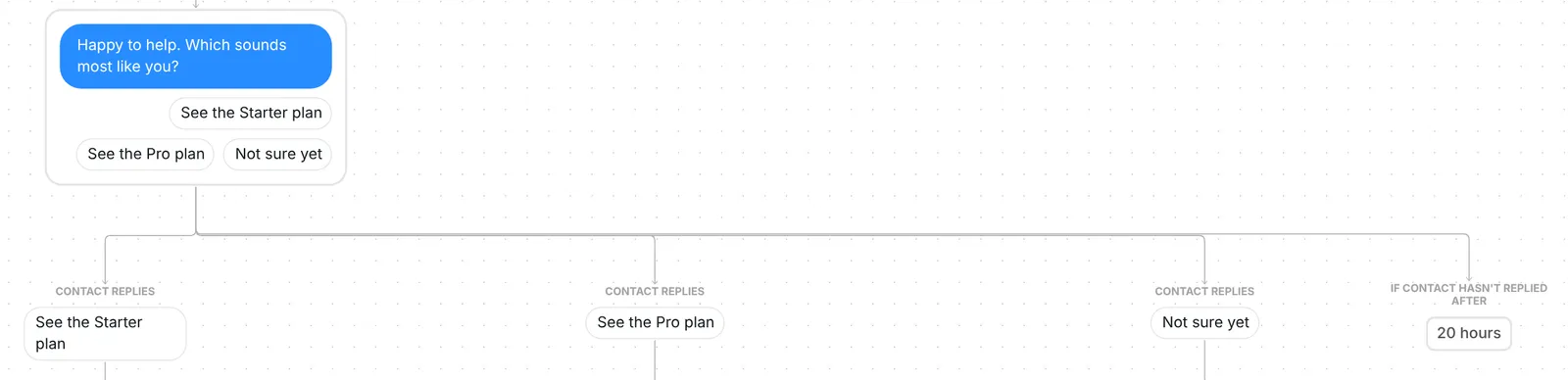
A typed answer counts if it contains one of the answers word for word, like "see the pro plan please". Any other reply gets one re-ask, "Just tap one of the options below.", with the same three answers. After a second miss, the flow stops. The question waits 20 hours for an answer.
"See the Starter plan" sends a link card titled "Starter plan" with the button "See the plan". "See the Pro plan" sends the same card for "Pro plan". When someone taps the link, Inrō adds them to the folder "Plans: clicked", so you can see who opened a plan link.
Each card waits 2 hours for a click. The 2 hours is only the wait: the link keeps working after it, and a later click still counts and still adds the person to the folder. Inrō records the click on the link, not the purchase.
"Not sure yet" sends a link card, "Book a quick call", with the line "We'll help you choose" and the button "Pick a time". A click adds the person to "Plans: clicked" too.
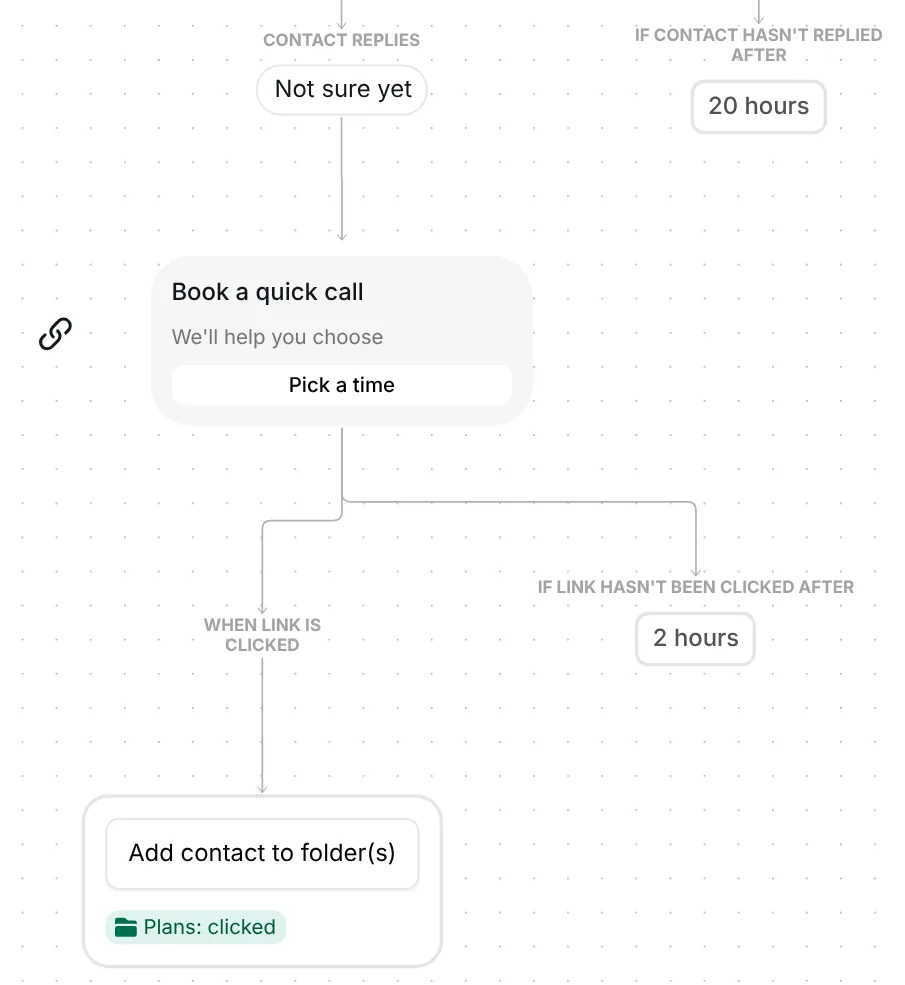
The card is a plain link, so it works with any booking page. To track the bookings themselves in Inrō, swap it for a Calendly booking link.
The trigger comes set up: the ice breaker "Which plan is right for me?", the flow runs every time someone taps it, and it stops for a person as soon as you reply to them by hand. Your copy starts turned off. It brings its own three link cards and the folder "Plans: clicked" (Inrō creates it if you do not have one with that name).
Check five things before you go live:
You can also reword the question, rename the folder and change the waits: 20 hours for an answer, 2 hours on each link. The example addresses carry UTM tags; use the UTM link generator to tag your plan links the same way. The Calendly integration lets Inrō track bookings as well as clicks.
The AI version is the same flow with one change to the question: "Happy to help. Which sounds most like you? Tap one, or tell me a bit about what you need." AI sorts a reply written in the person's own words into Starter, Pro or Not sure yet, using a short description of each answer. For Starter it reads: "They are new, want to try it first, or want the cheapest or simplest option." Edit the three descriptions to match your plans.
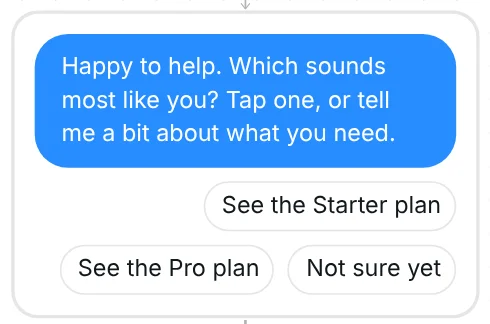
AI matching uses AI credits, and only when it finds a match. If your credits run out, taps and answers typed word for word still work. Both versions answer the same ice breaker, so turn on one of the two (see the tips below).
More flows for selling from your DMs: help people pick a product with the product recommendation quiz template, or book calls from a post with the book calls from Instagram comments template.
In this template's trigger, press "Select ice breaker" to open "Manage ice breakers". Add your question there, then pick it in the trigger and save. Your profile can show up to 4 ice breakers.
A typed answer counts when it contains one of the answers word for word, like "see the pro plan please". Anything else gets one re-ask with the same three answers. The AI version reads replies in their own words.
Yes. Ice breakers live on your Instagram account, not in Inrō, so the ones you already set up show in "Manage ice breakers" and you can pick one in the trigger. Adding or deleting one in another app changes what you see in Inrō too.
Not sure how it work?
Read posts about templates on our blog.
Become a creator
Submit your template to the Inrō template gallery and get featured – all in just a few clicks.

It clones straight into your account. Change the message to sound like you, then switch it on.