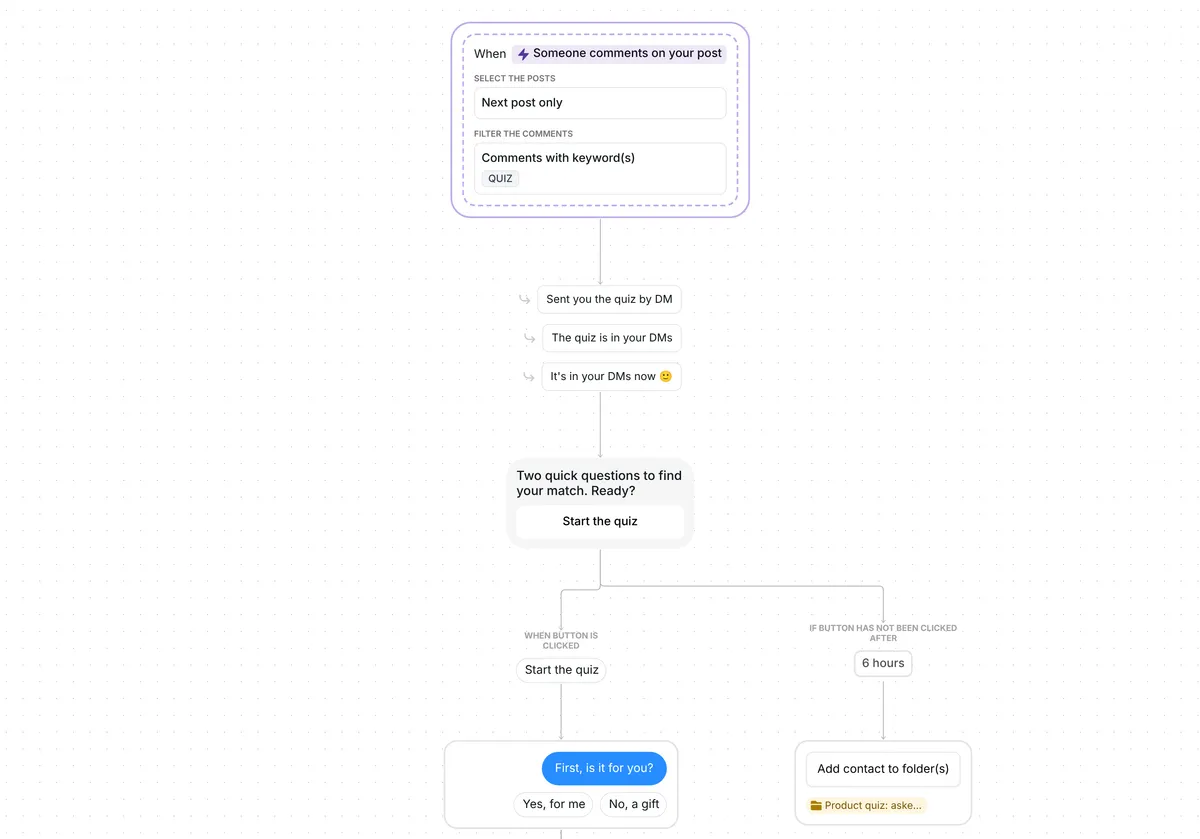
Tired of typing your price under every post? This template answers each price question in the DMs for you, then hands the buyer your product link or a WhatsApp chat, whichever they prefer.


Kshitij Maheshwari


Someone comments PRICE and gets your price by DM, with one tap to your product link or a WhatsApp chat with you. Copy the free Instagram template.
Ask people to comment PRICE on your next post. Each one gets a DM with the price and two buttons. "Send the link" brings your product card, with one nudge if they have not opened it 2 hours later. "Chat on WhatsApp" brings a link that opens a WhatsApp chat with you.
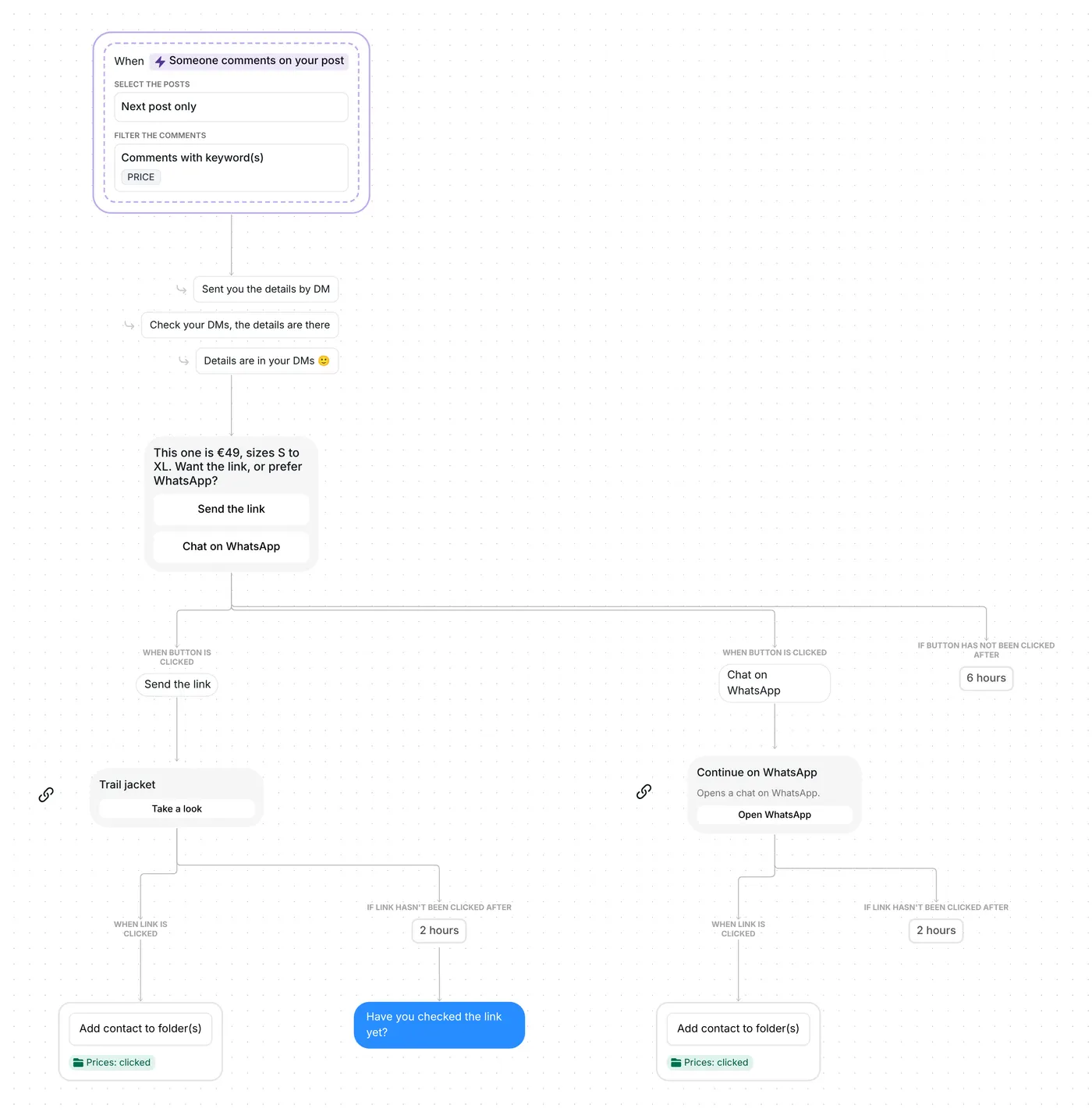
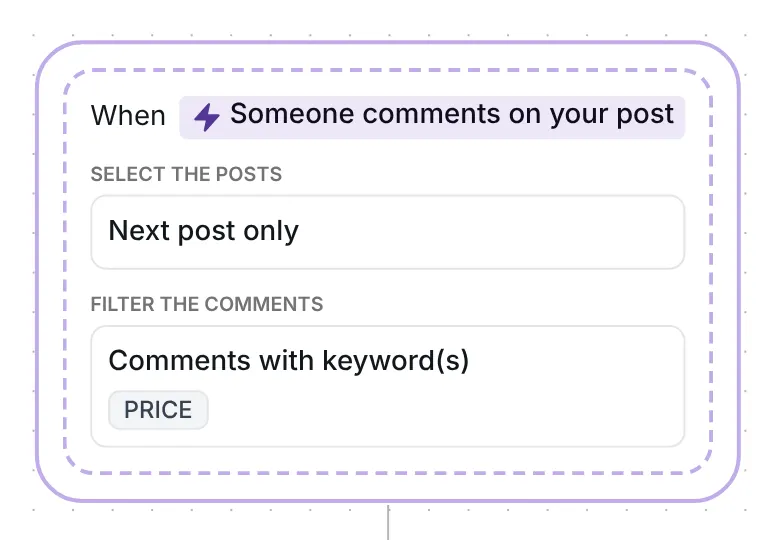
Any top-level comment with the word price starts the flow, in capitals or not, anywhere in the comment, plural included: "Price?", "prices please" and "what's the price on the blue one" all work. Inrō sends the DM through its comment to DM feature, then replies under the comment with one of three lines, at random: "Sent you the details by DM", "Check your DMs, the details are there" or "Details are in your DMs 🙂". That public reply waits until the DM is out.
The trigger watches a single post: the first you publish after the date saved in it, which you reset right before posting (see the setup below).
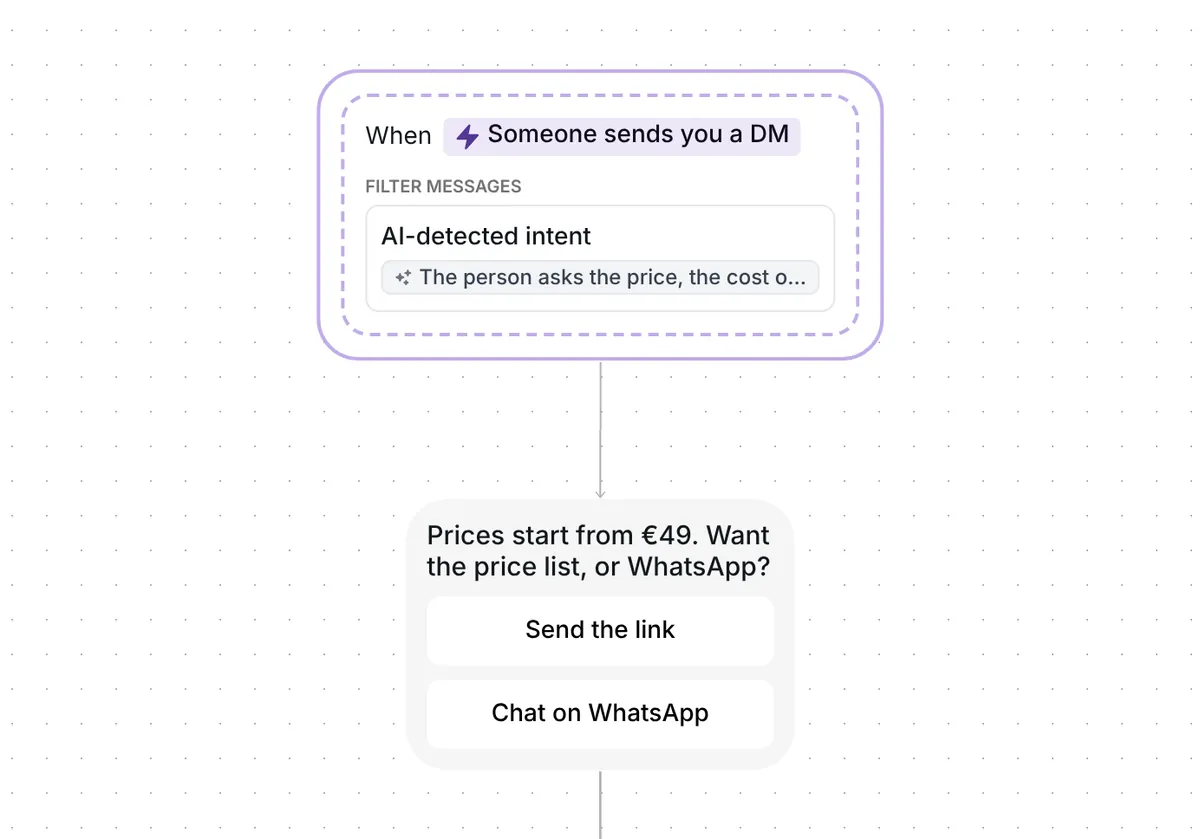
The first message answers the question at once: "This one is €49, sizes S to XL. Want the link, or prefer WhatsApp?" It is a button message with two buttons, "Send the link" and "Chat on WhatsApp". The price and sizes are examples you replace.

Why buttons instead of the link straight away: Instagram lets a business send one private reply to a comment, within 7 days of it (Meta for Developers, checked 22 October 2026). A tap on a button is the person's response, so the next message can follow. Each person picks one button, within 6 hours.
Across the 798,041 conversations in our DM Benchmark, a first message under 120 characters converted at 39%, against 22% for a longer one. The price DM here is 66 characters.
A tap on "Send the link" brings a trackable link card titled "Trail jacket", with the button "Take a look". With no click after 2 hours, Inrō sends one nudge: "Have you checked the link yet?" The 2 hours is only the wait before the nudge; the link keeps working, and a later click still counts.

A click puts the person in the folder "Prices: clicked", in your Inrō inbox and contact folders. Inrō sees the click, not the sale, which happens on your product page.
The WhatsApp step is a wa.me chat link. A tap on "Chat on WhatsApp" brings a link card, "Continue on WhatsApp", with the line "Opens a chat on WhatsApp." and the button "Open WhatsApp". It opens a WhatsApp chat with your number, and the conversation carries on there, outside Inrō.
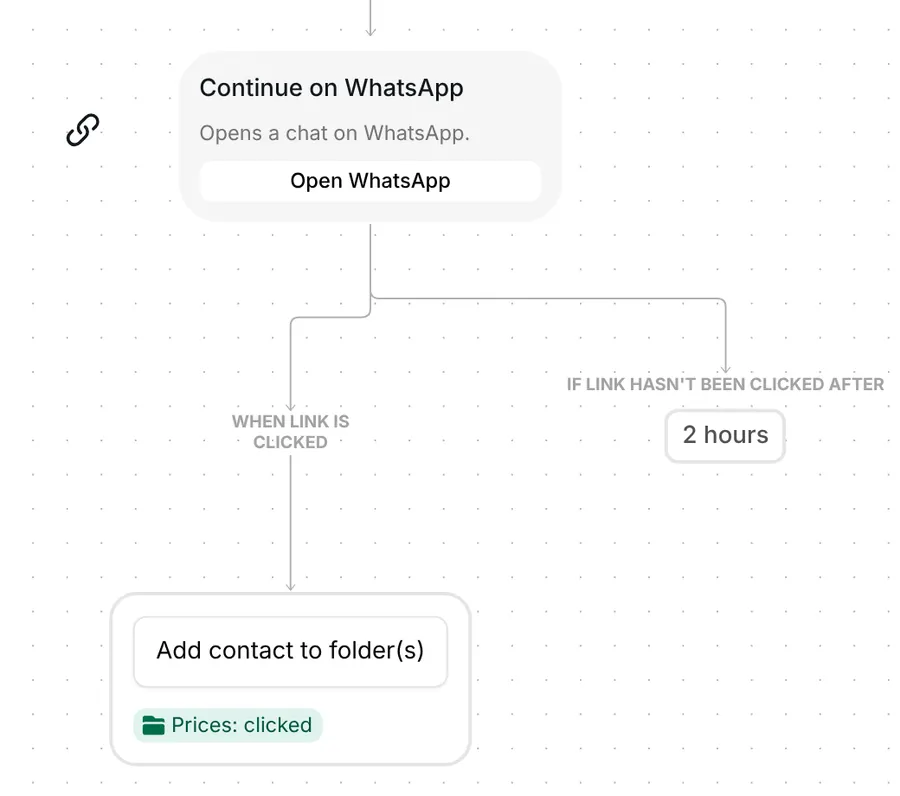
A click also adds the person to "Prices: clicked", so one folder holds everyone who opened either link. Buyers who want to ask a question first get somewhere to ask it.
The trigger comes ready: comments with PRICE, on your next post, top-level comments only, and each person gets the flow once. If you answer someone yourself, the automation stops for them.
Check five things before you go live:
You can also rename the folder "Prices: clicked" and change the waits: 6 hours for a button tap, 2 hours before the nudge.
The AI version has no keyword. Inrō's AI reads each top-level comment on your next post and starts the flow when the comment asks the price, in any words. This is intent detection, and the intent written in the trigger reads: "Asks the price, the cost or how much something is, in their own words. Not a compliment, a friend tag, or a question about delivery, sizes or stock." It can catch "how much?" or "cost?", which the keyword version lets pass.
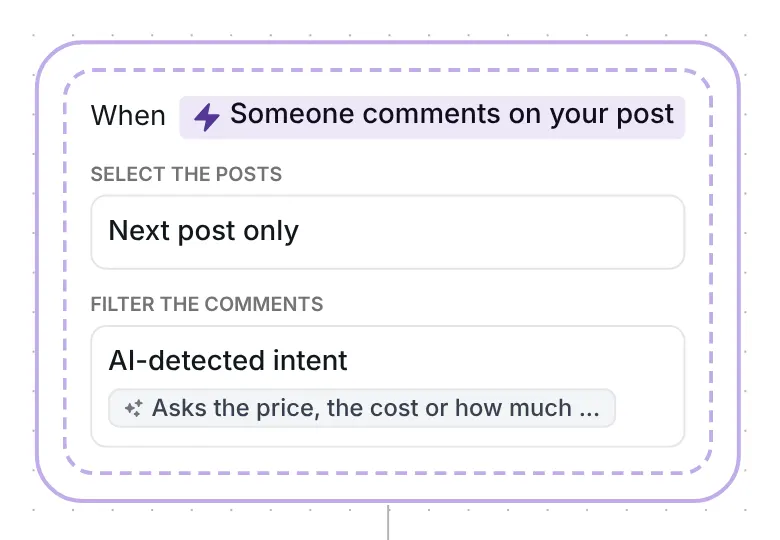
Everything after the trigger stays the same, except a softer nudge: "No rush, the link is just above." AI detection uses AI credits, and only when a comment matches. The keyword version needs none.
More flows for shops: Instagram automation for e-commerce brands.
Not as built: the first tap picks the branch, and a later tap on the other button does nothing. To let people open both the product card and the WhatsApp chat, open the price DM and set "Allow one click on" to "each button".
The keyword version does not: the word price, or another keyword you add, has to be somewhere in the comment. The AI version can: it reads the comment and starts the flow when it asks the price in any words.
No. It is a link card that opens a WhatsApp chat with your number. Inrō sends no WhatsApp messages; once the person taps, the conversation happens in your WhatsApp.
If your price is fixed and simple, you can put it in the caption as well. The template adds the product link in their DMs, the choice of a WhatsApp chat with you, and a nudge for people who have not opened the link.
Not sure how it work?
Read posts about templates on our blog.
Become a creator
Submit your template to the Inrō template gallery and get featured – all in just a few clicks.

It clones straight into your account. Change the message to sound like you, then switch it on.