Tired of typing your prices into every DM? Answer each "how much?" with your starting price and your price list, or a WhatsApp chat, even when you are busy with other customers.

Kshitij Maheshwari


Someone DMs "how much?" and gets your starting price, a price list or a WhatsApp chat, plus a nudge if the list stays unopened. Copy the template.
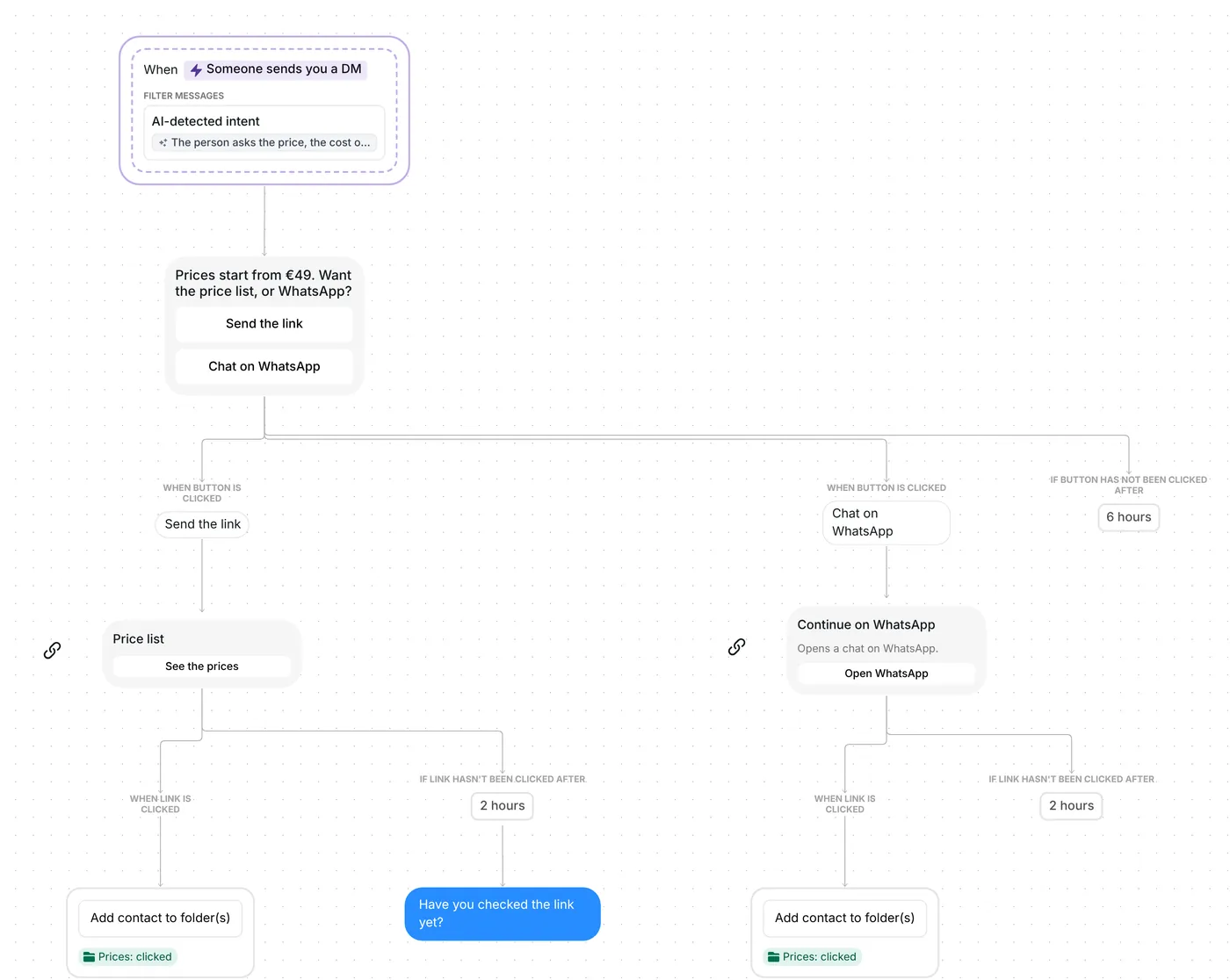
Someone DMs "how much?" and Inrō answers with your starting price and two buttons. One opens your price list, the other a WhatsApp chat with you. Everyone who taps goes into a folder you can work through, and a reminder follows if the price list stays unopened.
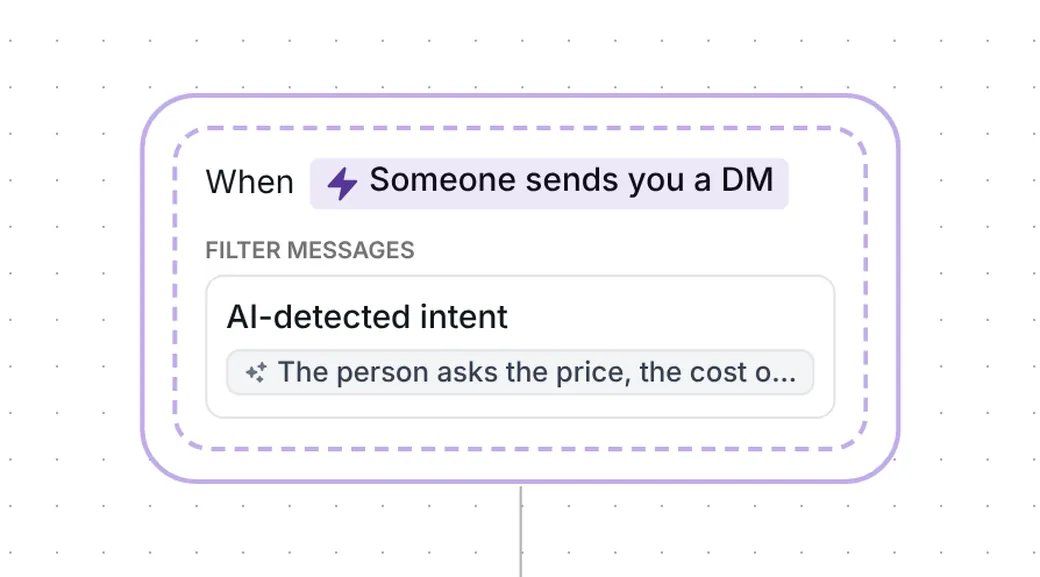
The trigger fires on a DM that asks the price, the cost or how much something is, in the person's own words. Inrō's AI detects the question from the meaning of the message, so "how much?", "what does it cost?" and "what are your prices?" are the kind of wording it is meant to catch. The word "price" is not required.
It works on any message in the conversation, the first or a later one. Someone who has talked to you before can ask too. The question the AI looks for is a sentence you can read and edit in the trigger. As it comes, it is written to skip a button tap such as "Send the link" and a question about an order already made. If someone sends several messages in a row, Inrō waits 5 seconds after the last one before it checks.
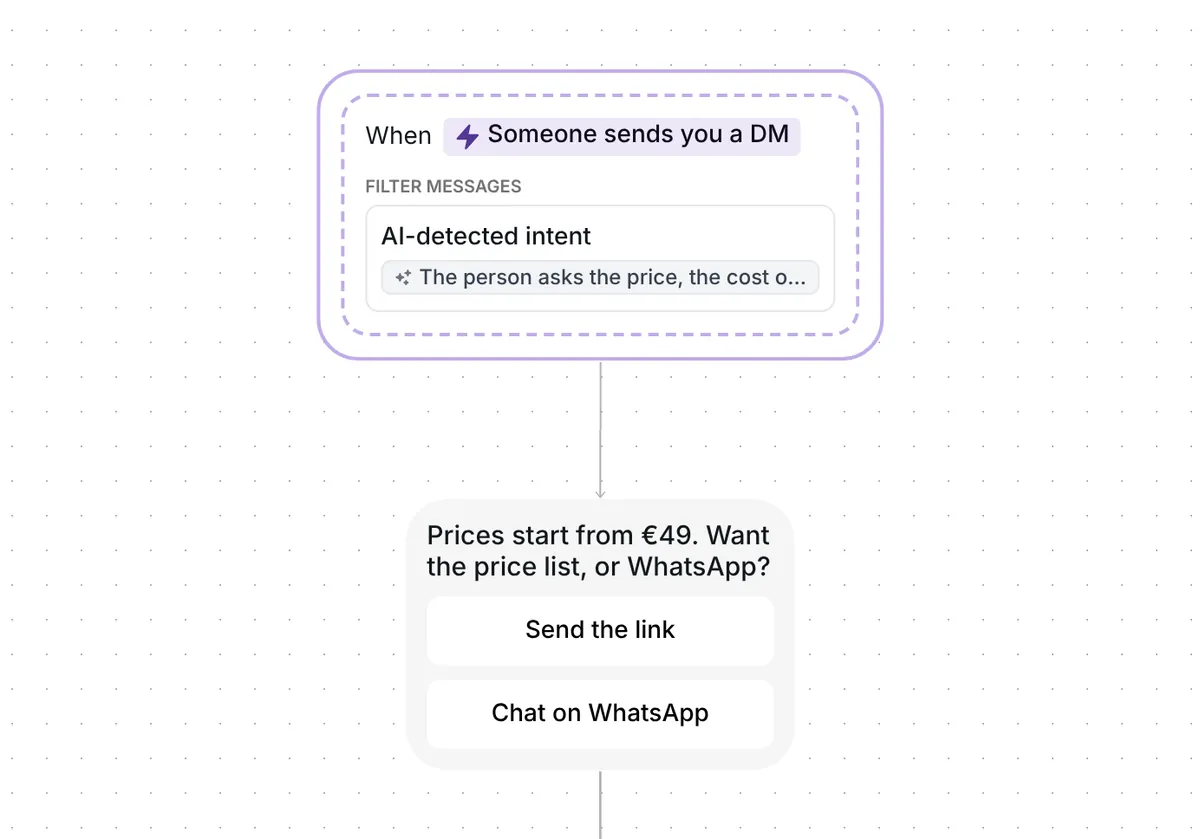
The first reply is short: "Prices start from €49. Want the price list, or WhatsApp?" Two buttons sit under it, "Send the link" and "Chat on WhatsApp". The €49 is an example for you to replace. Nothing in the template writes a price for you: the number is the text you type, and the price list is your own page.
Short openers do well: first messages under 120 characters converted at 39%, against 22% for longer ones, in our DM Benchmark of 798,041 conversations. This opener is 56 characters, so it falls in the short group. Each person picks one button, and with no tap within 6 hours nothing further goes out.
"Send the link" brings a link card titled "Price list", with the button "See the prices". Behind it goes the page where your prices live.
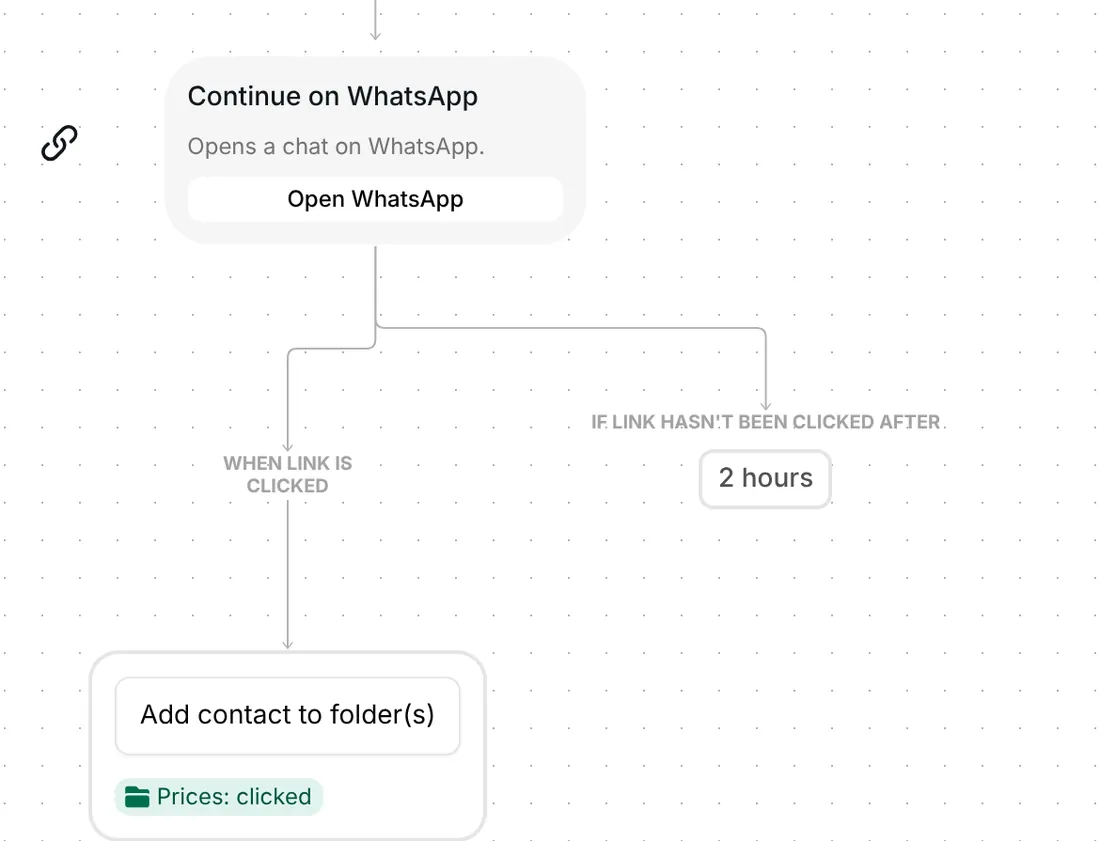
Whoever taps "See the prices" lands in the folder "Prices: clicked", including someone who taps after the reminder went out. If 2 hours pass without a tap, one message follows: "Have you checked the link yet?" That timer only schedules the reminder. It does not close the card, so a late tap is still recorded.

"Chat on WhatsApp" brings a second link card, "Continue on WhatsApp", with the subtitle "Opens a chat on WhatsApp." and the button "Open WhatsApp". The card opens a WhatsApp chat link, and the chat itself happens in WhatsApp.
A tap on "Open WhatsApp" adds the person to the same "Prices: clicked" folder. This branch has no reminder, so nothing is sent to someone who does not tap.
The folder lists the people who opened your price list or your WhatsApp chat. It holds taps, not sales: what happens after the tap takes place on your page or in the chat. Filter your Inrō inbox and CRM by the folder to see each of them next to their conversation.
The trigger comes ready: a DM that the AI reads as a price question, on any message of the conversation. Nothing is sent until you turn the scenario on.
Check six things before you go live:
Use a DM trigger that spots a price question by its meaning. This template replies with your starting price and two buttons, one for your price list and one for a WhatsApp chat. Everyone who taps goes into a folder, and one reminder follows if the price list stays unopened.
No. The AI reads the meaning of the message, so "how much?" and "what does it cost?" are the kind of wording it is meant to catch. If your customers ask differently, change the sentence in the trigger.
After the price list card, they get one reminder 2 hours later if they have not tapped. If nobody taps either button within 6 hours of your first message, nothing more is sent.
Yes, for that person. As soon as you write to them, the automation stops, so the reminder does not follow your own answer.
Not sure how it work?
Read posts about templates on our blog.
Become a creator
Submit your template to the Inrō template gallery and get featured – all in just a few clicks.

It clones straight into your account. Change the message to sound like you, then switch it on.