Automation
Sell and book

QR code to Instagram DM automation for new customers

Want people who visit your shop or open your parcel to become Instagram contacts? This template greets the people who scan your QR code in your DMs and hands them your welcome code.

QR code to Instagram DM automation for new customers
About

Print a QR code that opens your Instagram DMs. New customers tap once to get your welcome code, and each one is saved to a folder. Copy the template.

Print the QR code from this template at your till or on your packaging. A scan opens a chat with you on Instagram. Once the person writes to you or taps your icebreaker, they get one DM with a "Get my code" button. A tap sends your welcome code and saves them to a folder.
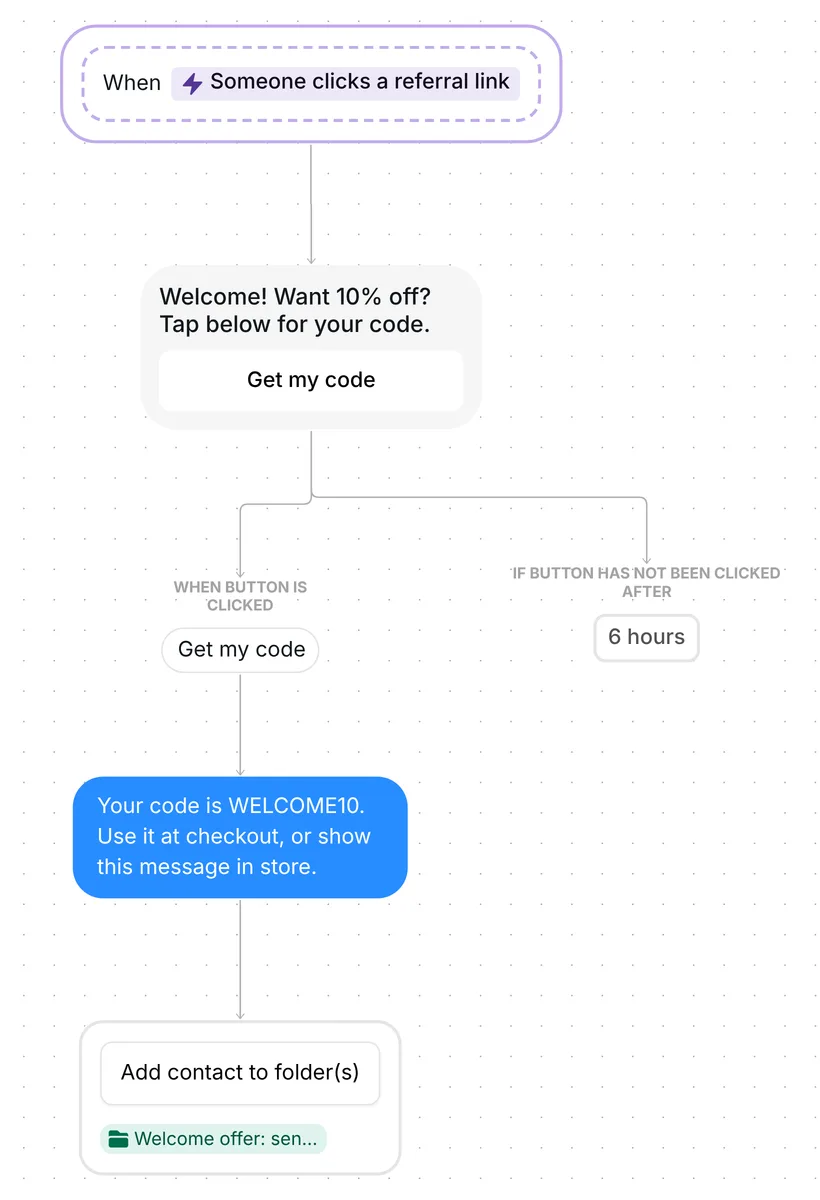
Whole QR code welcome flow in Inrō: referral link trigger, Get my code button, code message, Welcome offer folder

What the template does, step by step

1. Someone scans your QR code

Your QR code holds a referral link: ig.me/m/yourusername?ref=WELCOME. Scanned with a phone camera, it opens a conversation with your account in the Instagram app. The template starts on links that carry the code WELCOME, in capitals or not.

Someone new sees the chat open, and the flow starts once they send a message or tap one of your icebreakers. That is how Meta passes the code on for ig.me links (Meta for Developers, page updated 2 July 2026, checked 22 October 2026).

2. The first DM offers the code in one tap

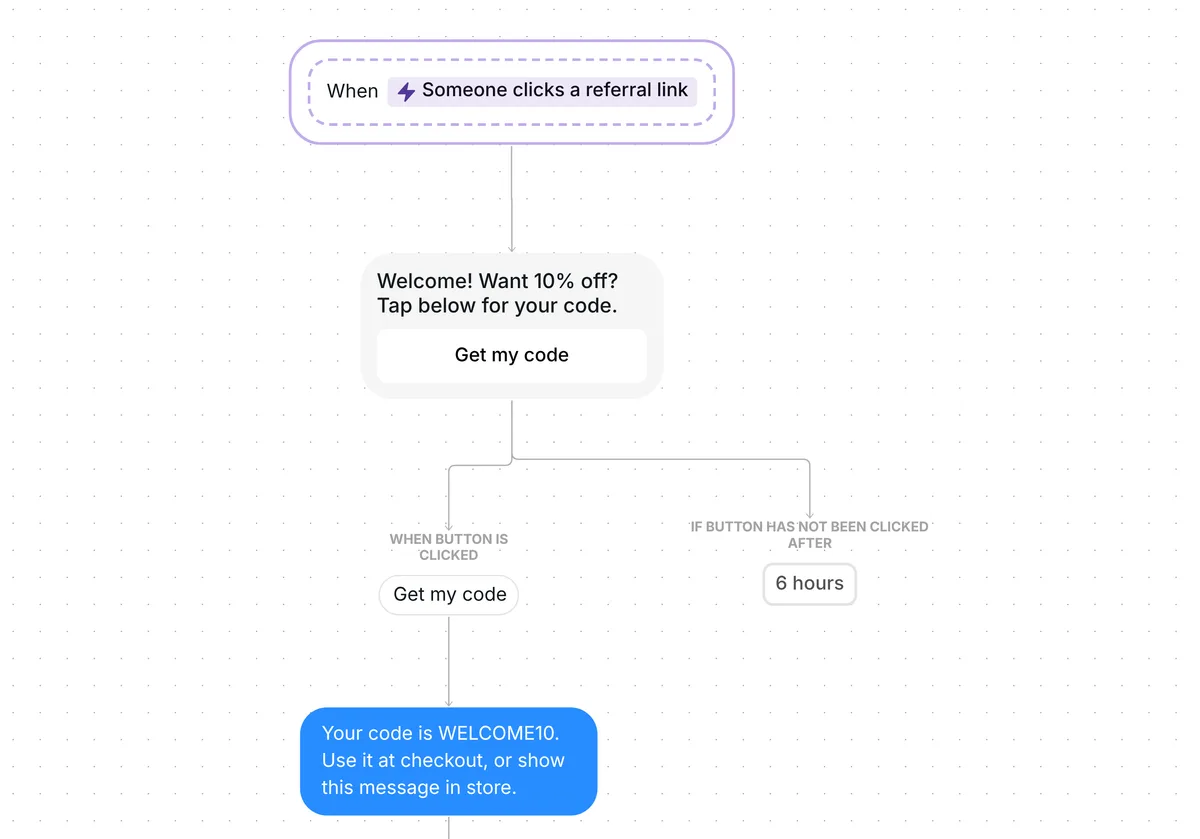
The first message is short: "Welcome! Want 10% off? Tap below for your code." It carries one button, "Get my code".

The button is how the person says yes: their tap opts them into the flow, and the code follows. One button also keeps the choice easy. Across the 798,041 conversations in our DM Benchmark, conversion with one button was 32%, against 2% with three.
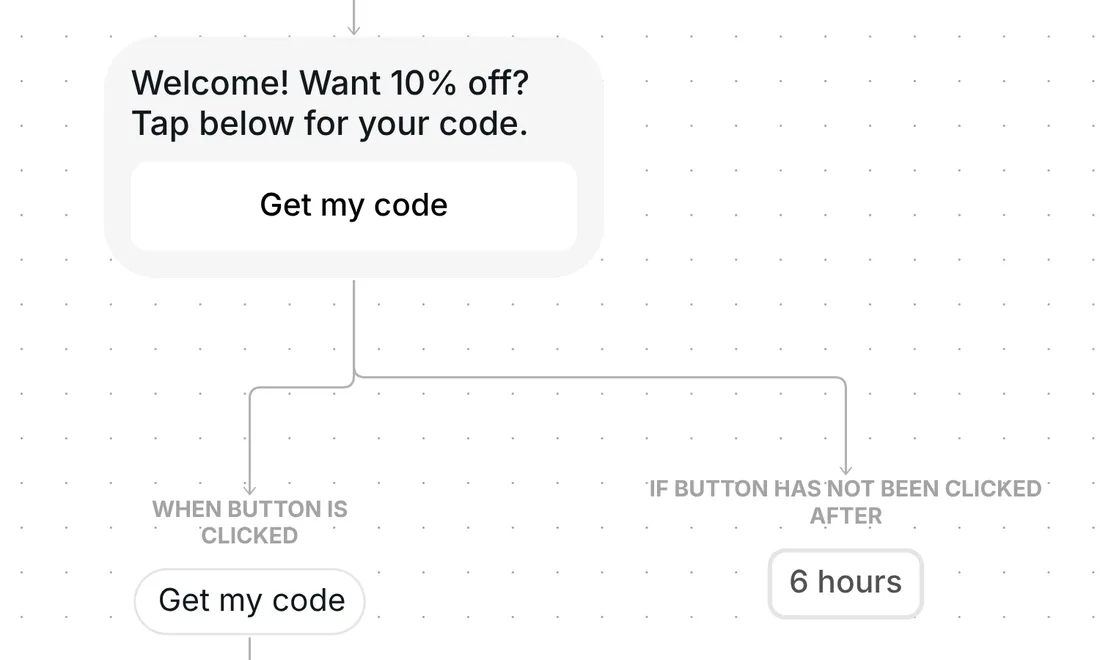
Welcome DM with one Get my code button, and the branch that waits 6 hours if nobody taps

The button waits 6 hours for a tap. If none comes, the flow ends for that person and nothing else is sent.

3. A tap sends the code

A tap on "Get my code" sends: "Your code is WELCOME10. Use it at checkout, or show this message in store."

Inrō sends the code exactly as written. The discount itself lives in your shop or till system, so WELCOME10 has to exist there before you print (see the setup below).
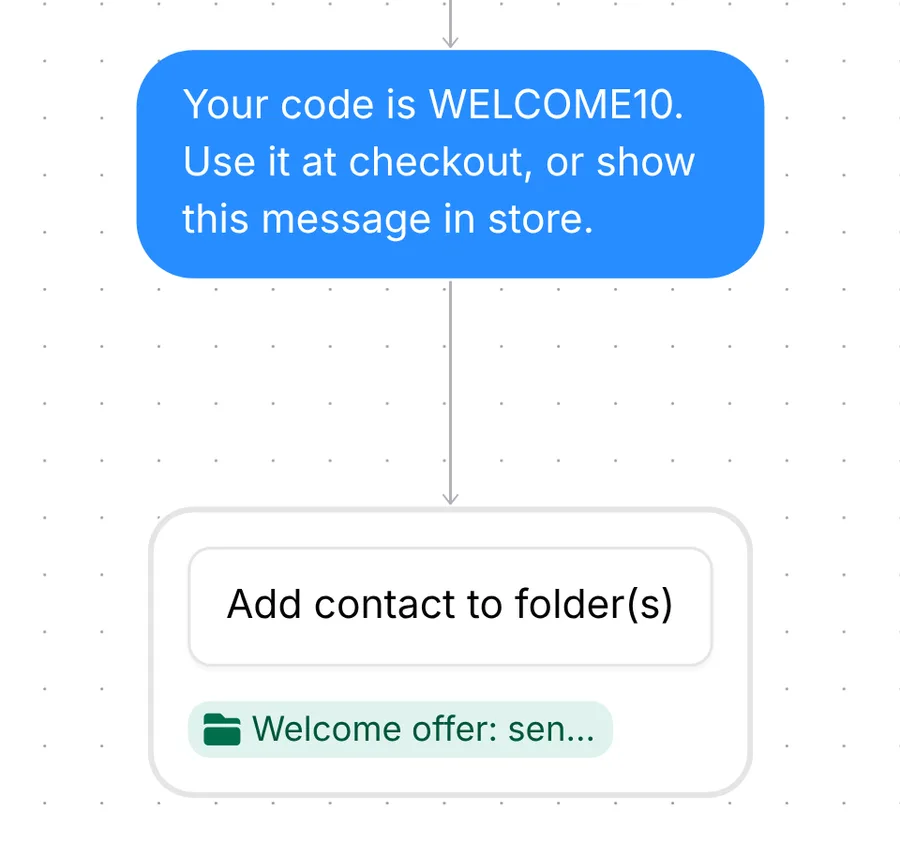
Message sending the WELCOME10 code for checkout or in store, then adding the contact to Welcome offer: sent

4. They are saved for later

The person then goes into the folder "Welcome offer: sent". You can find them in your inbox by that folder and follow up when your next offer is ready.

The template runs once per person. A customer who scans again on their next visit does not get a second code.

What to change before you turn it on

The trigger comes set up: "Someone clicks a referral link" (in the trigger list it also shows as "Someone scans a QR code"), with the code WELCOME, and the flow runs once per person.
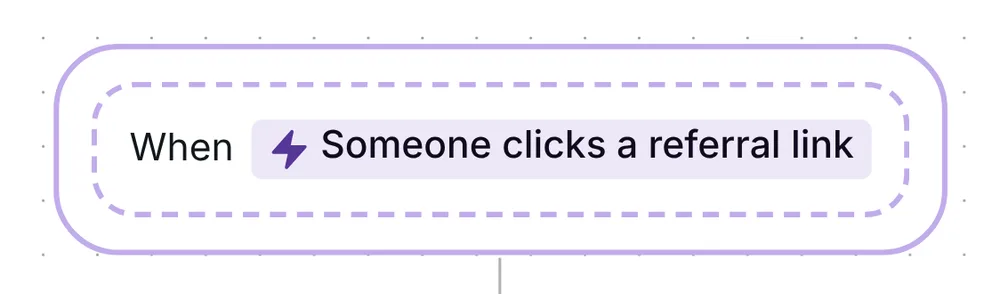
Inrō trigger block: When someone clicks a referral link

Check five things before you go live:

  1. Add an icebreaker. For a new chat, Meta passes your code on when the person sends a message or taps an Instagram icebreaker, one of the questions Instagram shows the first time someone opens a chat with you. Meta asks for icebreakers to be set for this, and the template does not add one. On the Scenarios page, press Settings in the "Manage ice breakers" box and add one, such as "Get my welcome offer".
  2. Your code and QR code. Open the trigger: it shows your link as ig.me/m/yourusername?ref=WELCOME. Keep WELCOME or type your own code (letters, numbers, hyphens and underscores work). Copy link copies your referral link, and Get QR code shows the QR code that carries it: print that.
  3. Your offer and code. 10% and WELCOME10 are examples. Create the code in your shop or till system first, then change 10% in the first DM and WELCOME10 in the code message.
  4. Where they use it. The code message says "Use it at checkout, or show this message in store." Keep the part that matches where you sell.
  5. Test it on a phone before you print. Scan the code with an Instagram account that has never messaged you, write "hi" or tap your icebreaker, and check that the code arrives.

You can also rename the folder and change the 6-hour wait on the button. For a plain QR code that opens your DMs with no flow behind it, the free Instagram DM link generator makes one from your username.

Best tips for your scenario

  • Say the offer next to the QR code. A line such as "Scan for 10% off your first order" tells people what the scan gets them, so writing to you and tapping "Get my code" are easy yeses. Keep the button: the tap is how the person opts in to the flow.
  • Use one code per place. Give the till, your parcels and your event stand their own codes, such as WELCOME_SHOP, WELCOME_PACK and WELCOME_EVENT. Type each one in the trigger in turn and press Get QR code to print its QR code, then set the trigger to WELCOME_*: the * matches every code that starts that way. Add {{trigger.ref}} to a message and Inrō fills in the code the person scanned, so you can tell the places apart.
  • Add a follow-up for people who don't tap. The branch "If button has not been clicked after 6 hours" comes empty, so the flow ends there. Add a reminder to it: a message with the code, or a second button with the same offer.
  • Selling on Shopify? Send a link with your discount code. Swap the code message for a Shopify link with your discount code, so the person goes from the DM to checkout (Pro plan, Shopify integration).
  • Print it where people hold their phone. The till, a packaging insert, a table card or an event stand all work, and Meta's own examples for these links include QR codes on product packaging and in physical stores. People scan it with their phone camera, so put it where they already have one in hand.

FAQ

Do QR codes work on Instagram?

Yes. The QR code from this template's trigger opens a chat with you in the Instagram app on the person's phone. The flow starts when they write to you or tap your icebreaker.

Can I send a discount code to new followers automatically?

Instagram lets a business DM people who have messaged it, commented on a post or replied to a story. Following alone does not open a chat, so this template starts from the scan: the QR code brings people into your DMs, and their first message lets the template send the code.

Does the code expire?

Not in Inrō: the template sends WELCOME10 as plain text. The 6 hours is only how long the "Get my code" button waits for a tap. How long the code works is set in your shop or till system.

Not sure how it work?

Read posts about templates on our blog.

Become a creator

Submit your template to the Inrō template gallery and get featured – all in just a few clicks.

Related templates

Copy this template and have it live today

It clones straight into your account. Change the message to sound like you, then switch it on.

Free plan available
Meta Tech Provider
Setup in 5 minutes