Selling on Instagram Live and losing buyers in the comments? This template answers each viewer who asks for your picks while you keep presenting, and puts your product link in their DMs.

Kshitij Maheshwari


Viewers comment PICKS during your Instagram Live, tap one button in their DMs and get your product link, plus a reminder if they do not open it. Copy it.
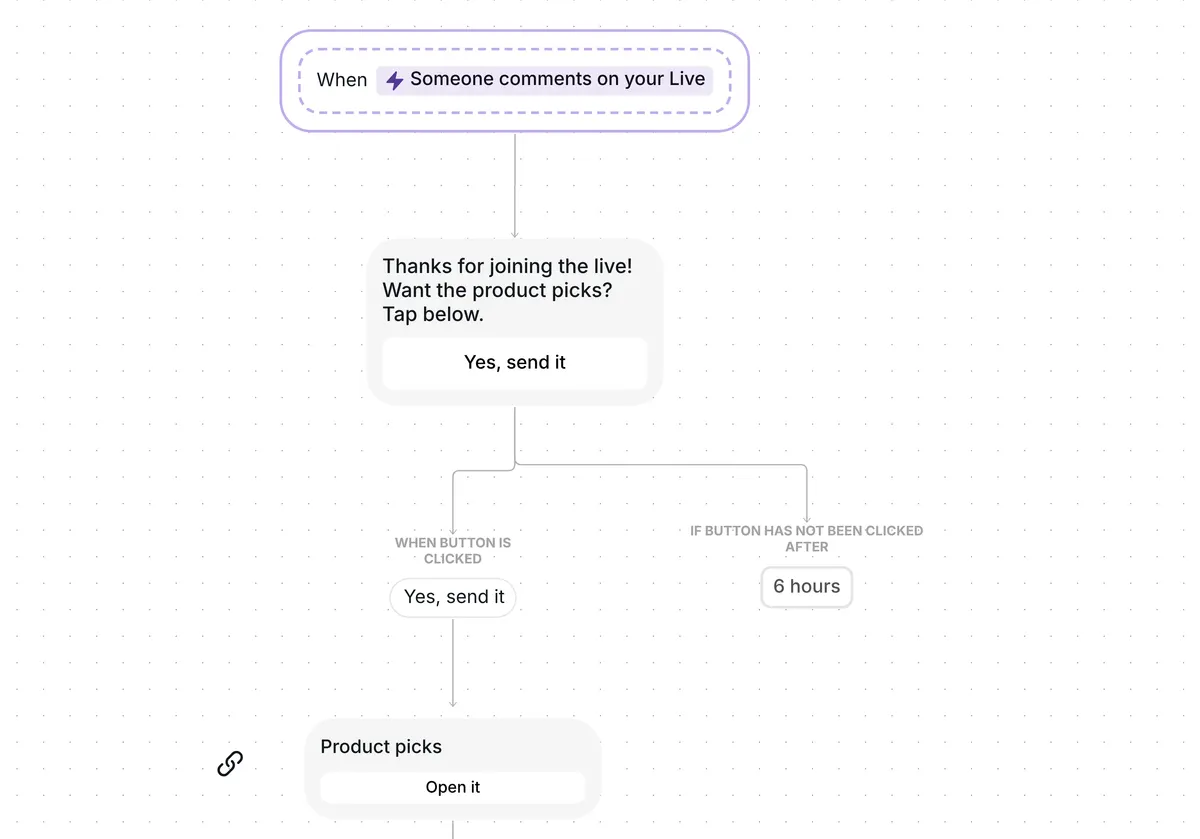
Ask viewers to comment PICKS during your Instagram Live. Each one gets a DM with one button, "Yes, send it", and a tap brings your "Product picks" link. Anyone who has not opened it 2 hours later gets one reminder. Everyone who opens it goes into a folder, so you know who looked once the Live is over.
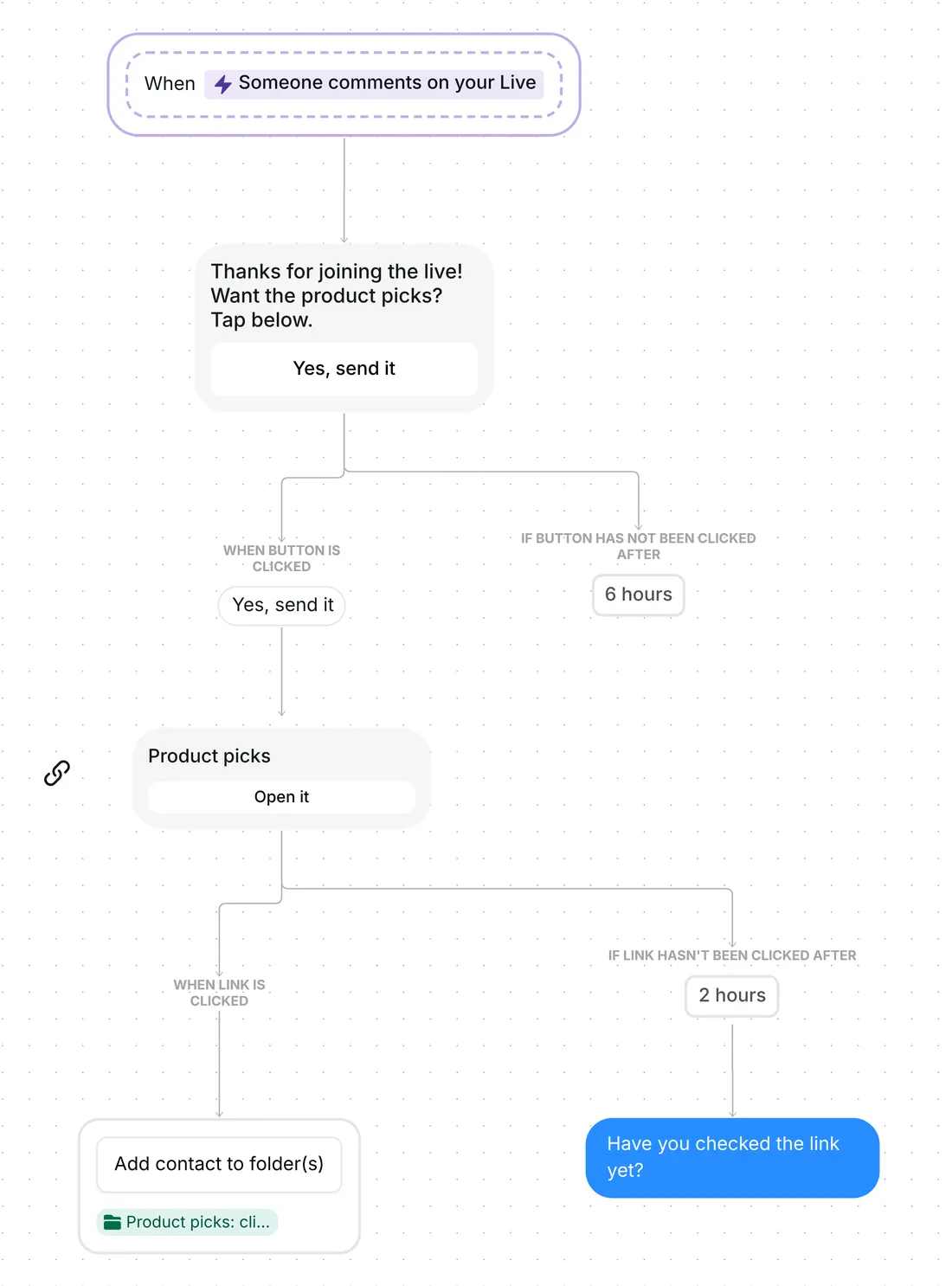
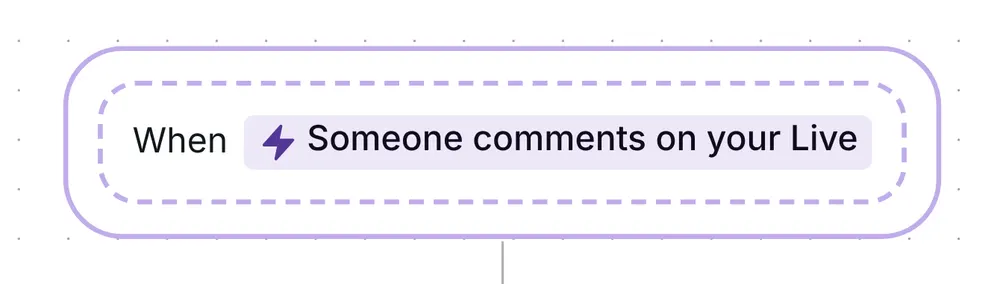
The flow starts with the Live comment trigger, "Someone comments on your Live" in the builder, set to comments that include the keyword PICKS. It finds the word anywhere in the comment, in capitals or not, so "Picks please" and "PICKS!" both count. "Pick" on its own does not. Only top-level comments start the flow, and your own comments never do.
There is no public reply under the comment. On a Live, the flow goes straight to the DM, so you keep presenting while the messages go out.
The first message is short: "Thanks for joining the live! Want the product picks? Tap below." It carries one DM button, "Yes, send it".
It asks for a tap, not a reply, because on a Live Instagram lets a business send one private reply to the person who commented, and only while the broadcast is running (Meta for Developers, checked 22 October 2026). The conversation continues once the viewer responds, and a tap on the button is their response.
One button and a short first message also convert better. Across the 798,041 conversations in Inrō's DM Benchmark, conversion with one button was 32%, against 2% with three, and a first message under 120 characters converted at 39%, against 22% for a longer one. This opener is 63 characters.
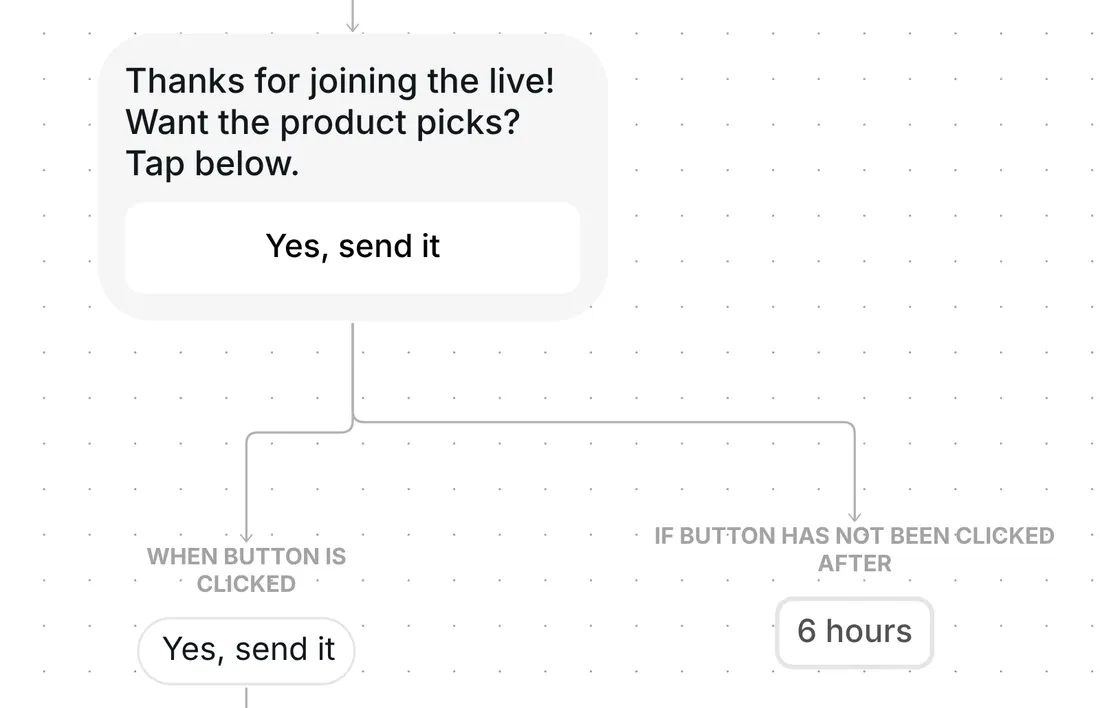
The button waits 6 hours. If the viewer has not tapped it by then, the flow ends for them and nothing else is sent.
After the tap, Inrō sends a trackable link card titled "Product picks", with the button "Open it". The link comes only after the tap, so the first DM stays one short message with one button.
If the viewer has not opened the link 2 hours later, Inrō sends one reminder: "Have you checked the link yet?" The 2 hours is only the wait before the reminder. The link keeps working after it.
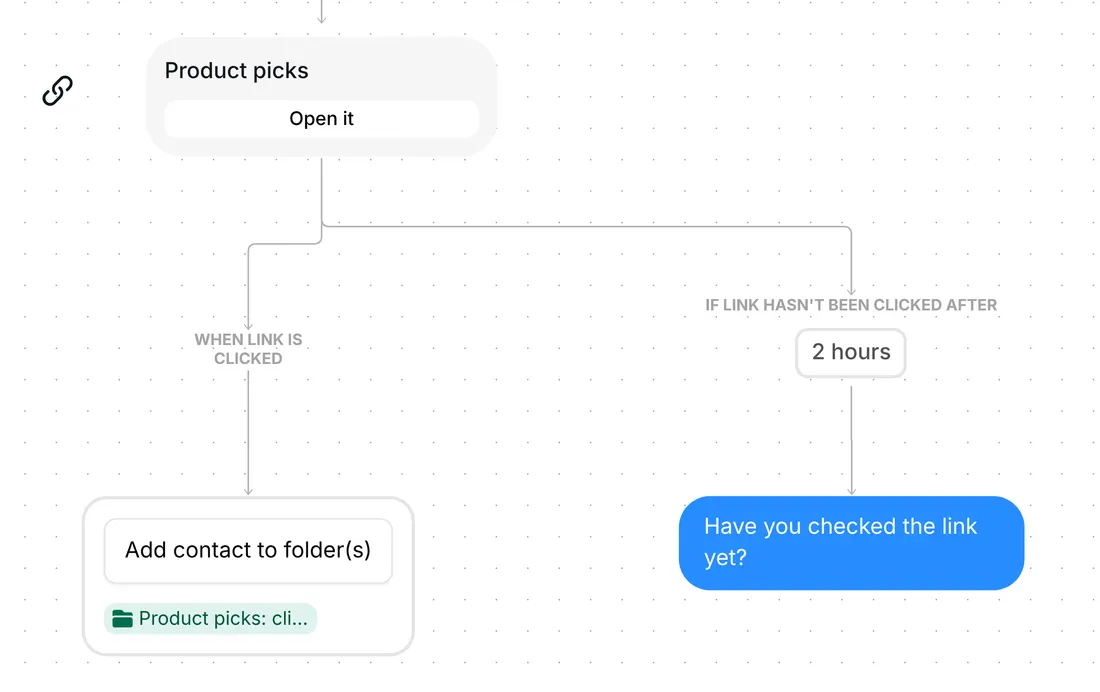
Each viewer who opens the link goes into the CRM folder "Product picks: clicked". A folder is a label that groups your contacts. A viewer who opens the link after the reminder still lands there.
Inrō records the click, not the purchase. The folder tells you who looked at your picks, ready for you to find after the Live.
The trigger comes set up: "Someone comments on your Live", set to "Comments that include a keyword", with the keyword PICKS. It reacts to top-level comments only, and the flow runs at most once a day for the same viewer, counted from their last run.
Check six things before your Live:
You can also change the waits, 6 hours for the tap and 2 hours before the reminder, and the reminder's text. Between Lives, the same products can sell from your posts: the comment for price template answers PRICE comments with your price in a DM.
Yes. This template sends your product link by DM to each viewer who comments PICKS, while you keep presenting. For how to run the Live itself, read the guide to selling from Instagram Lives; for Instagram's own shopping features, see Instagram Live shopping.
The Pro plan, and the Pro trial includes it too. On the Free plan, an automation that starts from Live comments does not run.
The flow runs at most once a day for the same person, counted from their last run, not by calendar day. A viewer who comments again less than a day after their last run gets nothing, so with daily Lives a regular can miss the next one. Shorten the wait under "Limit frequency per contact" in the scenario settings, for example to a few hours.
Yes, in the folder "Product picks: clicked". Inrō records who opened the link, not who bought.
Not sure how it work?
Read posts about templates on our blog.
Become a creator
Submit your template to the Inrō template gallery and get featured – all in just a few clicks.

It clones straight into your account. Change the message to sound like you, then switch it on.