Paying for ads that start Instagram conversations? This template answers each message from your ad with one question, then sends your booking link to the people ready to start and a free guide to the rest.


Kshitij Maheshwari


Someone messages you from your Instagram ad: one question, their email, then your booking link for the people ready to start. Copy the template.
Someone taps your Instagram ad and sends you a message. Inrō replies with one question: are they looking to start soon? Each "Yes, soon" is asked for an email and gets your booking link, even without giving one. Each "Just looking" gets a free starter guide.
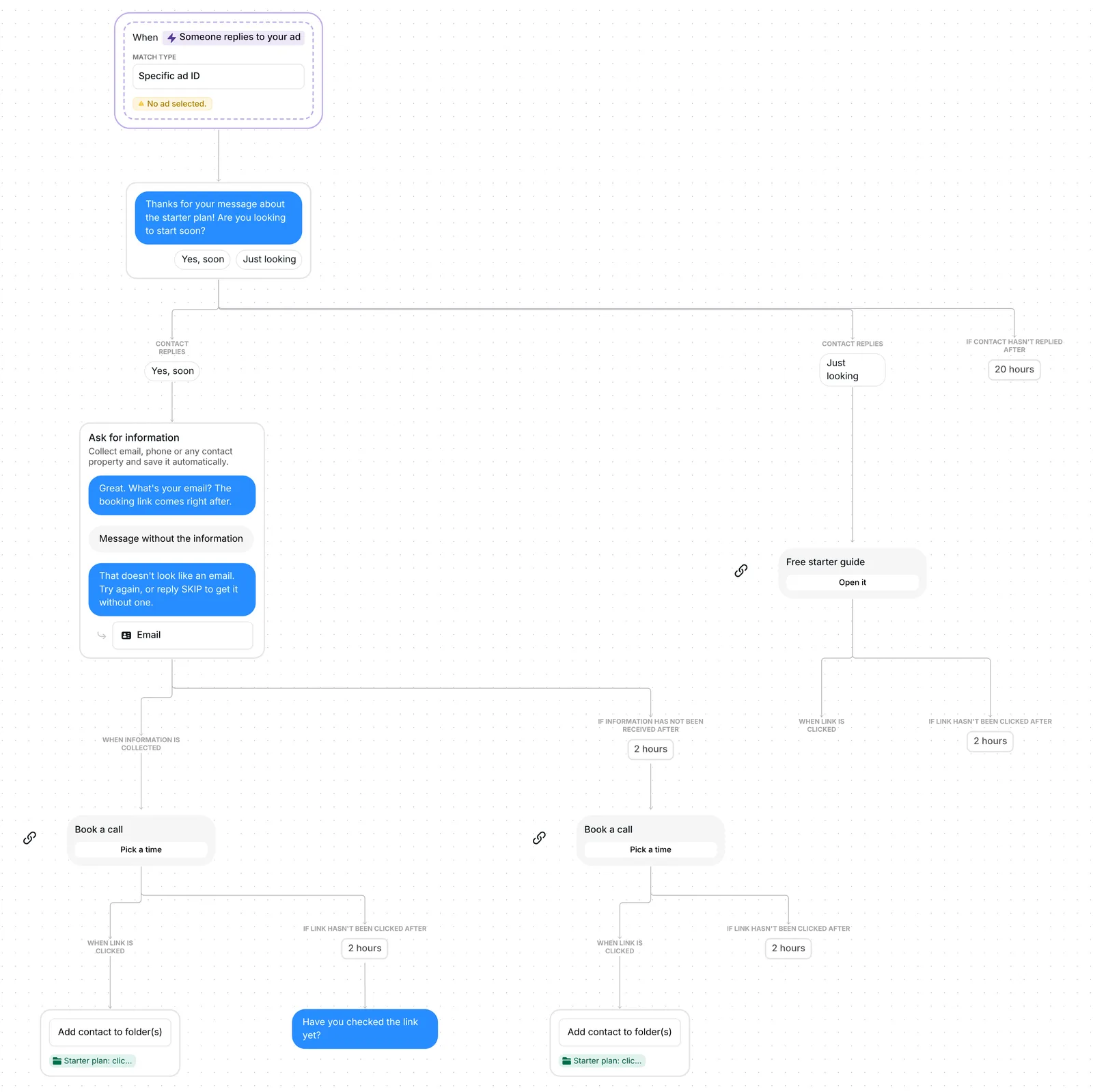
The trigger is "Someone replies to your ad". It reacts to messages sent through ads that open an Instagram Direct conversation with your account. Once you paste the ad's ID into the trigger, every message that comes from that ad starts the flow, whatever the person writes. A comment on the ad, a reply to a story ad or a share of a post ad does not: only a message sent through the ad counts.
Because the person wrote to you first, the flow opens straight with its question. The template that books calls from comments starts with a button instead, because Instagram allows a single private reply to a comment until the person responds.
The first message reads: "Thanks for your message about the starter plan! Are you looking to start soon?" Under it sit two answers to tap, "Yes, soon" and "Just looking". A typed reply counts when it contains one of them word for word, so "yes, soon please" works. Anything else gets one re-ask, "Just tap one of the two options below.", then the flow stops. With no answer at all, the question waits 20 hours.
That question is 78 characters long. First messages under 120 characters converted at 39%, against 22% for longer ones, across the 798,041 conversations in our DM Benchmark.
A "Yes, soon" brings the next message: "Great. What's your email? The booking link comes right after." A valid address is saved in the contact's Email field, and the booking link follows.
If the reply is not an email, Inrō answers: "That doesn't look like an email. Try again, or reply SKIP to get it without one." A second reply without an address, SKIP or anything else, still sends the booking link. So does silence: with no reply within 2 hours, a second "Book a call" card goes out. Everyone who said "Yes, soon" gets the link.
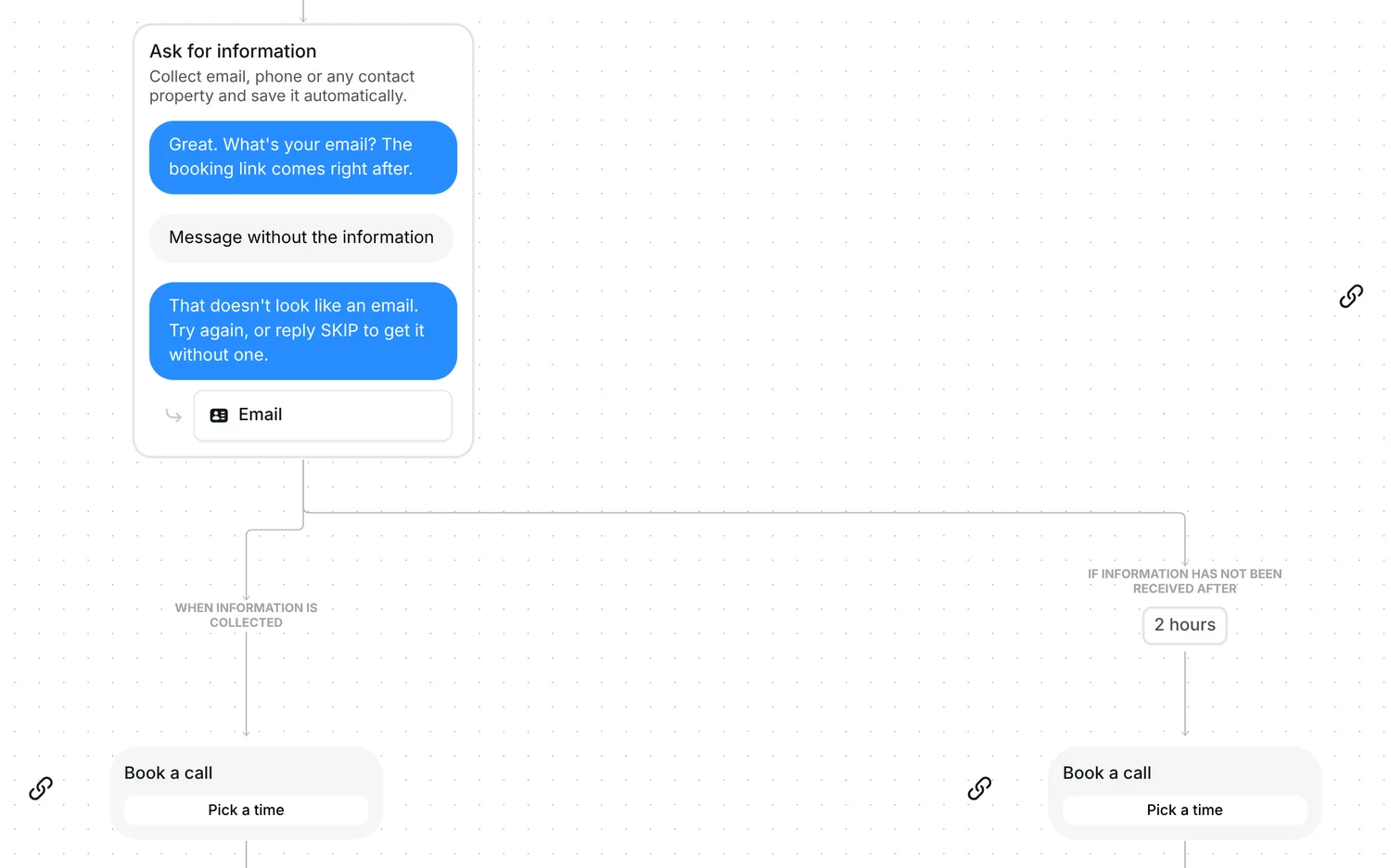
The booking link is a link card titled "Book a call", with the button "Pick a time". Everyone who taps it lands in the folder "Starter plan: clicked", even when they tap late. On the card that follows the email question, one reminder goes out if nobody has tapped after 2 hours: "Have you checked the link yet?"
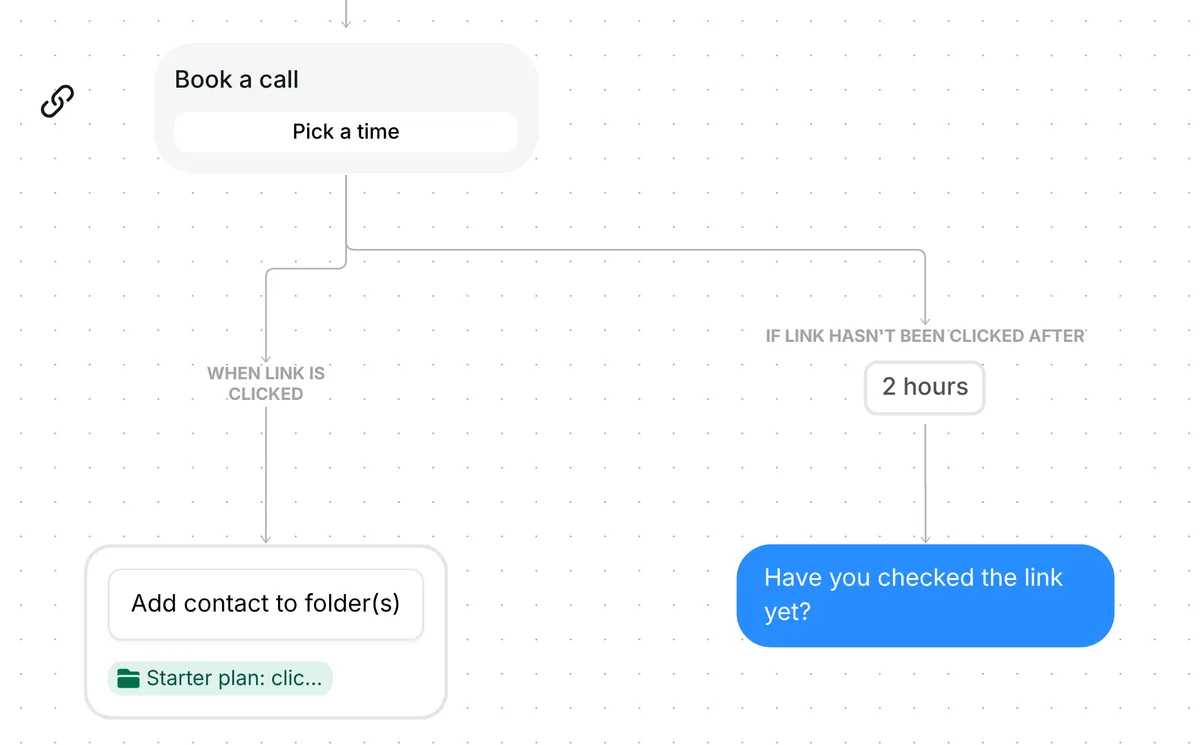
Only the reminder runs on a timer; the card stays open as long as they need it. Inrō counts taps, not bookings. For bookings, put a Calendly booking link step in place of the card, on the Pro plan.
A "Just looking" gets a link card, "Free starter guide", with the button "Open it". Point it at something worth reading before a first call: a guide, a sample lesson or your price list.
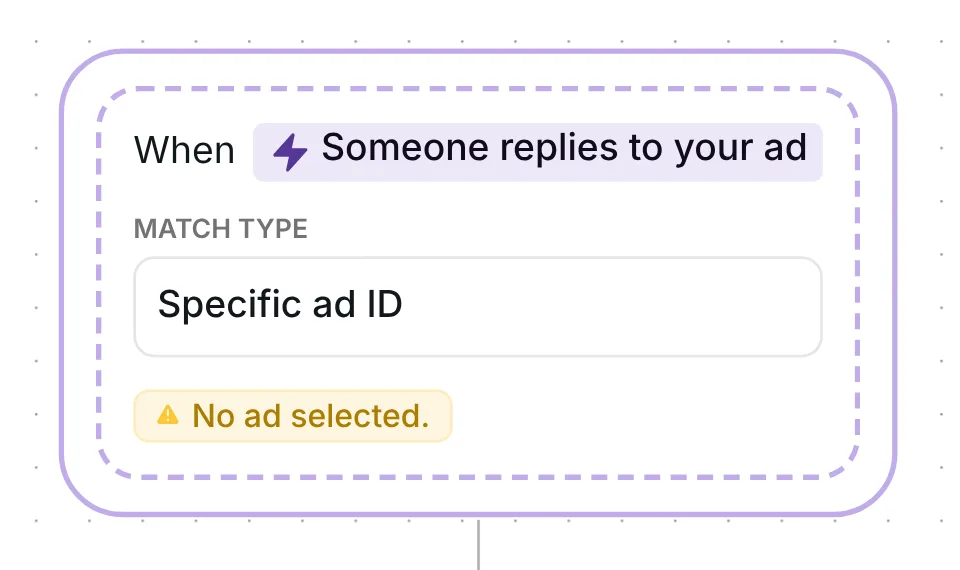
The trigger comes set to "Someone replies to your ad", match type "Specific ad ID", with no ad picked yet: it shows "No ad selected." The flow runs once per person, and a reply you send by hand stops it for that person.
Check five things before you go live:
You can also change the waits: 20 hours for the answer, 2 hours for the email, 2 hours before the reminder. There is no date to reset, because the trigger follows your ad, not your next post. For a sharper question, try the lead qualifying questions generator. With the Calendly integration, the bookings show in Inrō as well.
In Meta Ads Manager. Copy the ID of the ad, paste it into the "Ad ID" field of the "Someone replies to your ad" trigger, then press Save scenario. Until the field is filled, the trigger shows "No ad selected." and the flow does not start.
This template answers messages in your Instagram DMs, so the ad needs to send people into an Instagram Direct conversation: pick Instagram as the message destination when you set up the ad. To bring people into your Instagram DMs from a link somewhere else, share an ig.me referral link and start a flow with the "Someone clicks a referral link" trigger.
They still get the booking link. A second reply without an address, SKIP or anything else, sends the link, and so does no reply within 2 hours.
Yes. Answer from Instagram or from the Inrō inbox: as soon as you write, the flow stops for that person. When the template has answered a message, your Inrō AI agent does not answer it as well.
Not sure how it work?
Read posts about templates on our blog.
Become a creator
Submit your template to the Inrō template gallery and get featured – all in just a few clicks.

It clones straight into your account. Change the message to sound like you, then switch it on.