Want your most common Instagram questions answered without retyping the same reply? This template answers each question people tap on your profile and hands anyone who wants a person to you.

Kshitij Maheshwari


Answer the questions people tap on your Instagram profile with a ready reply, a booking link and a handoff to you. Four versions to copy.
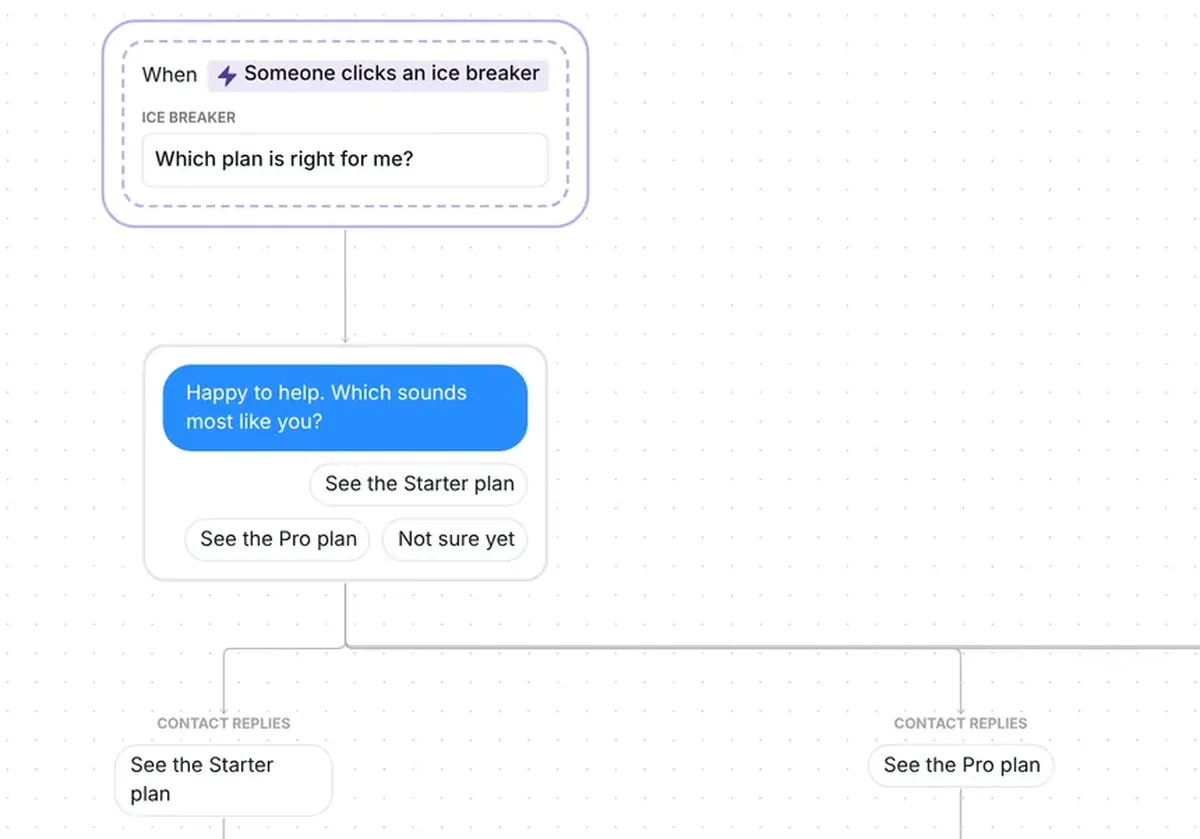
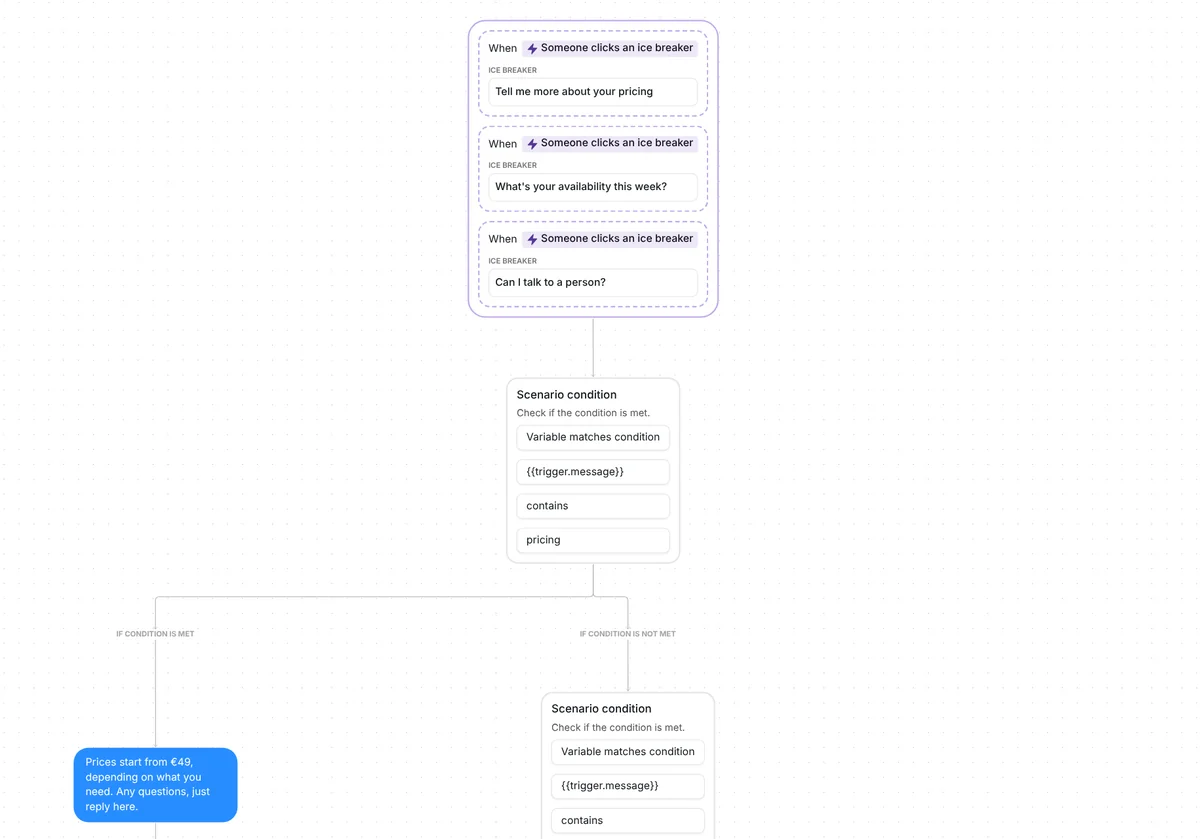
Set your icebreaker questions, the ones Instagram suggests when someone starts a chat with you, then copy this template. Tapping "Tell me more about your pricing" gets a price reply. "What's your availability this week?" gets a reply and a "Book a visit" card. "Can I talk to a person?" gets a reply and an email to you.
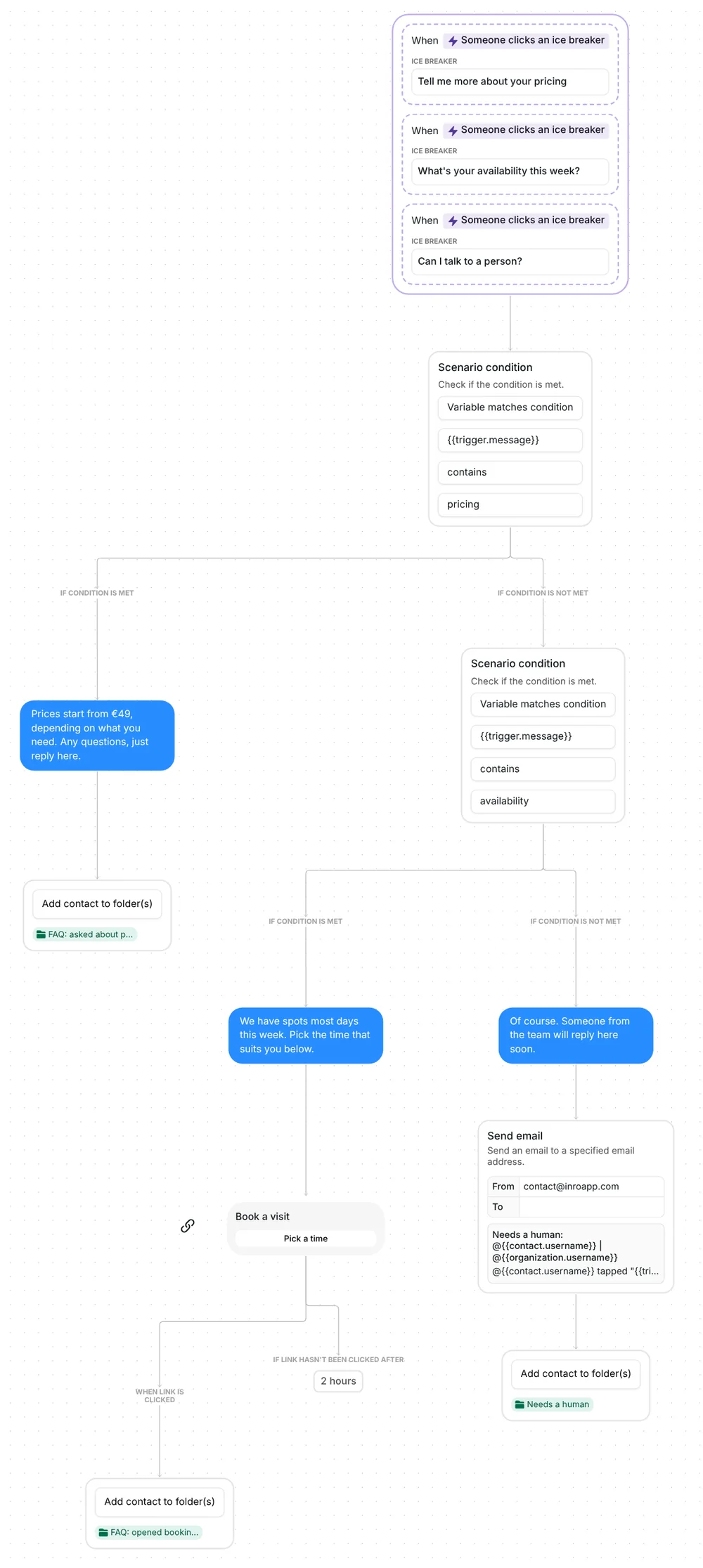
The flow starts when someone taps one of your icebreaker questions. The template listens for three: "Tell me more about your pricing", "What's your availability this week?" and "Can I talk to a person?" Instagram lets you set up to four questions, so one place is free.
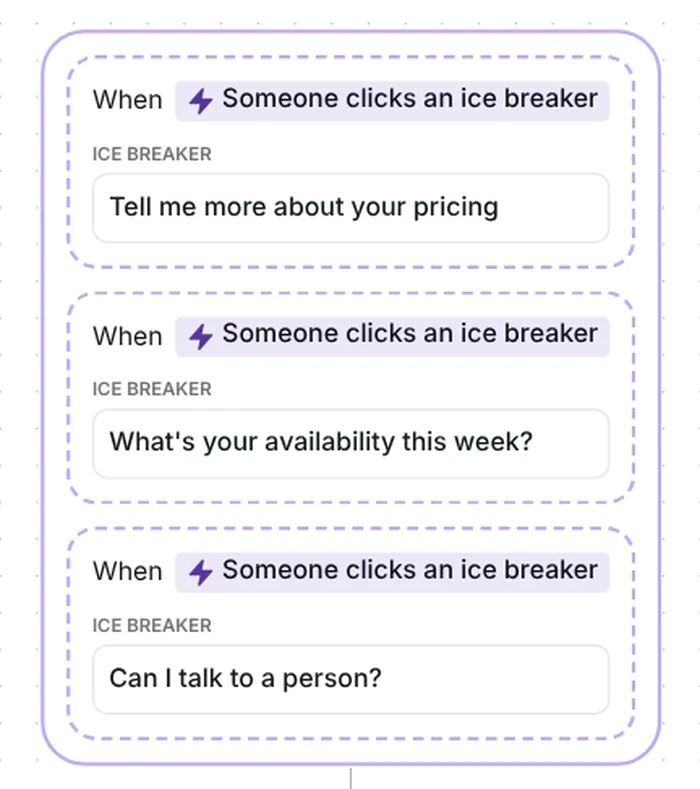
To know which question was tapped, Inrō looks for a word in its text: "pricing" or "availability", in capitals or not. Across Inrō, 57% of people who tap an icebreaker go on to click a link or button (Inrō production data, not a result of this template).
A tap on the pricing question gets: "Prices start from €49, depending on what you need. Any questions, just reply here." The €49 is an example price to replace with yours.
The person goes into the folder "FAQ: asked about prices", a label in Inrō that groups contacts so you can find them later.
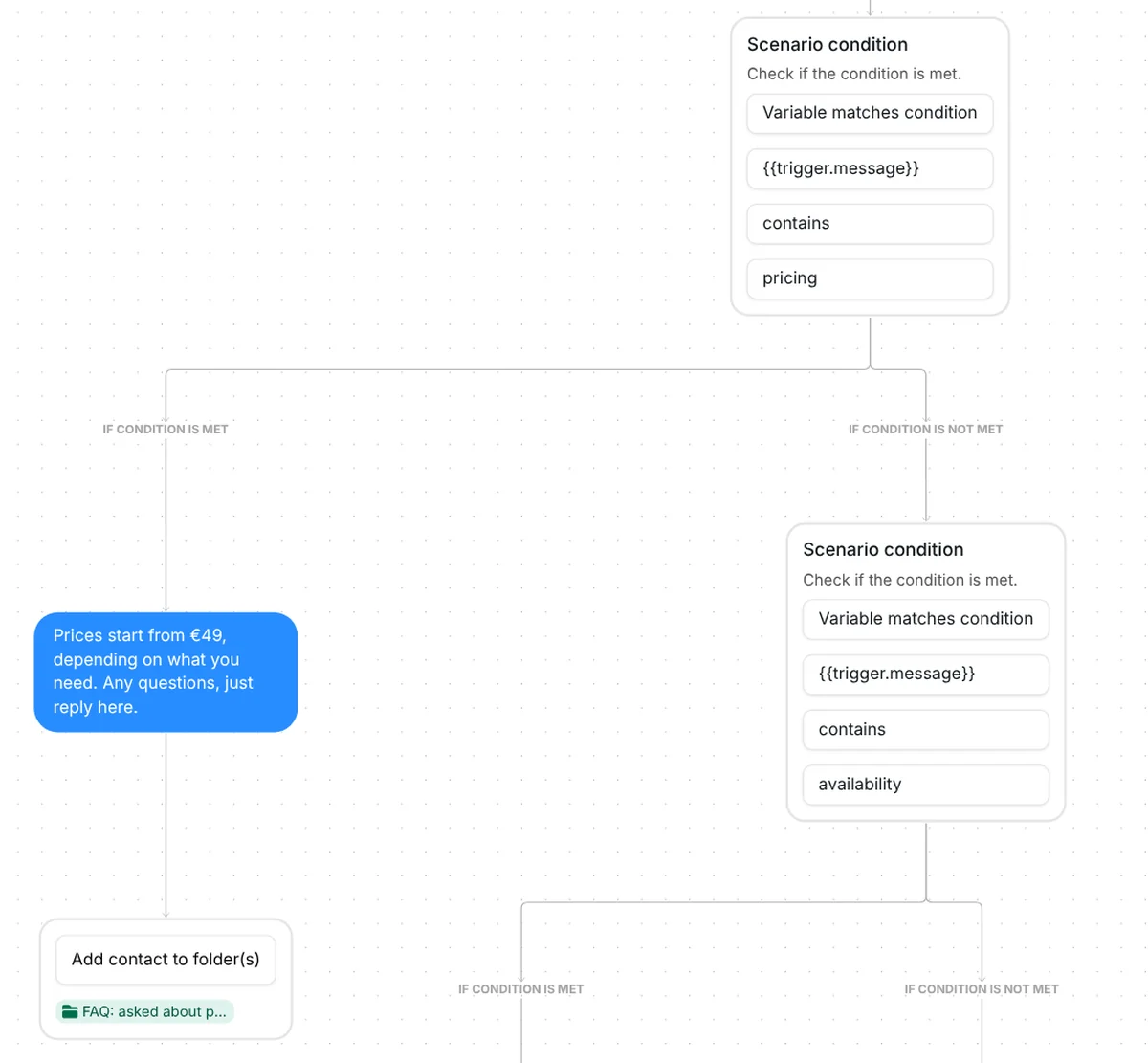
A tap on the availability question gets: "We have spots most days this week. Pick the time that suits you below." Under it comes a link card, "Book a visit", with the button "Pick a time". The card points to an example address until you paste your own booking link.
Everyone who taps "Pick a time" goes into the folder "FAQ: opened booking link". If they have not tapped after 2 hours, the flow ends for that person, with no reminder.
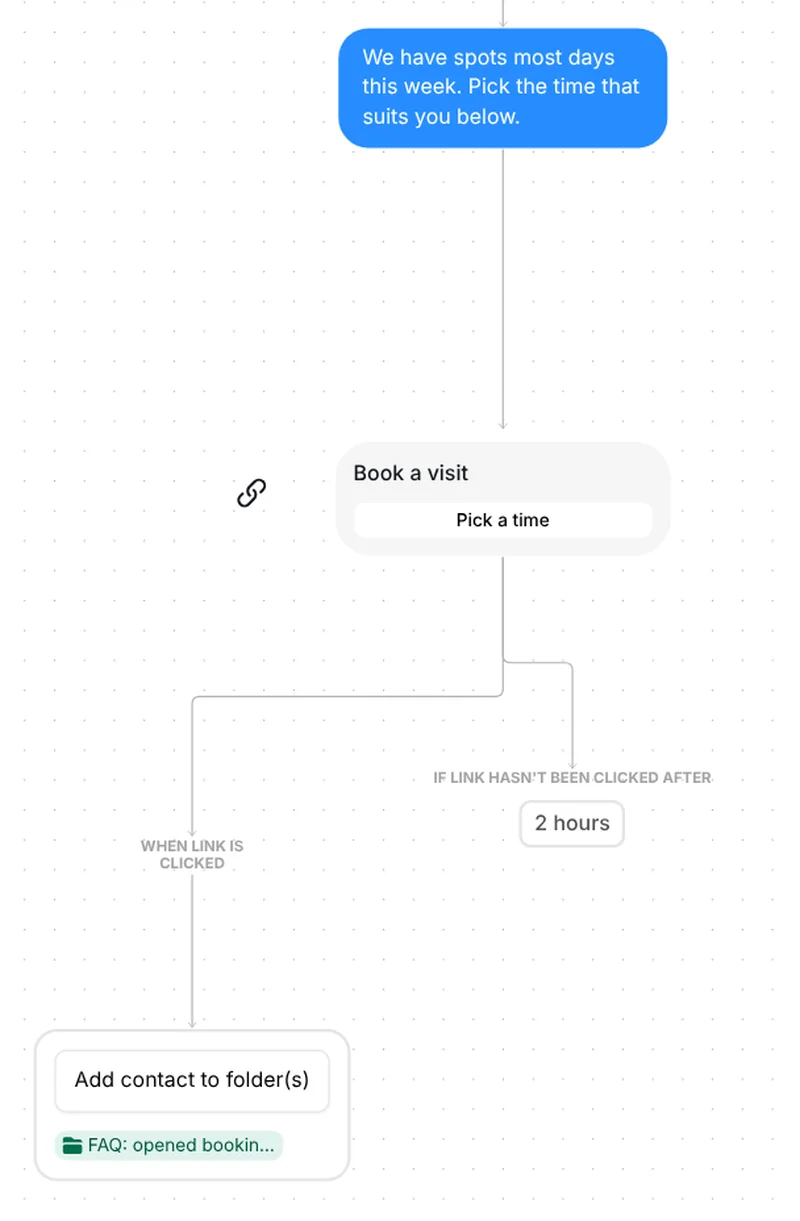
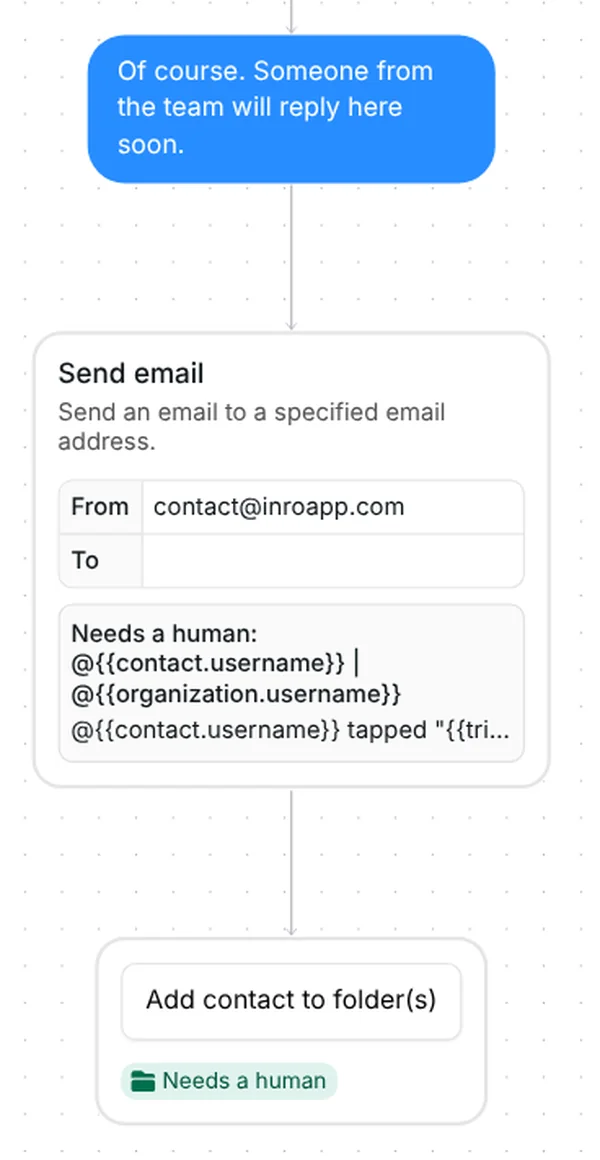
"Can I talk to a person?" has no check of its own. A trigger whose question has neither "pricing" nor "availability" in it lands here too. The person gets: "Of course. Someone from the team will reply here soon."
Then you get an email with their username and the question they tapped, and they go into the folder "Needs a human". Filter the Inrō inbox by that folder to see everyone waiting for a person to take over.
The template uses no AI and arrives with example answers. Check six things before you go live:
Same idea, different questions and answers. Each version has four questions and sends its link card without a lead-in sentence. Each name below opens that version to copy. Prices, shipping and hours in the replies are examples to replace.
Coaches. Questions: "How can I work with you?", "What does it cost?", "Do you have free resources?" and "Can I ask you something?" The free resources question sends a "Free resources" card. Coaches version
Creators. Questions: "Do you do collabs?", "What gear do you use?", "Where are your links?" and "Can I ask you something?" The links question sends an "All my links" card. Creators version
E-commerce. Questions: "How long is shipping?", "How do returns work?", "Where's the size guide?" and "Can I talk to someone?" The size question sends a "Size guide" card. E-commerce version
Local businesses. Questions: "What are your prices?", "When are you open?", "Can I make an appointment?" and "Can I talk to someone?" The appointment question sends a "Book a visit" card. Local business version
The last question in each version goes to a person, the same way "Can I talk to a person?" does above.
More flows for coaches: Instagram automation for coaches.
Set your questions, copy this template, point each trigger at one of them and write your answers. Instagram's own name for the questions is "Frequently asked questions"; Inrō calls them icebreakers.
It uses the same questions. Instagram's setting gives each question one fixed reply. The template gives each question its own path: a reply, a link card, a folder or an email to you.
No. The persistent menu stays in the chat. Icebreaker questions show when someone starts a chat with you, and this template answers those.
A question with no trigger does not start this flow, so add a trigger for each question you want covered. A trigger whose question has neither check word goes to the human reply: the person gets it, you get an email, and they go into the "Needs a human" folder.
Not sure how it work?
Read posts about templates on our blog.
Become a creator
Submit your template to the Inrō template gallery and get featured – all in just a few clicks.

It clones straight into your account. Change the message to sound like you, then switch it on.