Running a giveaway on Instagram? This template turns your next post into a list of entrants who follow you and left their email, so you never read through the comments one by one.

Kshitij Maheshwari


Run a giveaway on your next post and get a list of entrants who follow you and left their email, without reading each comment. Copy the template.
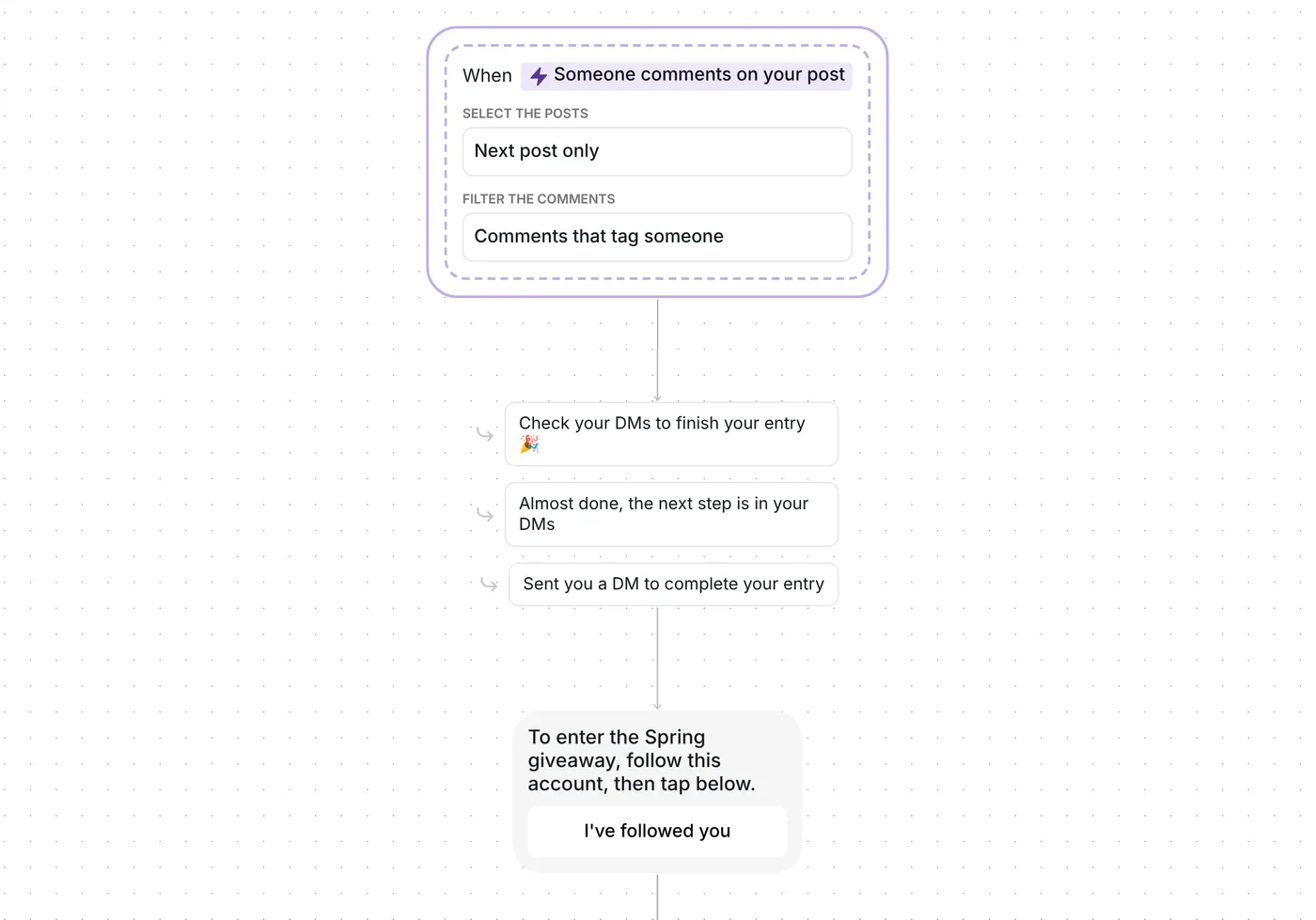
On your next post, every comment that tags someone is an entry. Each person gets a DM asking them to follow you, with one button, "I've followed you". A tap lets Inrō check the follow, then it asks for their email. A valid email puts them in your entrants folder with a "You're in!" message.

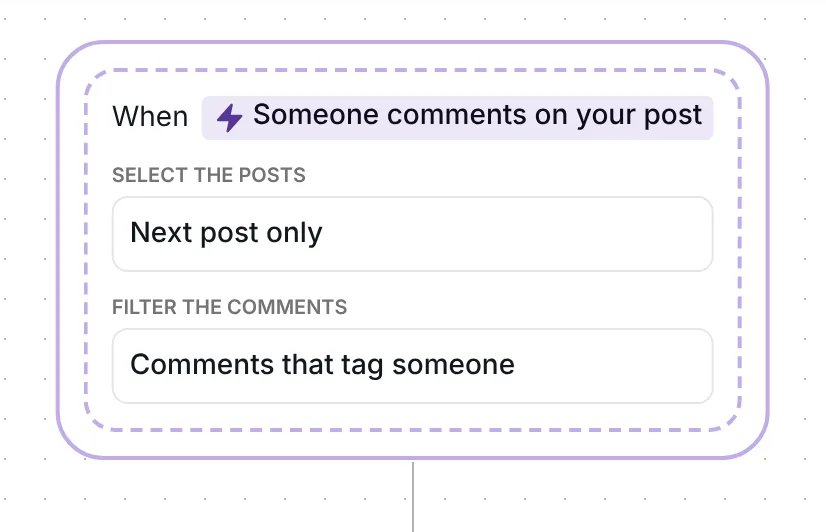
The flow reacts to top-level comments that tag someone: one @mention is enough. There is no keyword to remember, and any @handle counts: Inrō does not check who was tagged. An email address in a comment does not count as a tag, and your own comments never start the flow.
Inrō sends the DM through its comment to DM feature and answers under the comment with one of three replies, picked at random: "Check your DMs to finish your entry 🎉", "Almost done, the next step is in your DMs" or "Sent you a DM to complete your entry". The public reply only goes up once the DM has gone out. Conversion with a public reply as well as a DM was 46%, against 29% with the DM only, in Inrō's DM Benchmark.
It watches one post: the first one you publish after the date in its trigger. That date is set when you copy the template, so check it before your giveaway post goes up (see below).
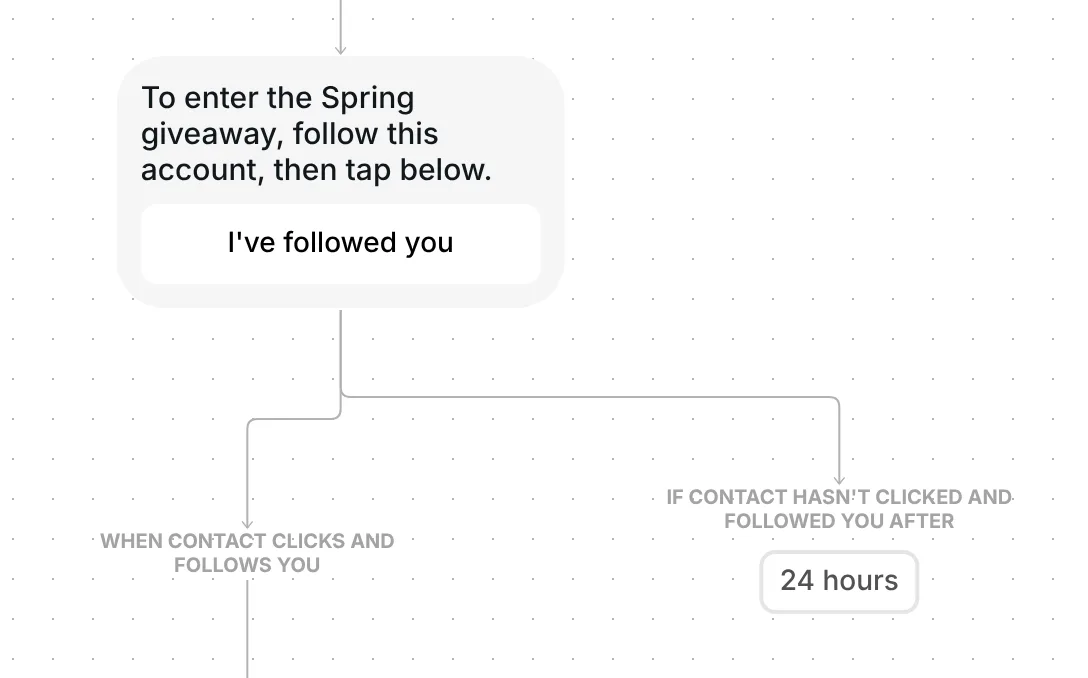
The first message is short: "To enter the Spring giveaway, follow this account, then tap below." It has one button, "I've followed you".
It asks for a tap because Instagram lets a business send one private reply to a comment, and the conversation continues once the person responds (Meta for Developers, checked 22 October 2026). The tap is that response. One button also keeps the choice simple: conversion with one button was 32%, against 2% with three, in Inrō's DM Benchmark.
When the person taps, Inrō runs a follow check: it looks at whether they follow your account at that moment. If they do, the flow moves on to the email. If the follow is not showing yet, Inrō answers "The follow isn't showing yet. Follow this account, then tap again." with the same button, and checks again at every tap. The step waits 24 hours for the tap.
Next comes "Last step: what's your email? You need it to enter." Inrō picks the email out of the reply, so "sure, it's ana@mail.com" works, and saves it to the contact. Reading the email with AI uses AI credits, and only when it finds one. Without AI credits, Inrō still recognises an email by its format.
If the reply has no email in it, Inrō asks once more: "That doesn't look like an email address. Can you check it?" The step waits 20 hours for the answer.
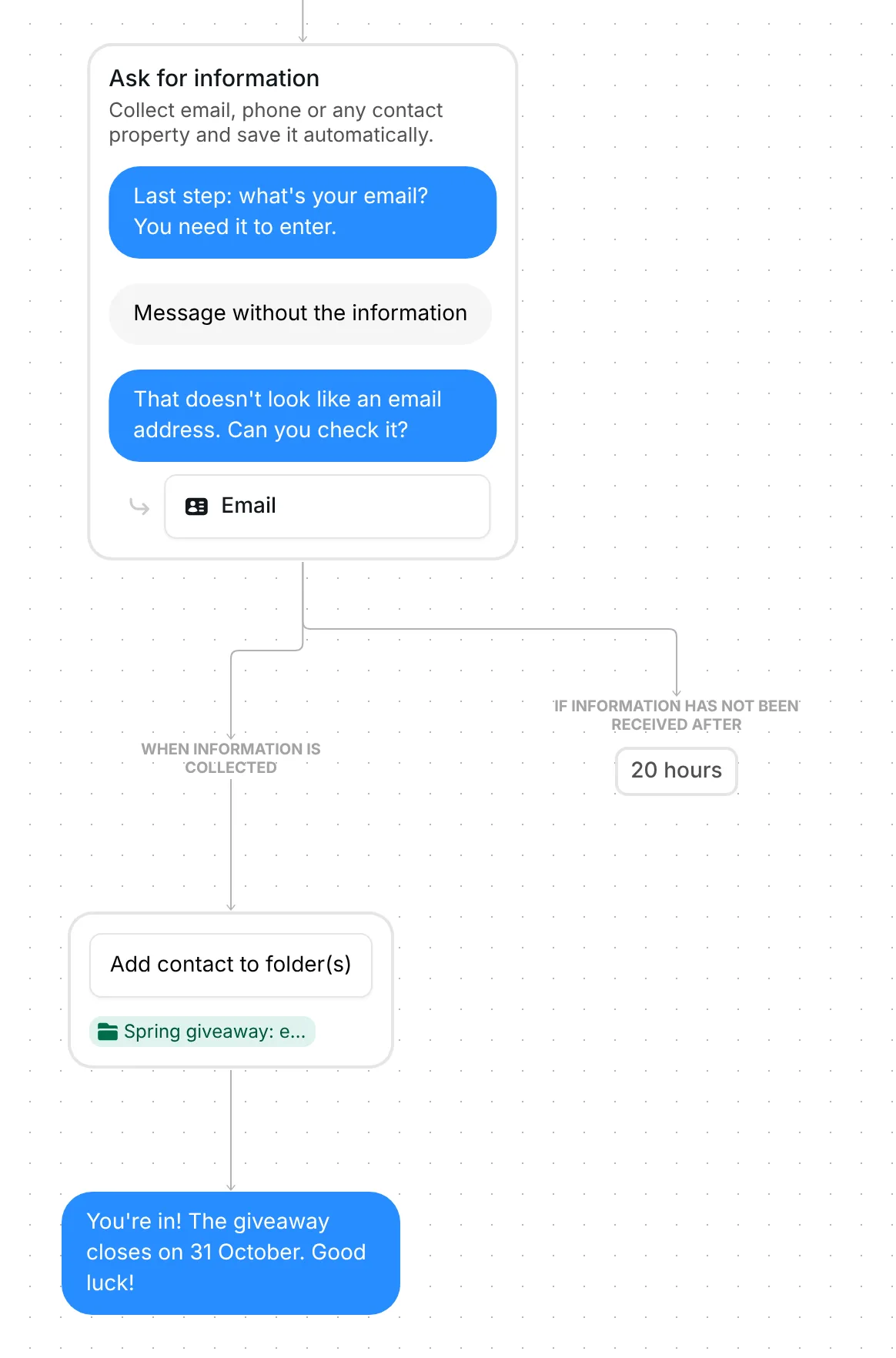
A valid email adds the person to the folder "Spring giveaway: entered". Then Inrō confirms: "You're in! The giveaway closes on 31 October. Good luck!"
Each person goes through the flow once, so a second comment from them does not start it again. When the giveaway closes, the folder holds everyone who followed and gave an email.
The trigger comes set up: comments that tag someone, on your next post, top-level comments only, and the flow runs once per person.
Check six things before you go live:
You can also change the waits: 24 hours for the tap on "I've followed you", 20 hours for the email.
Same steps, same waits and the same email messages, worded for a local business giving away a dinner for two. The prize sits in the first DM, and the confirmation promises a winner announcement instead of a closing date.
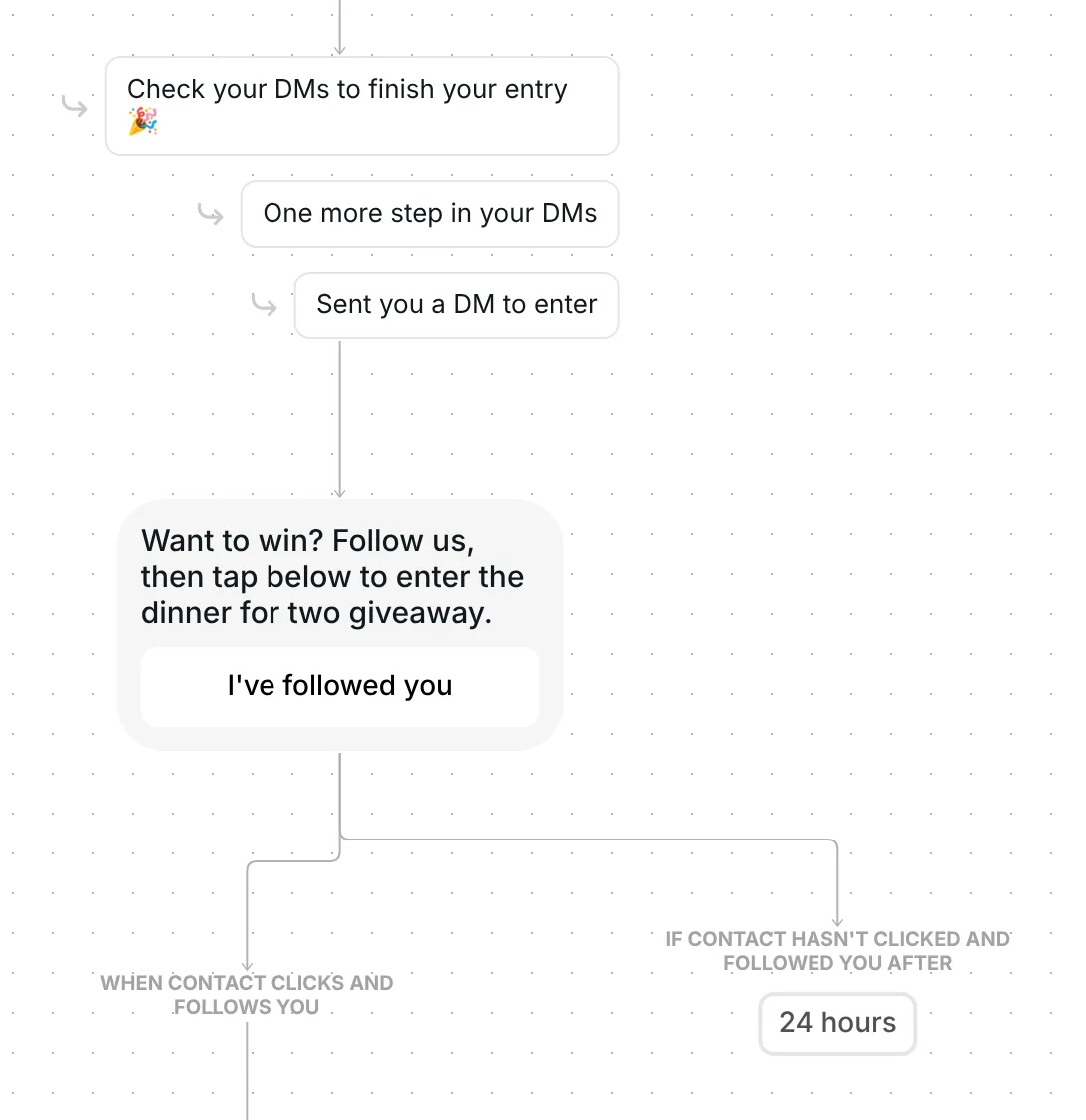
Local businesses: dinner for two. Public replies: "Check your DMs to finish your entry 🎉", "One more step in your DMs" or "Sent you a DM to enter". First DM: "Want to win? Follow us, then tap below to enter the dinner for two giveaway." with the button "I've followed you". If the follow is not showing yet: "We can't see your follow yet. Follow us, then tap again." Entrants go into the folder "Dinner giveaway: entered" and get "You're in! We'll announce the winner soon. Good luck!" Local business version
No. Anyone who leaves a comment that tags someone gets the first DM. The DM asks for the follow, and Inrō checks it when they tap "I've followed you".
They enter once. Each person goes through the flow one time, so a second comment that tags someone does not start it again.
From your entrants folder: when the giveaway closes, it holds everyone who followed and gave an email, ready to draw from.
Not sure how it work?
Read posts about templates on our blog.
Become a creator
Submit your template to the Inrō template gallery and get featured – all in just a few clicks.

It clones straight into your account. Change the message to sound like you, then switch it on.