Want to know what each new person wants from you: tips, your offer or just a look around? This template asks them for you and sends each one the right next thing.

Kshitij Maheshwari


Ask one question in the DMs of everyone who comments STARTHERE, sort them into folders by answer and send each the right next thing. Copy the template.
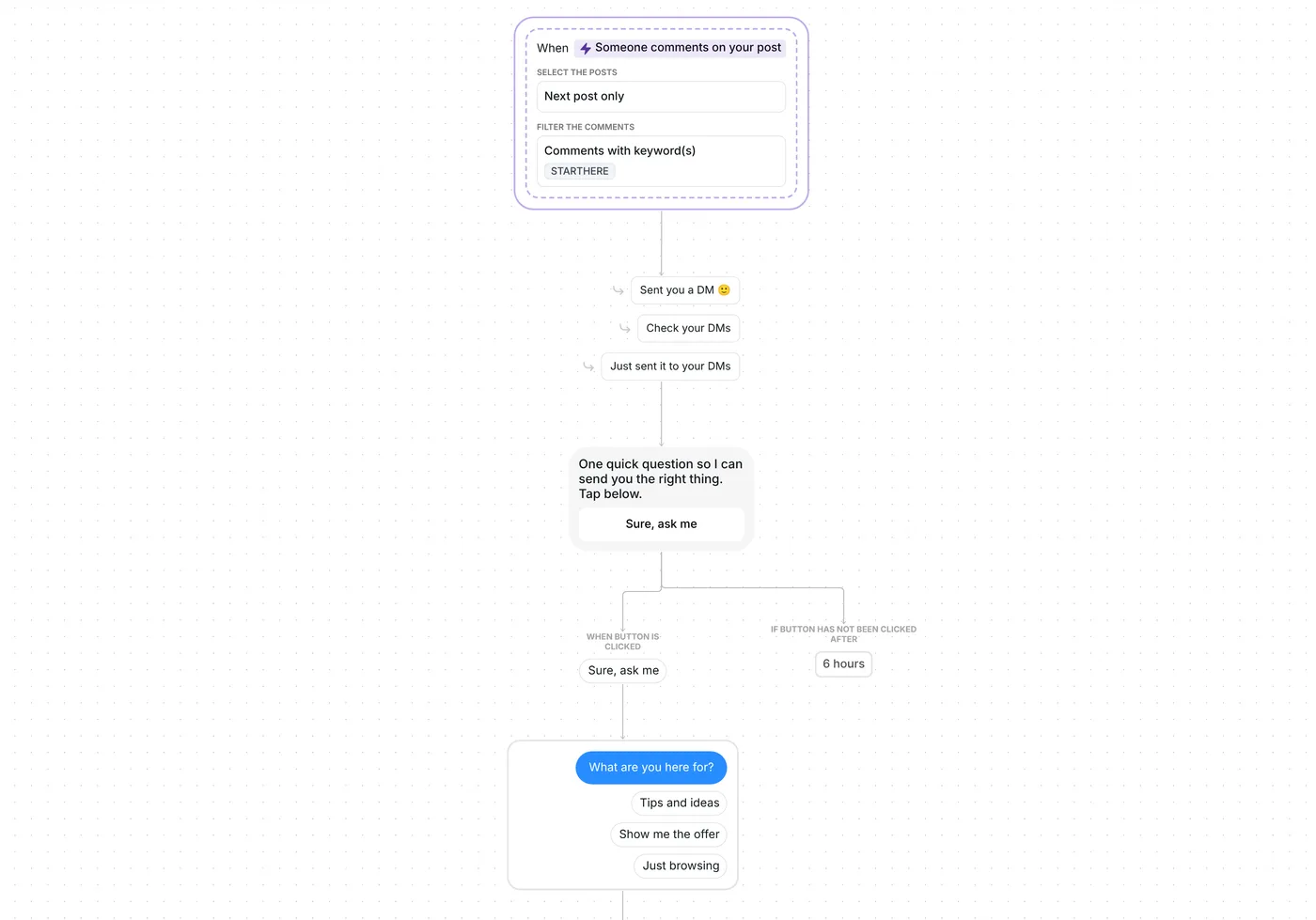
Invite your audience to comment STARTHERE under your next post. Inrō opens a DM with a single button, then asks what they are here for, with three answers to tap. Their answer files them in a folder and decides what they get next: a free guide, your offer, or a short welcome.
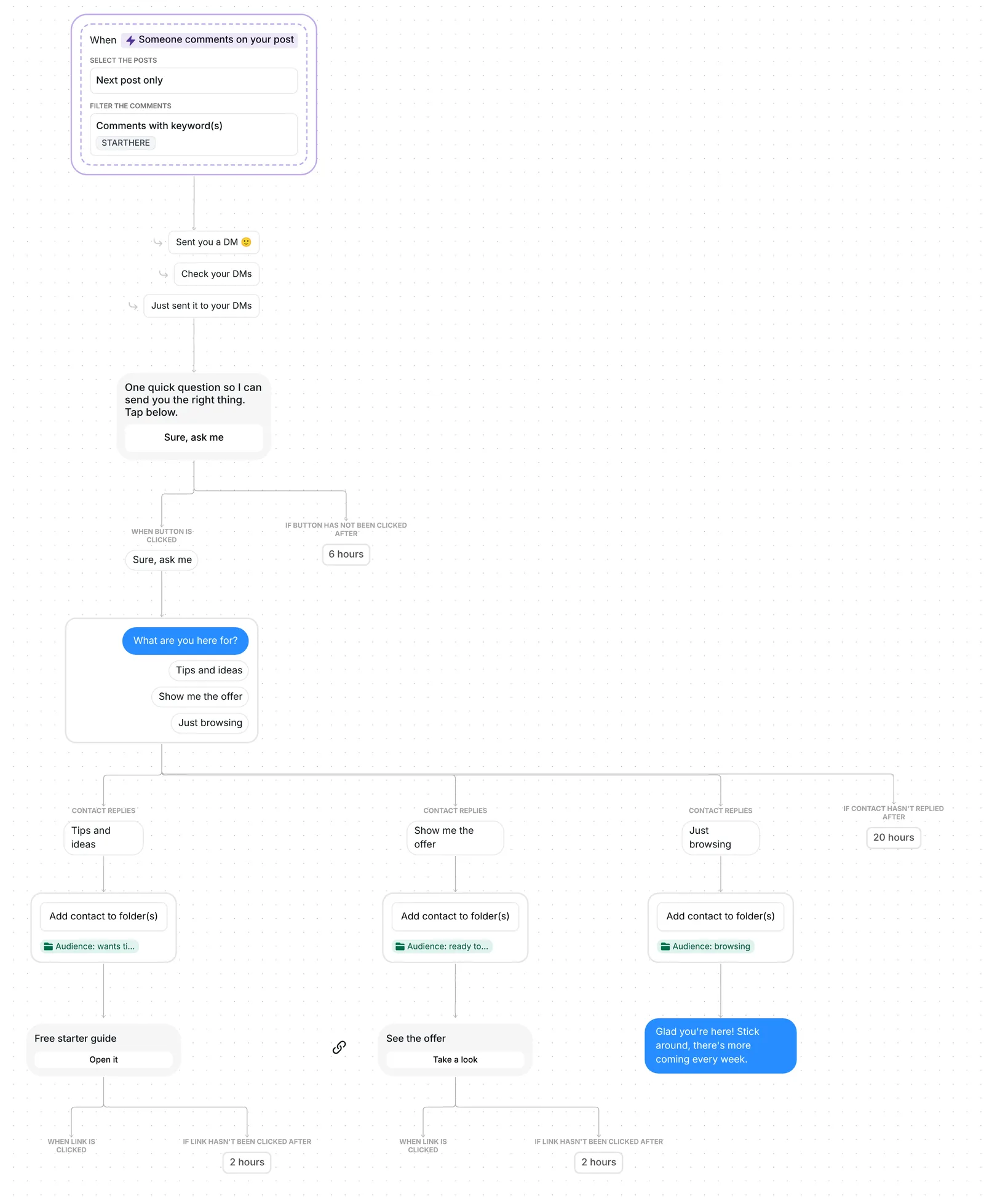
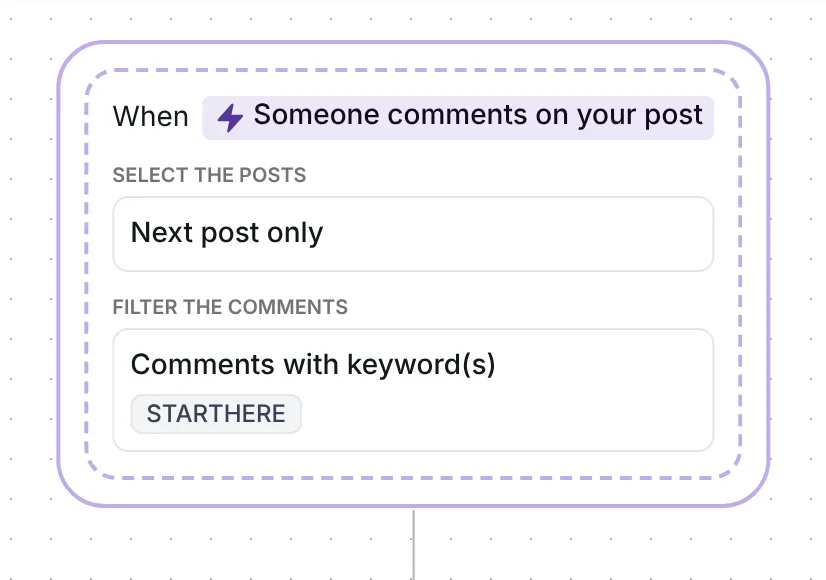
The flow reacts to top-level comments that contain the word STARTHERE, in capitals or not, so "Starthere" and "STARTHERE please" both count. Inrō sends the DM through its comment to DM feature and answers under the comment with one of three replies, picked at random: "Sent you a DM 🙂", "Check your DMs" or "Just sent it to your DMs". The public reply only goes up once the DM has gone out.
It watches one post: the first one you publish after the date in its trigger. That date is set when you copy the template, so reset it before your post goes up (see below).
The first message is short: "One quick question so I can send you the right thing. Tap below." It has one button, "Sure, ask me".
It asks for a tap, not an answer, because Instagram lets a business send one private message to a person who commented, and the conversation can continue only once they respond (Meta for Developers, checked 22 October 2026). The tap is their reply, so the question can follow. One button keeps the choice simple: conversion with one button was 32%, against 2% with three, in Inrō's DM Benchmark.
The button waits 6 hours; with no tap, nothing else is sent.
After the tap, Inrō asks "What are you here for?" with three answers to tap: "Tips and ideas", "Show me the offer" and "Just browsing". People can also type: "just browsing for now" works, because it holds the exact words of an answer.
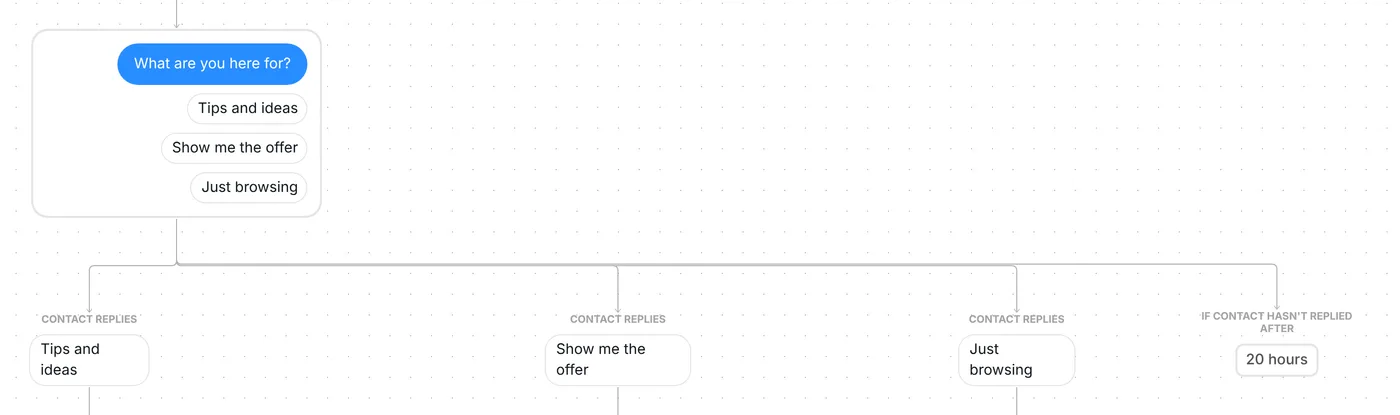
If a reply matches none of the three, Inrō asks once more: "Just tap one of the options below.", with the same three buttons. The question waits 20 hours for an answer.
The person goes into their folder as soon as they answer, whether or not they open the link:
The folders stay after the flow ends, so you know who asked for what, and a folder can be a filter in a saved audience segment.
The trigger comes set up: comments that contain STARTHERE, on your next post, top-level comments only, and the flow runs once per person.
Check six things before you go live:
You can also change the waits: 6 hours for the button, 20 hours for the answer.
The AI version starts the same way: the STARTHERE comment, the public reply and the "Sure, ask me" button. Then it asks an open question instead of offering three buttons: "What brings you here? Tell me in a few words." It waits 20 hours for a reply, in any words.
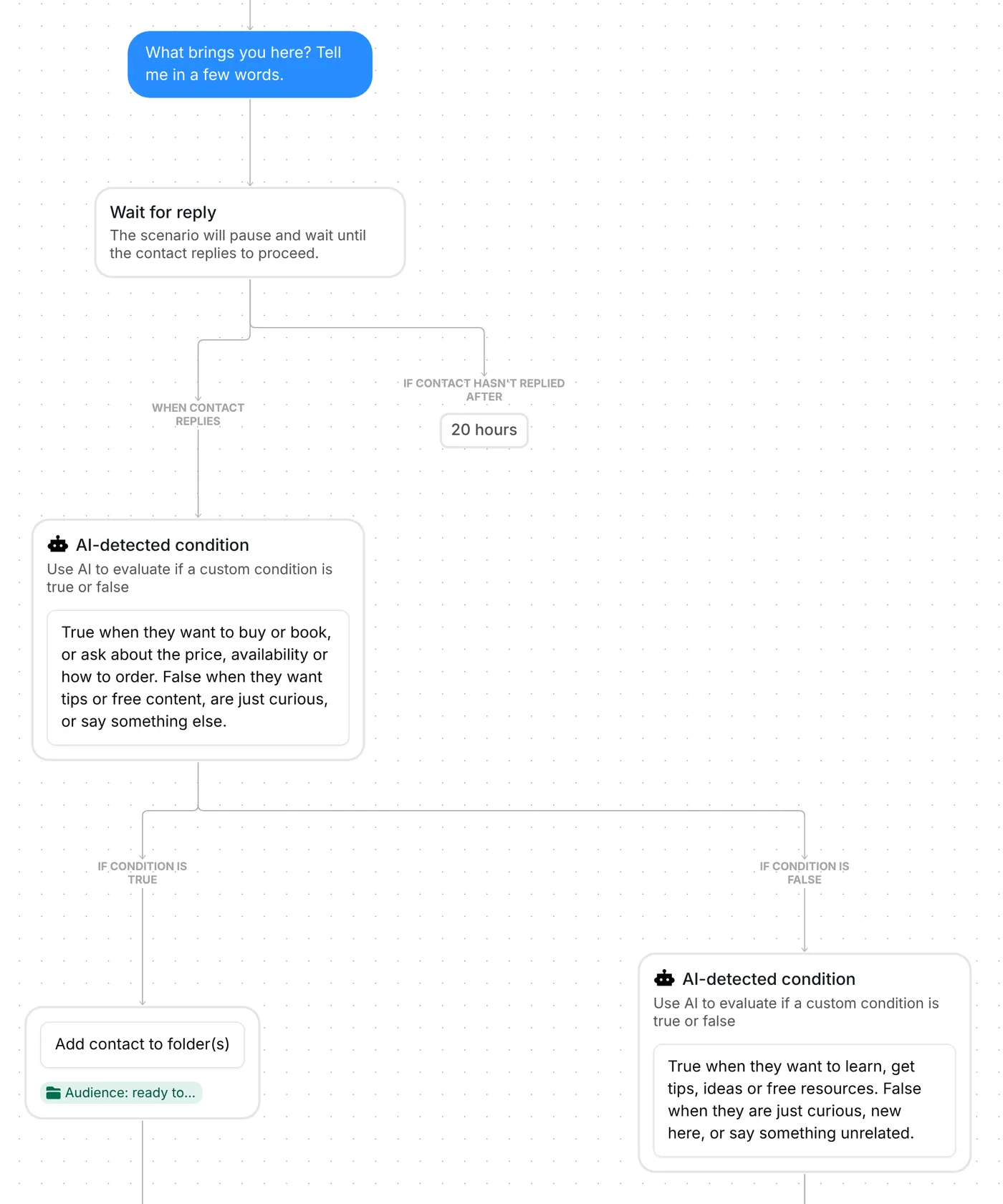
Inrō's AI then sorts the reply with up to two checks. First: do they want to buy or book, or ask about the price, availability or how to order? If yes, they go into "Audience: ready to buy" and get "See the offer". If not, the second check: do they want to learn, or get tips, ideas or free resources? If yes, "Audience: wants tips" and the "Free starter guide"; if not, "Audience: browsing" and the welcome message. A reply that asks for tips and prices goes to "ready to buy", because that check comes first.
The AI version uses AI credits each time the AI checks a reply, and a reply gets one or two checks. It uses STARTHERE on the next post too, so run either the base or the AI version, or give one of them another keyword.
Ask them. This template asks everyone who comments STARTHERE one question in your DMs and files each person in a folder by their answer. For the method behind it, read the guide to Instagram audience segmentation.
Ask them to comment a keyword on your post. Each one gets a DM with one button, and a tap brings your question with three answers.
Not quite. This template adds each person to a folder by their answer. A folder can then be used as a filter in a saved audience segment, or as the audience of a DM campaign.
Typing works when the message holds the exact words of one answer. If it matches none, Inrō asks once more with the three buttons. The AI version reads answers in people's own words.
Not sure how it work?
Read posts about templates on our blog.
Become a creator
Submit your template to the Inrō template gallery and get featured – all in just a few clicks.

It clones straight into your account. Change the message to sound like you, then switch it on.