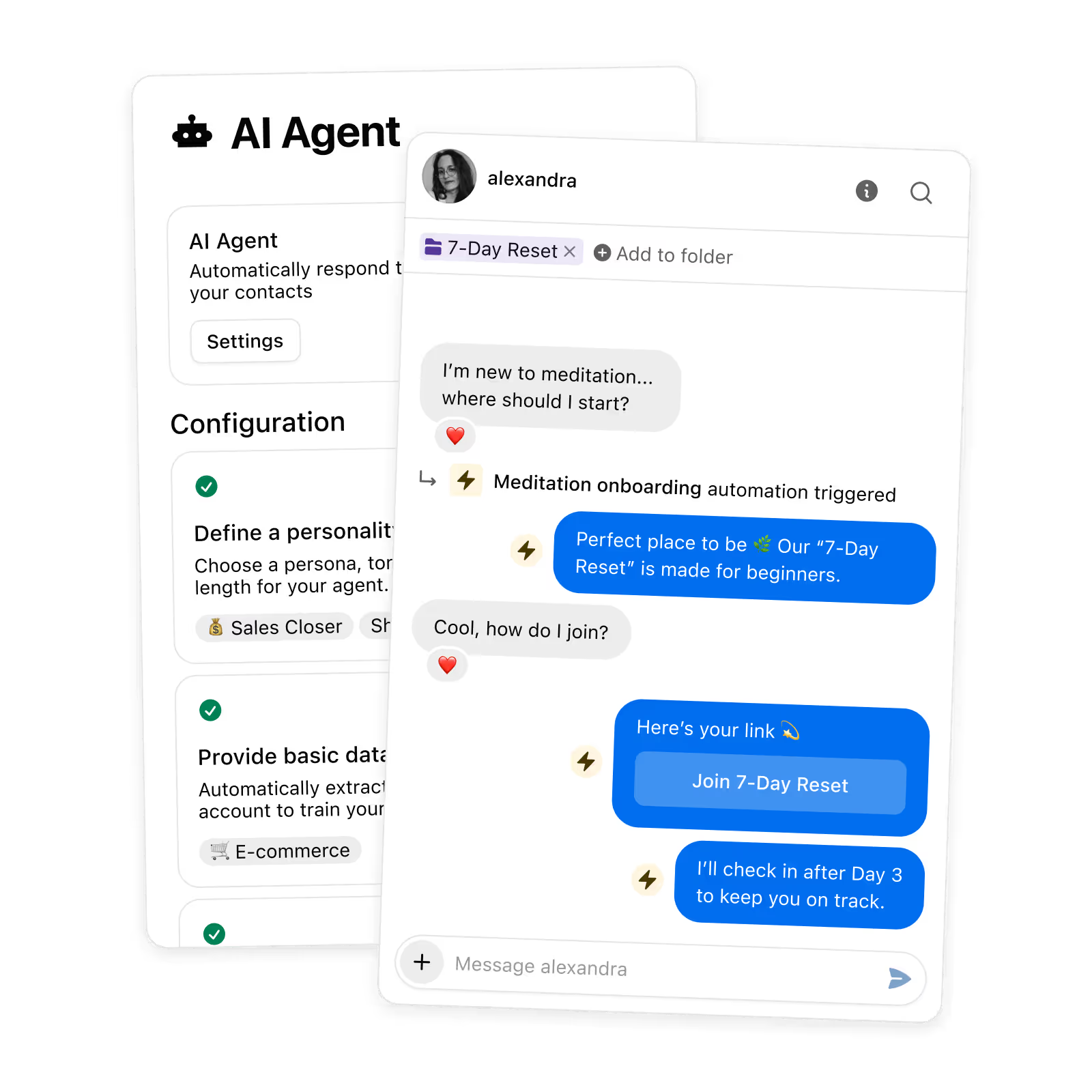
Write your brand voice brief
What is a brand voice for an Instagram DM agent?
A brand voice for an Instagram DM agent is a written specification of how the agent should sound: one role, a typical reply length, a block of plain-language style rules, and real messages it can learn from. Inrō's setup gives that block a hard size: "You have 640 characters".
The same guide separates two jobs that most voice documents mix: "Style rules describe how you write. Message examples show the agent". This builder writes the rules, the part you can specify in advance. The examples stay yours, because pasting a message you never sent teaches an agent a voice you don't have.
How this builder works
- Set the job. Pick one of the six roles an Inrō agent accepts and how long your replies usually run.
- Pick three adjectives. One each for warmth, energy and authority, so you cover three different axes instead of three shades of friendly.
- Copy the block. The style rules stay under 640 characters, counted as you type, ready to paste into the agent.
How the brief is assembled
Why write the voice down
- It fits the field. The block lands under the 640 characters the style rules field accepts. The counter shows exactly how much room is left.
- You hear it before you commit. Two examples, one about pricing and one about a complaint, render in the voice you picked.
- A team can read it. A pasteable block beats a voice that lives in one founder's head and shifts when they're busy.
- A fixed recipe. Same answers, same brief, every time, with no model in the loop and nothing sent out.
Every field an Instagram DM agent setup accepts
We read the ten most popular brand voice generators in August 2026; not one states a character limit for what it produces. Here is the field map for a real destination, an Inrō DM agent:
Style rules and Other instructions share a size, not a job. Inrō's documentation draws the line: "style rules are about how the agent writes, other instructions are about what it does or avoids". This builder writes the first only.
Handling DMs by hand vs automating with Inrō
Manual DM management
Just answering as fast as you can
Warmest leads go cold before you reply
Miss everything while you're offline
No lead capture or CRM tagging
Engagement rarely turns into sales
Inrō automation
Instant replies + lead capture
Auto-reply to every comment in seconds
Works 24/7, never miss a follower
Every lead tagged in Smart Inbox & CRM
Turns engagement into booked revenue
Start free with Inrō
How to write rules an agent follows
- Write rules, not prompts. Plain language beats prompt syntax, and "Be friendly and concise" works fine.
- Name the phrasing you hate. A rule that quotes the exact sentence to avoid beats a vague warning about tone.
- Keep the length honest. Setting Long when you really write two short sentences creates a mismatch your contacts will notice.
- Check your examples agree. Style rules and message examples that contradict each other leave the agent leaning unpredictably toward one of them.
What sinks a voice brief
Three words, one axis
Warm, friendly and approachable all describe warmth, so the agent gets the same instruction three times.
Rules the examples contradict
When your style rules and pasted messages disagree, the agent leans unpredictably toward one of them.
No never list
With nothing banned, an agent falls back on service-desk phrasing and every reply reads like a form.
A brand voice is not three adjectives. It is a block of plain instructions short enough to fit the 640 characters your agent's style rules field accepts, specific enough to argue with, and backed by examples of messages you actually sent.
Paste this into your agent
Open Inrō, go to AI Agent, then Voice and personality, and paste the block. The free plan includes 50 AI credits, 100 active contacts a month, 3 automations and 3 campaigns.
Start for free
Trusted by 10,000+ creators and brands
, including Walmart & Yoyomatch
Frequently asked questions
What is a brand voice for an Instagram DM agent?
It is a written specification of how an automated agent should sound when it answers your DMs. It has four parts in Inrō: a role, a typical reply length, a block of style rules, and message examples pasted from conversations you actually had. The first three you can decide in advance, which is what this builder produces. The fourth is evidence, and evidence cannot be generated. A brand voice document for a website argues a personality across every channel and has no size limit. A DM agent brief is narrower, because it has to fit a field and it governs one surface, the reply window.
Where exactly does this brief go in Inrō?
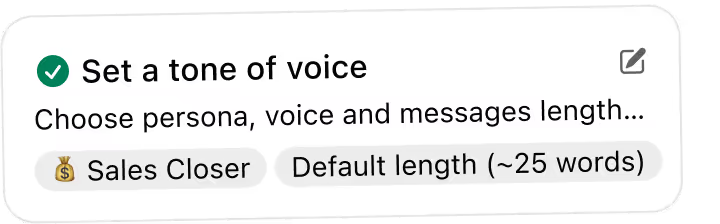
Open Inrō, click AI Agent in the sidebar, then Voice and personality. Four things live there: the role, the typical message length, the style rules field, and the message examples list. The block this tool labels Style rules goes into the style rules field, which the documentation caps at 640 characters (updated 24 June 2026). Set the role and the length using the same names the tool gives you. The two sample replies get pasted nowhere: they exist so you can hear the voice before you commit. Inrō's documentation says changes save when you close the panel, and you can test them with the Chat with Agent button.
No. Every sentence in the brief is assembled from your ten answers by fixed rules written by hand. The same answers always produce the same brief, nothing is sent anywhere, and no model is called. That is deliberate: a tool that generates a brand voice with a language model asks a model to guess how you sound, which is the problem the brief is meant to solve. The agent you paste this into is the AI. The brief is the instruction you give it. If you would rather a model drafted one, Inrō does that inside the product: the first time you open the section it analyses your account and recent sent messages and fills in a suggestion you can edit.
Where does the 640 character limit come from?
From Inrō's own help centre. The article Configuring Your AI Agent's Personality and Tone, updated 24 June 2026, describes the style rules field and states the size in one sentence: "You have 640 characters." That is the whole provenance. It is not an industry standard, not a model limit, and no study says 640 characters is the right length for a voice brief. It is one product's field size, which is why it is worth publishing: it turns a vague instruction into something you can measure while you write. The same article documents a companion field, Other instructions, at around 640 characters, but that one covers what the agent does rather than how it writes.
Why does it ask for only three adjectives?
Because three adjectives picked from one list are almost always the same adjective three times. Warm, friendly and approachable all sit on the same axis, so an agent gets one instruction wearing three hats and nothing to resolve when a reply could go two ways. This tool splits the choice across three axes: warmth, which sets how close you stand; energy, which sets how loud you are; and authority, which sets where the expertise sits. One pick per axis and the three cannot collapse into synonyms. That split is a craft judgement, not a research finding, and the notes under the formula say so.
Do I still need message examples if I have style rules?
Yes, and they matter more than the rules. Inrō's documentation puts the split in one line: "Style rules describe how you write. Message examples show the agent." It suggests four to six examples from different contexts, and the best practices article lists five worth having: a warm welcome, a pricing question, a complaint, a follow-up, and a time you had to say no. This builder cannot supply those, because they have to be messages you really sent. Copy them out of your inbox. The two examples the tool prints illustrate the voice you picked; pasting them into that list would teach the agent a voice that is not yours.
How should I write an emoji rule?
As a sentence, not a setting. Inrō has no emoji switch: the documentation says "You set emoji behaviour here, in your own words, rather than from a separate control", and gives two shapes of instruction, "Use emojis sparingly to add warmth" or "No emojis". So the emoji choice here produces no emoji characters, it produces the sentence that governs them, and that sentence is counted into your 640. Choosing Freely still bars emoji from replies about a problem, the case worth spelling out: a complaint answered with a smiley reads as a shrug. For more nuance, edit the sentence in the style rules box before you copy it.
What do other brand voice generators produce?
Prose with nowhere to go. We checked ten popular brand-voice generators in August 2026: Hoppy Copy, Writecream, 1min.AI, Koala, Enji, Atom Writer, AdaptlyPost, BrandsBuilder, Backlinko's template article and Miro's workshop template. None of the ten states a character limit for what it generates. None shows a sample reply written in the voice it defines. Four mention Instagram, every one in passing. That's the gap this page fills.
Is this the same as a DM script generator?
No, and the difference is worth keeping straight. A script generator writes one message you send. This writes the specification an agent applies to every message it sends on its own. If you want a message for a campaign or a comment trigger, use the Instagram DM Script Generator instead. The two examples here are labelled illustrations for that reason: they show what the voice sounds like, they are not written to be sent, and they carry a placeholder price. What the agent knows is a third thing, and lives in its knowledge base, which this page does not touch.
Kshitij runs the growth experiments and looks after client success from first trial to enterprise rollout at Inrō. The advice in these tools comes from funnels he has tested on real accounts, and from the support tickets that follow when a setup goes wrong.