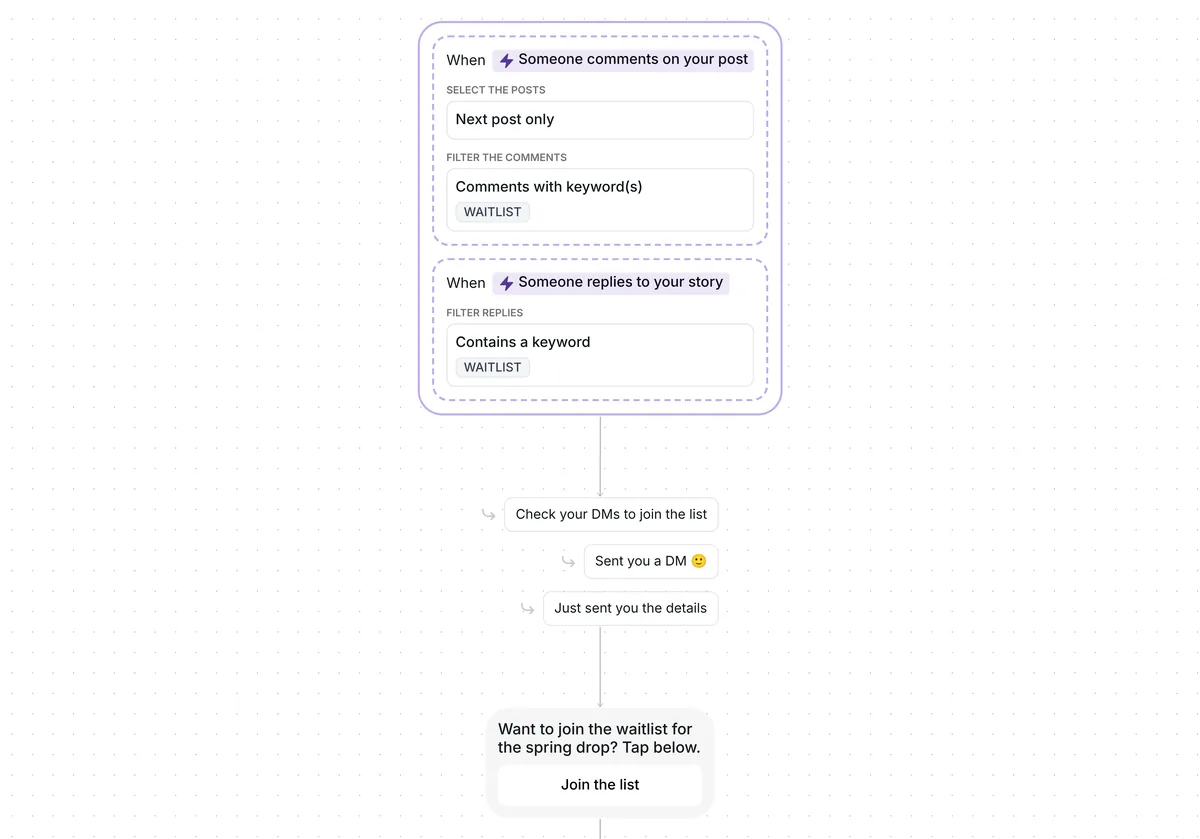
Want more sign-ups for your next webinar or event from a single Instagram post? This template answers everyone who asks for the link in your comments and puts your sign-up page in their DMs, with no reply by hand.

Kshitij Maheshwari


Someone comments WEBINAR and gets your sign-up link in a DM. Inrō asks for their email first but never blocks the link on it. Copy the template.
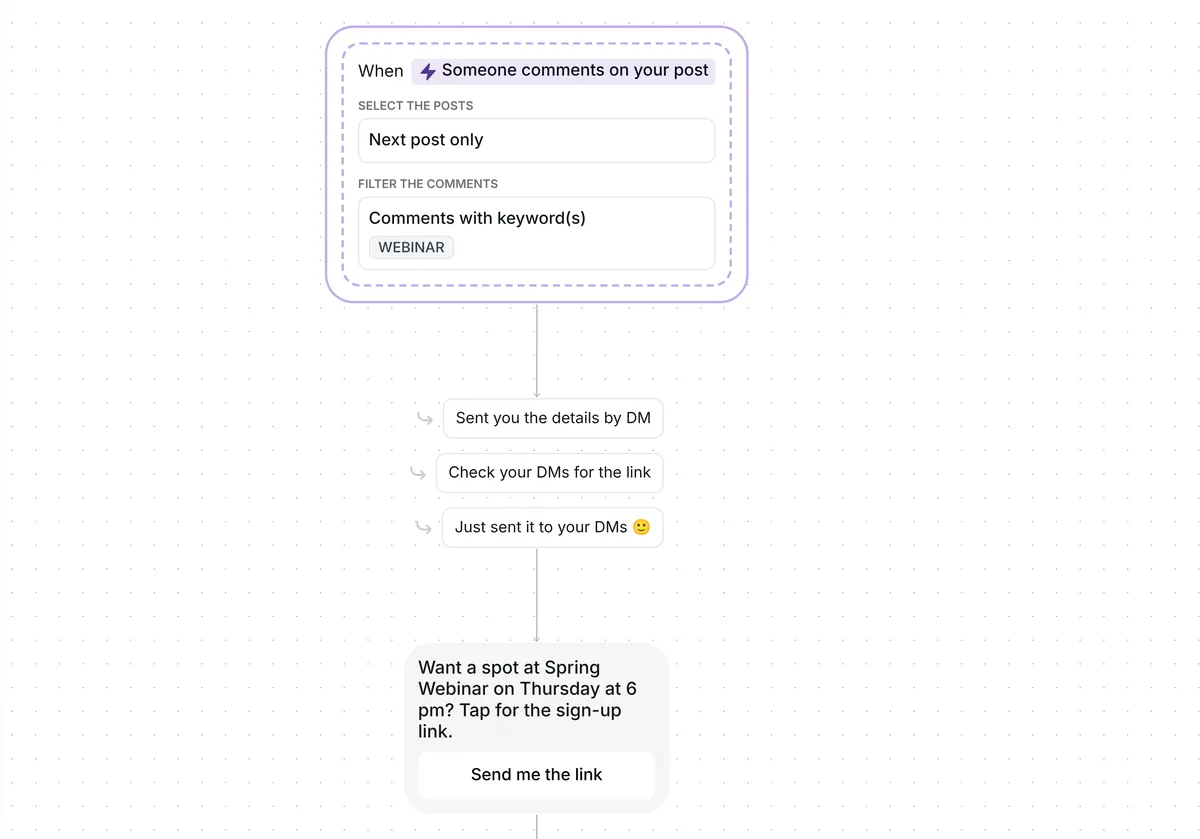
Someone comments WEBINAR under your next post and gets a DM with a single button, "Send me the link". After the tap, Inrō asks for their email. Whether they type it, skip it or never reply, your sign-up link arrives next, and each tap on that link adds them to a "registered" folder.
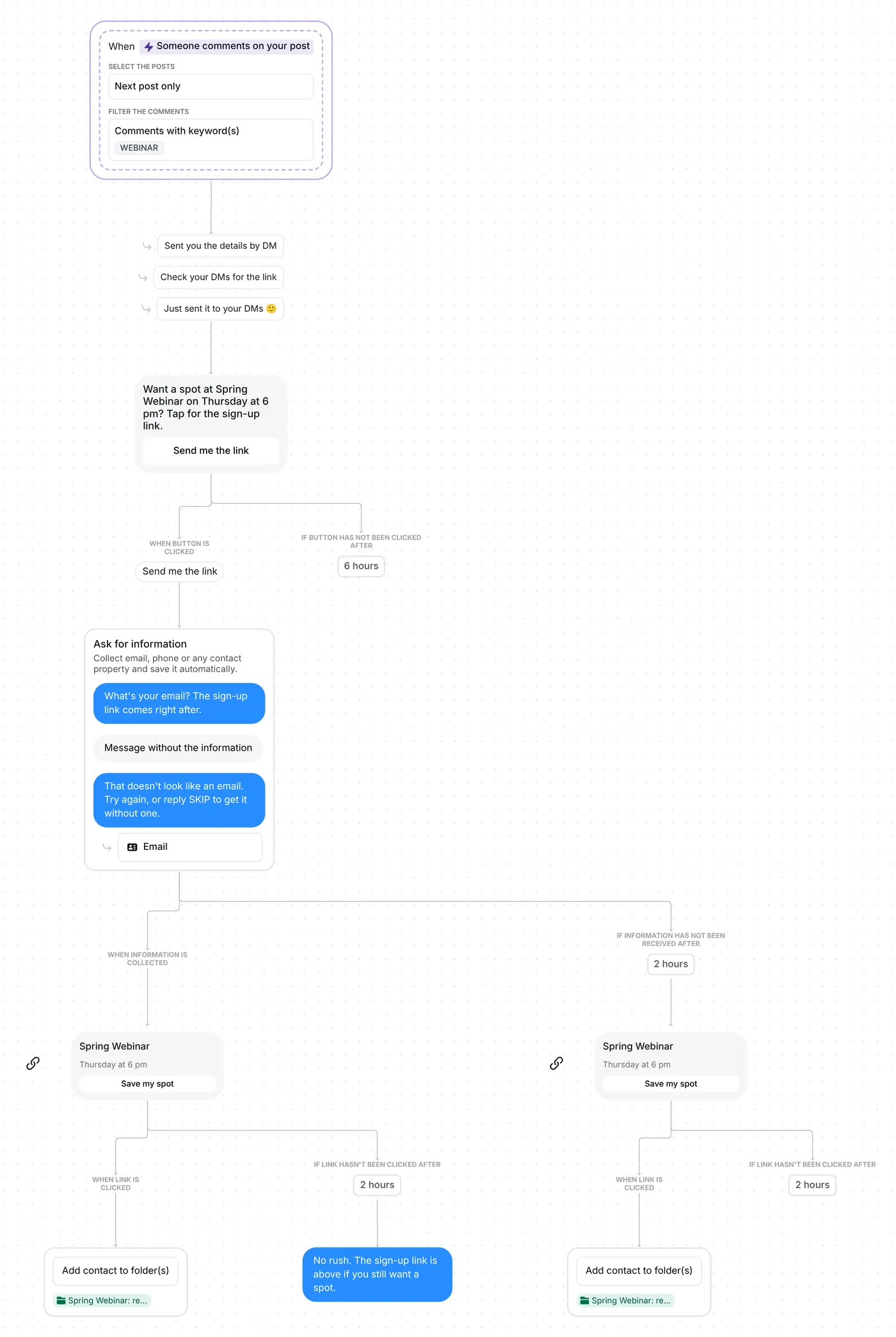
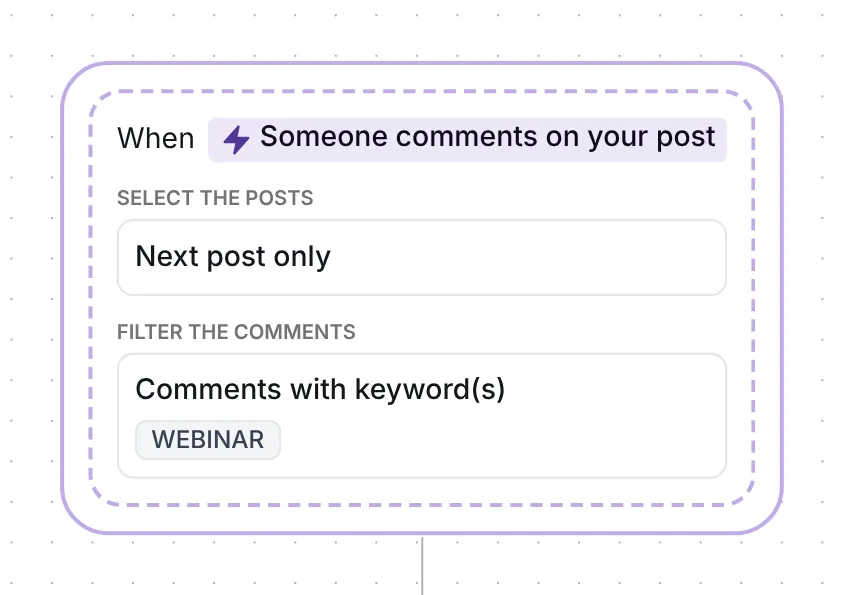
WEBINAR has to appear in a comment on the post itself, not in a reply to someone's comment. The keyword matches as a whole word in any case, so "webinar", "Webinar" and the plural "webinars" all count. Inrō sends the DM through its comment to DM feature, so nobody has to find a link in your bio. In public, it answers the comment with a random pick from three lines, "Sent you the details by DM", "Check your DMs for the link" or "Just sent it to your DMs 🙂", once the DM is sent.
Your next post is the only one it watches, counted from the date in the trigger. The date stamped there is the day you copied the template; check 1 below has you reset it just before your WEBINAR post goes live. An ad never counts as that post.
First comes the opener, "Want a spot at Spring Webinar on Thursday at 6 pm? Tap for the sign-up link.", with one button below it, "Send me the link".
The button is there because a comment only buys you one message. Meta's private replies let a business write once to a commenter and keep writing only after a reply (Meta for Developers, checked 22 October 2026). Here the reply is a tap, and the email question rides on it. The button stays open for 6 hours; anyone who has not tapped by then gets nothing further.
On timing, the median time from trigger to conversion was 65 seconds among the converted conversations in Inrō's DM Benchmark, so the 2-hour waits leave plenty of room. That is the benchmark's pace, not this template's.
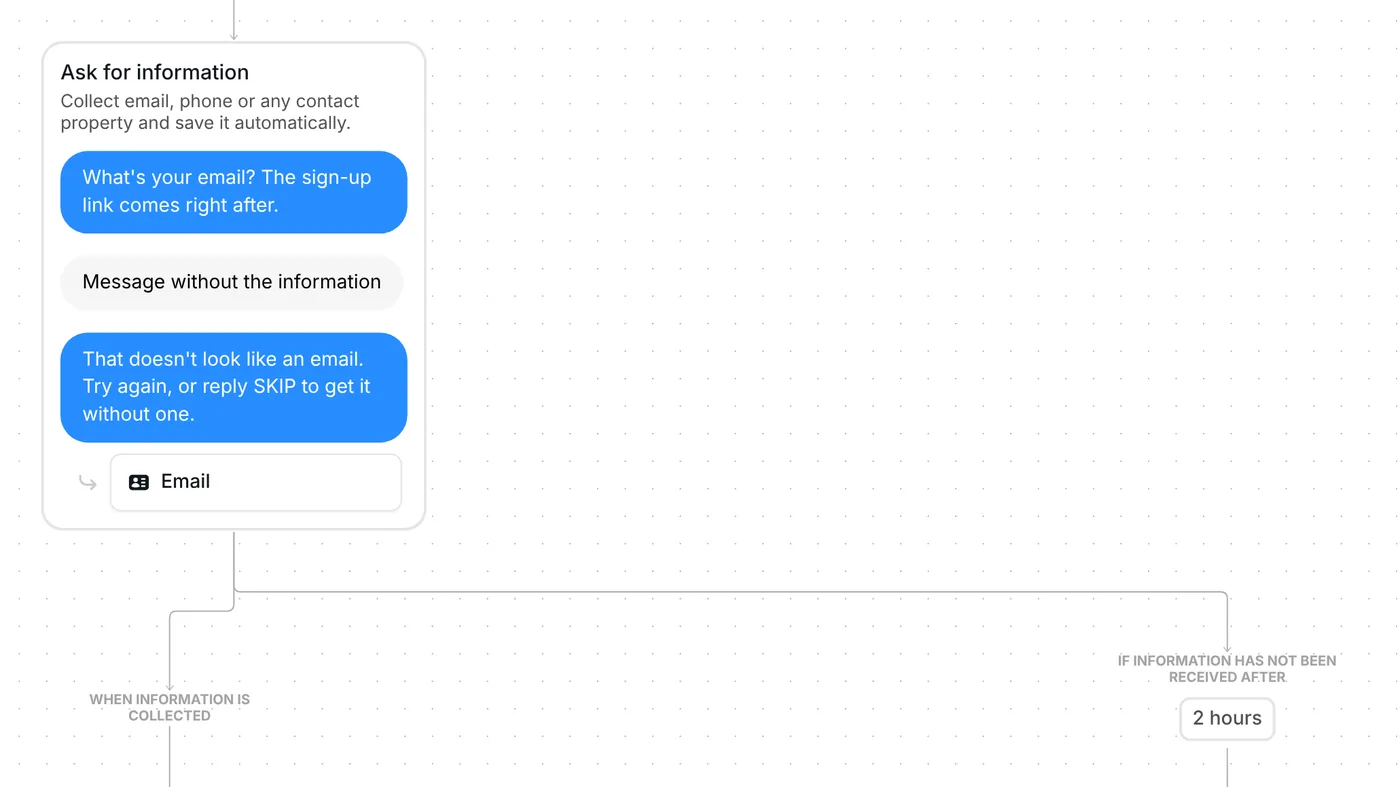
After the tap, the "Ask for information" step takes over: the builder step that sends a question, waits for the reply and saves the answer. Here it asks: "What's your email? The sign-up link comes right after."
An address typed inside a sentence still counts, as in "sure, it's ana@example.com". Inrō saves it as their email, one of the contact properties it keeps on each person. If the reply holds no address, Inrō asks once more: "That doesn't look like an email. Try again, or reply SKIP to get it without one." A second reply without one, SKIP or anything else, moves straight on to the sign-up link. Nobody is stuck behind the question.
AI credits are charged for reading the reply only when an email turns up in it. With no credits left, Inrō still spots an address by its format.
Some people tap the button and then never answer. They get the sign-up link anyway, 2 hours after the question. Those 2 hours start when the question goes out, and a retry does not restart them. While the question waits, the template sends no reminder.
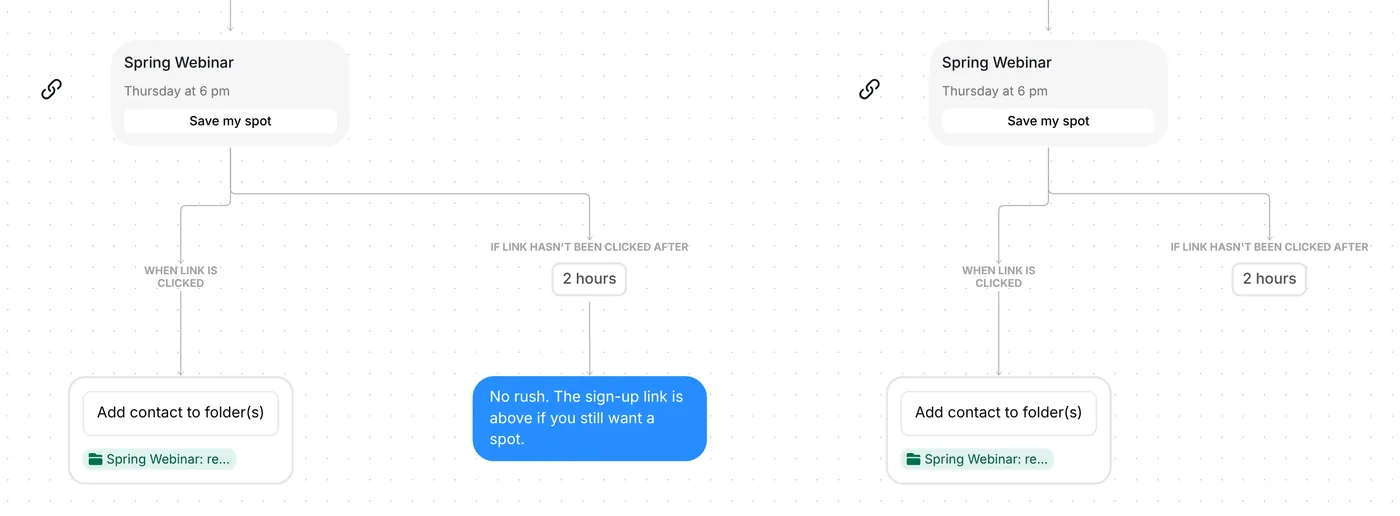
The link arrives as a card titled "Spring Webinar", with "Thursday at 6 pm" underneath and the button "Save my spot". Each path has its own card, with the same texts.
A tap on "Save my spot" adds the person to the folder "Spring Webinar: registered", even if they tap it later. Your sign-up link works as a trackable link: Inrō sees the tap, not whether they finished the form on your registration page.
People who reached the card through the question, with an email or after the retry, get one nudge if they have not tapped within 2 hours: "No rush. The sign-up link is above if you still want a spot." People who stayed silent get the card and no nudge. The 2 hours is only the wait before that nudge; the link keeps working after it.
WEBINAR is already the keyword, the next post is the target, replies to other comments are ignored, and each person passes through once.
Settle these six points before the event post goes up:
Optional: rewrite the three public replies. The waits are adjustable too: 6 hours for the button, 2 hours for the email, 2 hours before the nudge. Running workshops or cohort calls? Instagram automation for coaches has more flows built for them.
Same steps, different wording, folders and resource. The name below opens that version to copy.
Local businesses: your next in-person event. Keyword RSVP (a whole word, any case, plurals count). First DM: "Want a spot at Spring Workshop on Saturday at 10 am? Tap for the RSVP link." with "Send me the link". The card says "Spring Workshop", "Saturday at 10 am", "Save my spot", and a tap adds the person to "Spring Workshop: registered". Put in your own event, time and link. Local business version
Yes. The email question never blocks the sign-up link: a second reply without an address, or 2 hours of silence, sends the card anyway. The registration itself happens on your sign-up page.
Each email is saved on the person's contact in Inrō as their email. You can export your contacts as a spreadsheet, and the email is one of its columns.
Yes. The card opens whatever address you paste, so a Zoom, Teams or website registration page all work. Inrō records the tap on the link, not the registration itself.
With this template: post about the webinar, ask people to comment WEBINAR, and each one gets the sign-up link in their DMs. For the full plan before and after the event, read the webinar signup automation guide.
Not sure how it work?
Read posts about templates on our blog.
Become a creator
Submit your template to the Inrō template gallery and get featured – all in just a few clicks.

It clones straight into your account. Change the message to sound like you, then switch it on.