Want your link to reach everyone who asks for it under your post, even when they don't use a keyword? This template sends it to the people who really want it and leaves every other comment alone.

Kshitij Maheshwari


Someone asks for your link under your post in their own words, no keyword needed, and gets a DM with one button that sends it. Copy the template.
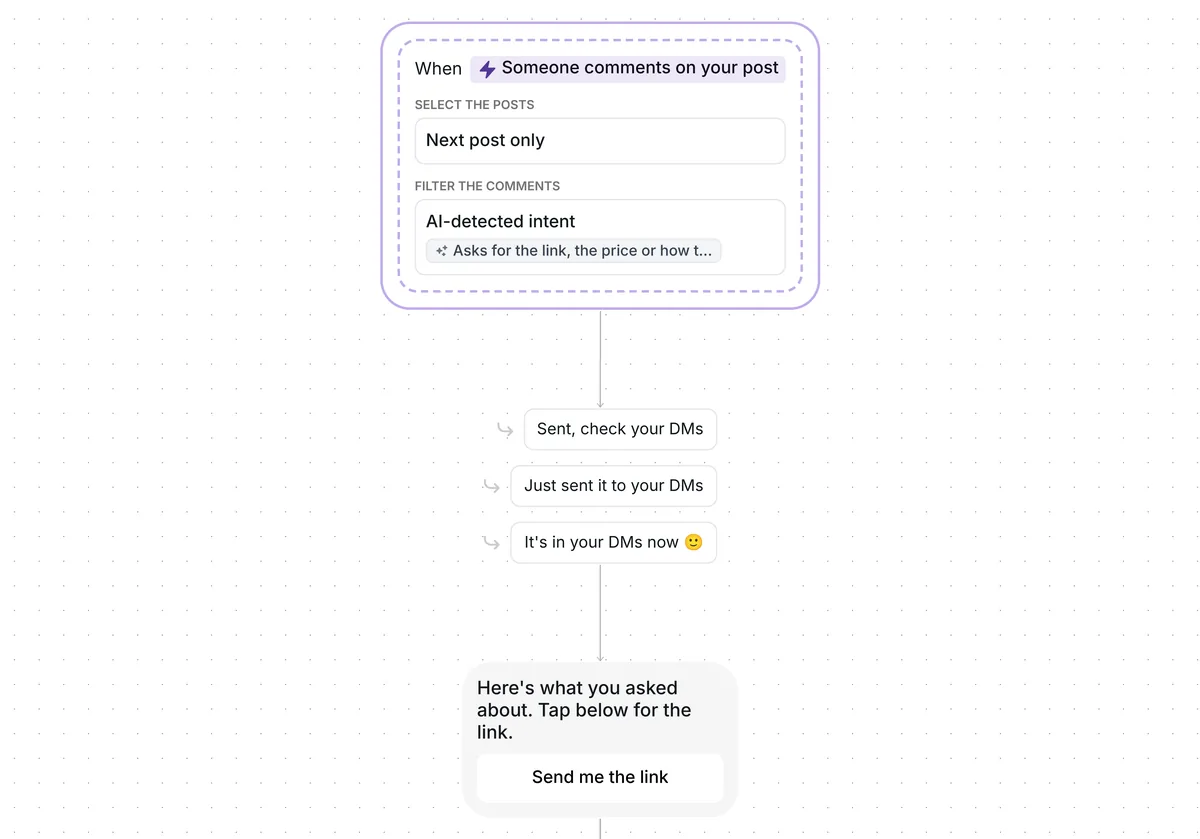
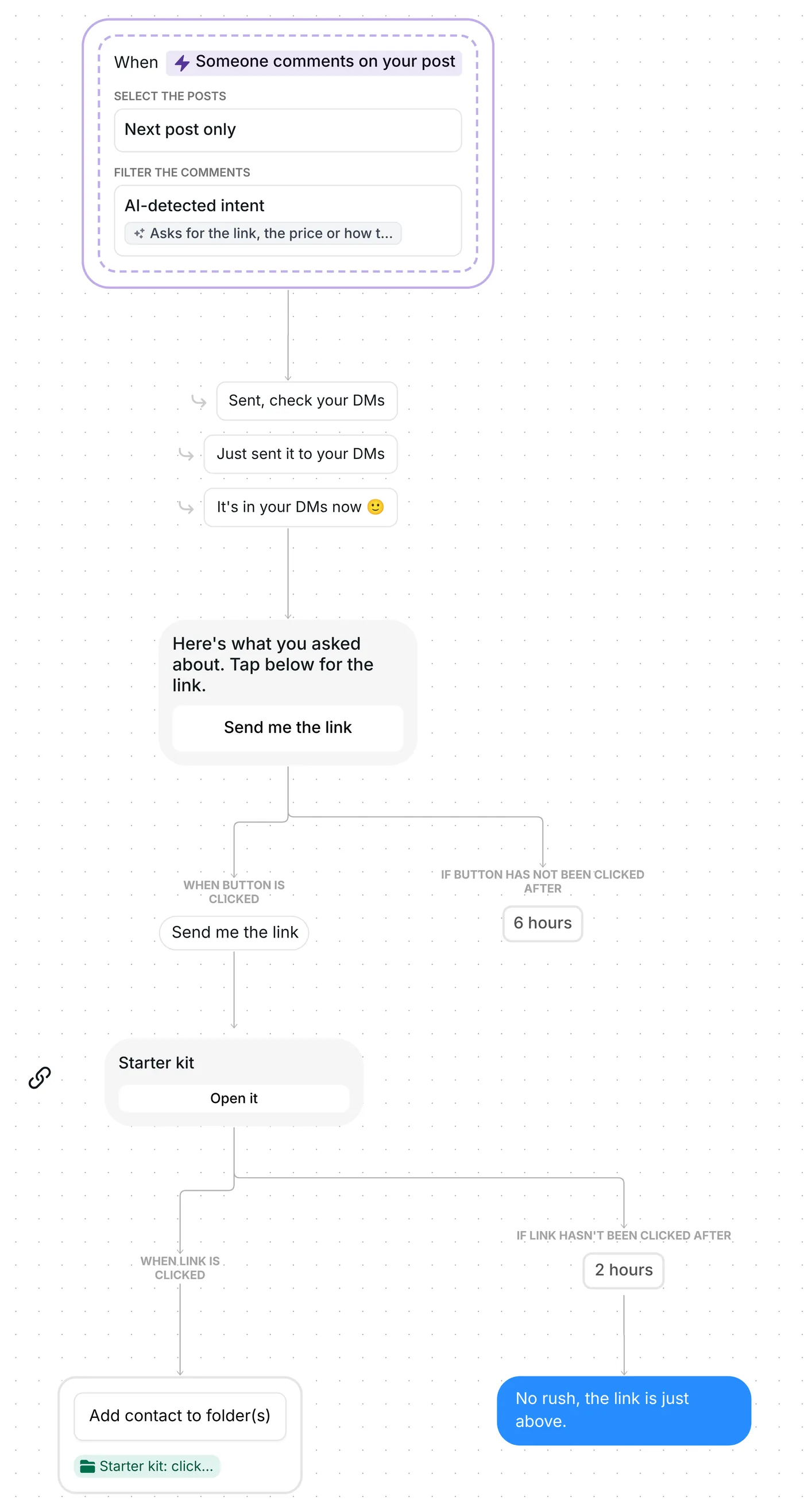
No code word needed: when a comment on your next post asks in its own words for the link, the price or how to get what the post shows, Inrō replies under it and sends a DM with one button, "Send me the link". The tap brings the link; one nudge follows if it stays unopened for 2 hours.
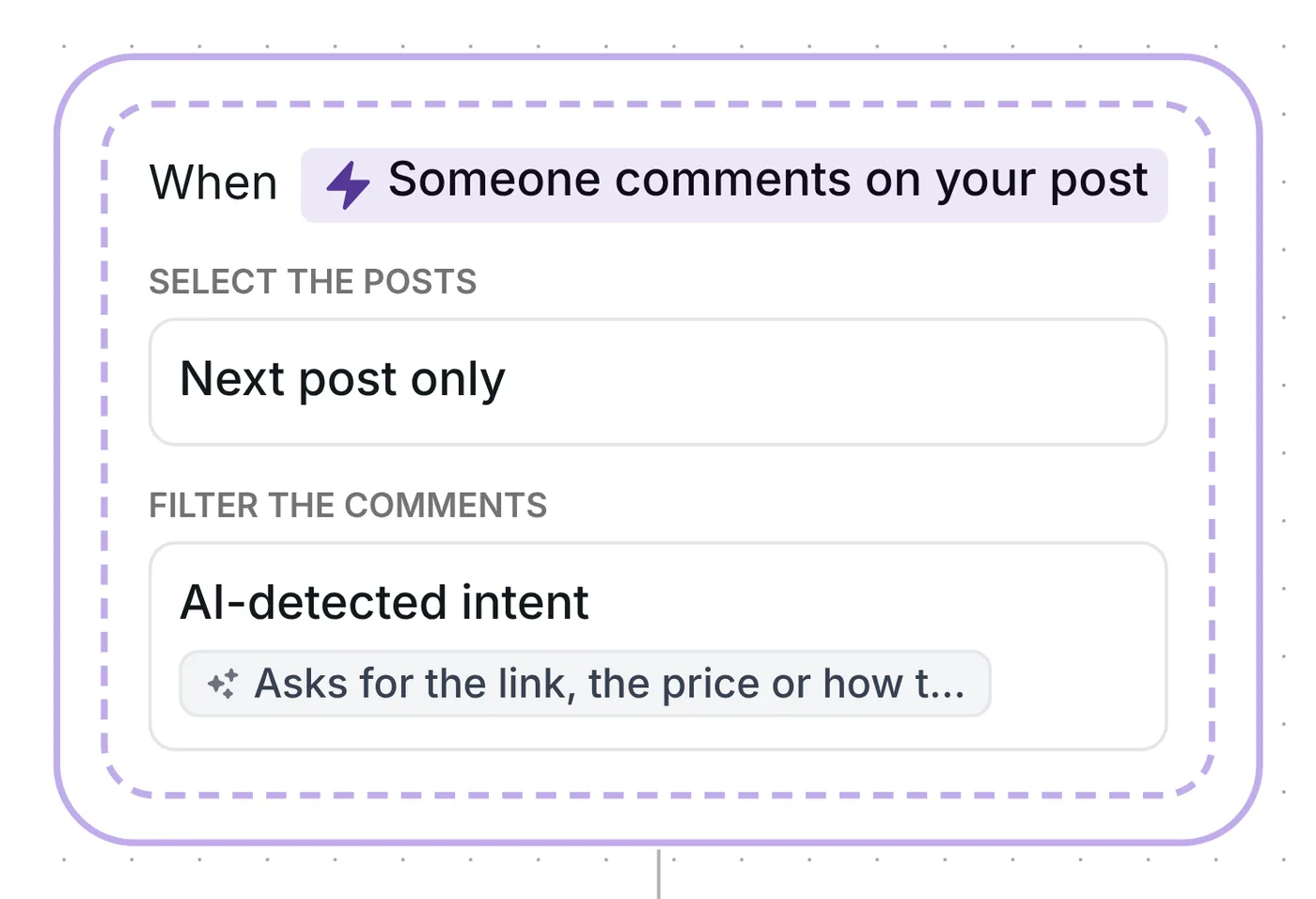
The trigger is a comment on your next post, filtered by "AI-detected intent" instead of a keyword. It runs on Inrō's comment to DM feature, and nobody has to type a word you picked in advance. What counts is set by a short description, written in plain words. In this template it reads:
"Asks for the link, the price or how to get what the post shows, in their own words. Not a compliment, a friend tag, only emoji, or a question about something else."
For each new comment, Inrō asks AI one question: does this comment match the description? The flow carries on only on a yes. A comment like "where can I get this?" is what the description is written for; "love this 🔥" or a tagged friend is what it rules out. The page on how AI intent detection works covers the check itself.
Three details shape what gets read:
Which post is "the watched post"? Whichever you publish first after the trigger's date, and copying the template fills in that date, which is why setup starts with it.
Below the comment, a public line confirms the DM. Inrō rotates "Sent, check your DMs", "Just sent it to your DMs" and "It's in your DMs now 🙂" at random, and posts one only after the DM has gone through; if the DM fails, no public line appears. Flows that replied in public as well as by DM converted at 46%, against 29% for DM only, in Inrō's DM Benchmark of 798,041 conversations.
The DM itself is "Here's what you asked about. Tap below for the link.", with one button underneath: "Send me the link". Because a comment started the chat, Instagram's private reply rule applies: one message from you, then nothing more until the commenter responds (Meta for Developers, checked 22 October 2026). Their tap on the button is the response. People have 6 hours to make it.
A tap on "Send me the link" sends a link card titled "Starter kit" with the button "Open it". Everyone who opens it lands in the folder "Starter kit: clicked", so you can filter your inbox by that folder in Inrō's smart inbox. Inrō records the click, not what they do after it.
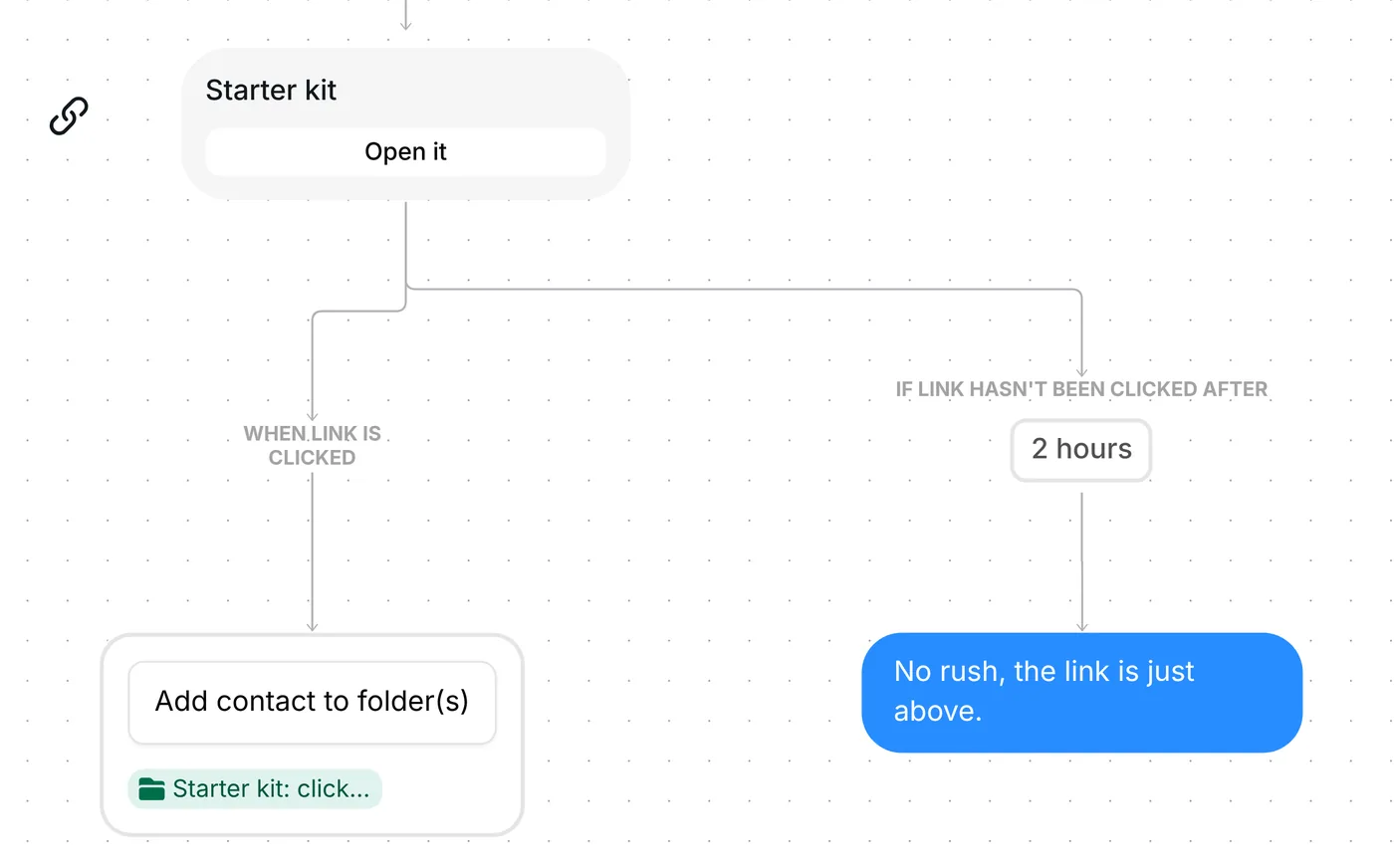
After 2 hours without a click, Inrō sends "No rush, the link is just above." That wait only times the nudge: the link keeps working, and a later click still adds the person to the clicked folder.
The trigger arrives ready: comments on your next post that AI reads as asking for the link, top-level comments only, and each person gets the flow once.
Before you switch it on, settle these six points:
You can also shorten or lengthen the 6 hours given for the tap and the 2 hours before the nudge.
Yes, with this template. AI checks each comment on your next post against your plain-words description, and a match gets one DM with a button. Instagram allows one private message to a person who commented, so the button is how the link follows. For the other ways to start a DM, see Instagram auto DM triggers.
No. It reads the words of the comment only, and compares them with your description. That is why the description should name your offer: it gives the AI what the post would have told it.
Yes, and only when the AI finds a match. A comment it reads as not asking for the link costs nothing. See what each plan includes.
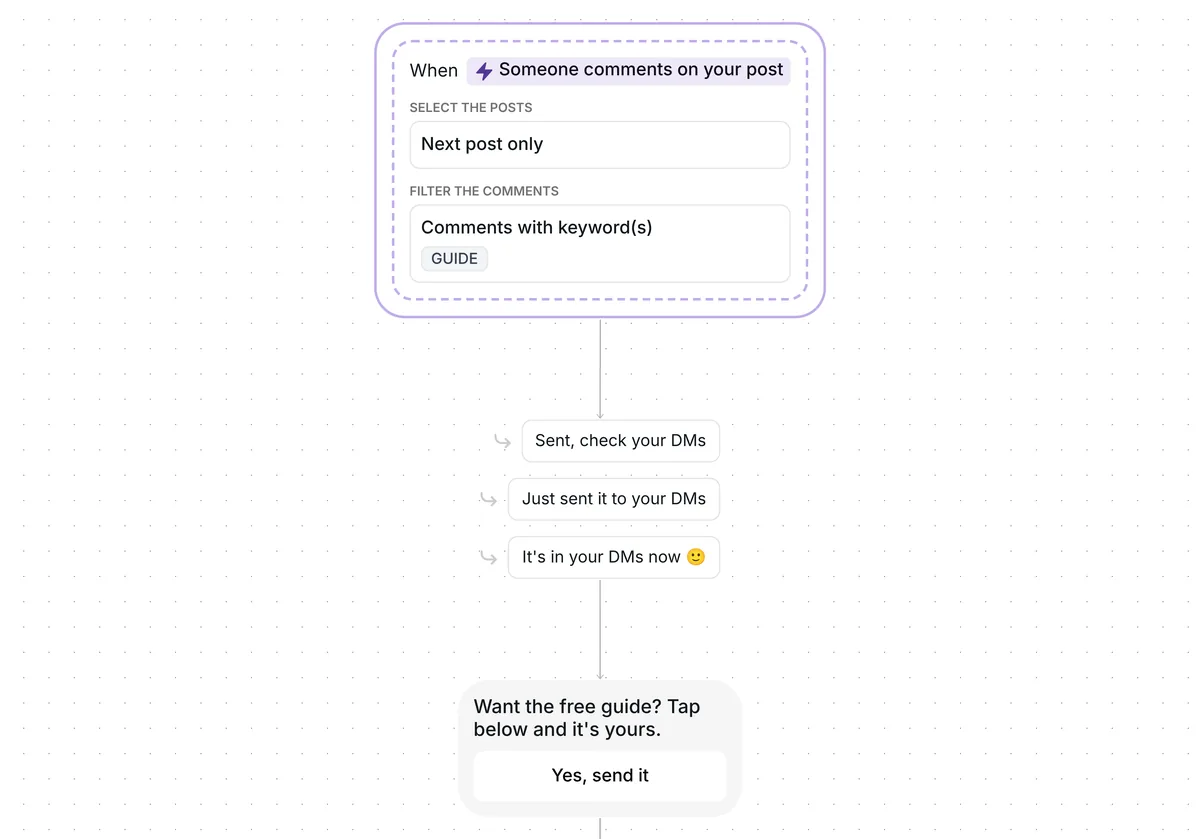
The comment for link template runs the same steps after the trigger but starts on the keyword GUIDE. Choose it when you say a word in your caption or video. Choose this one when people ask in their own words. You can also add a keyword trigger to this template and keep both.
Not sure how it work?
Read posts about templates on our blog.
Become a creator
Submit your template to the Inrō template gallery and get featured – all in just a few clicks.

It clones straight into your account. Change the message to sound like you, then switch it on.