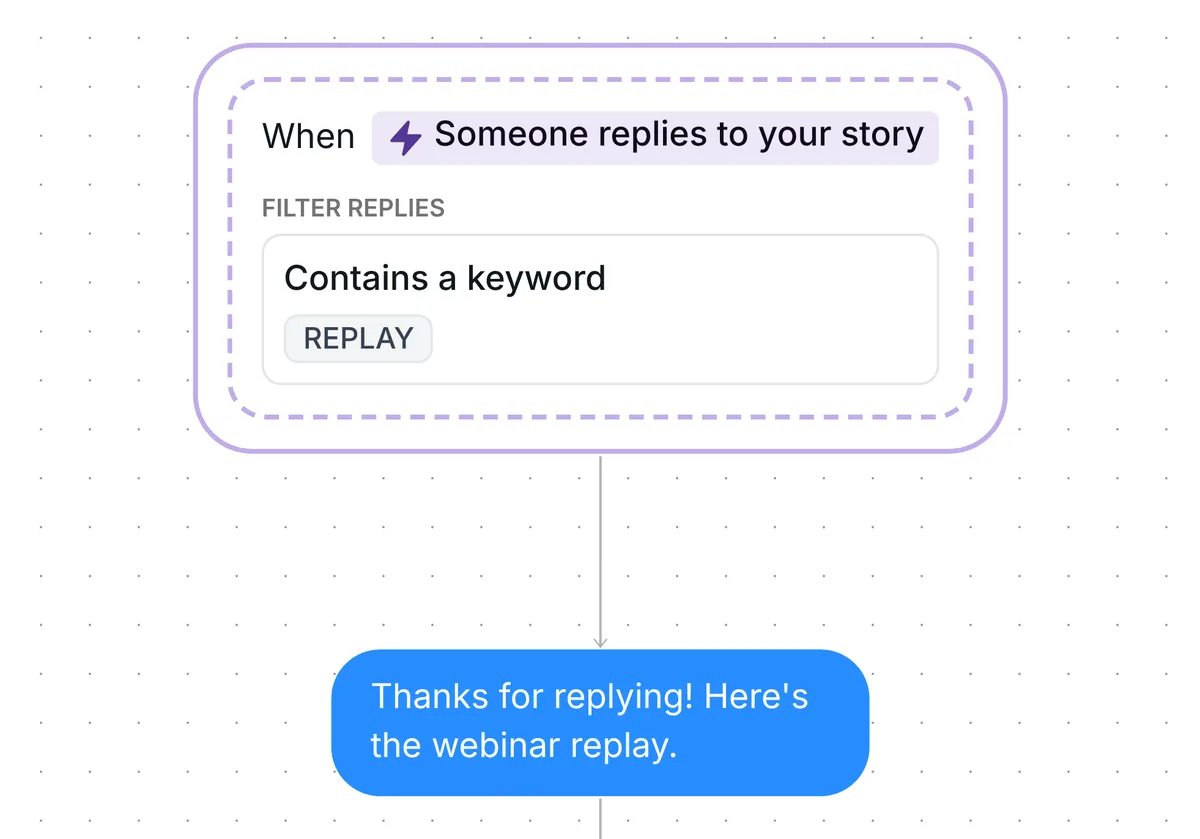
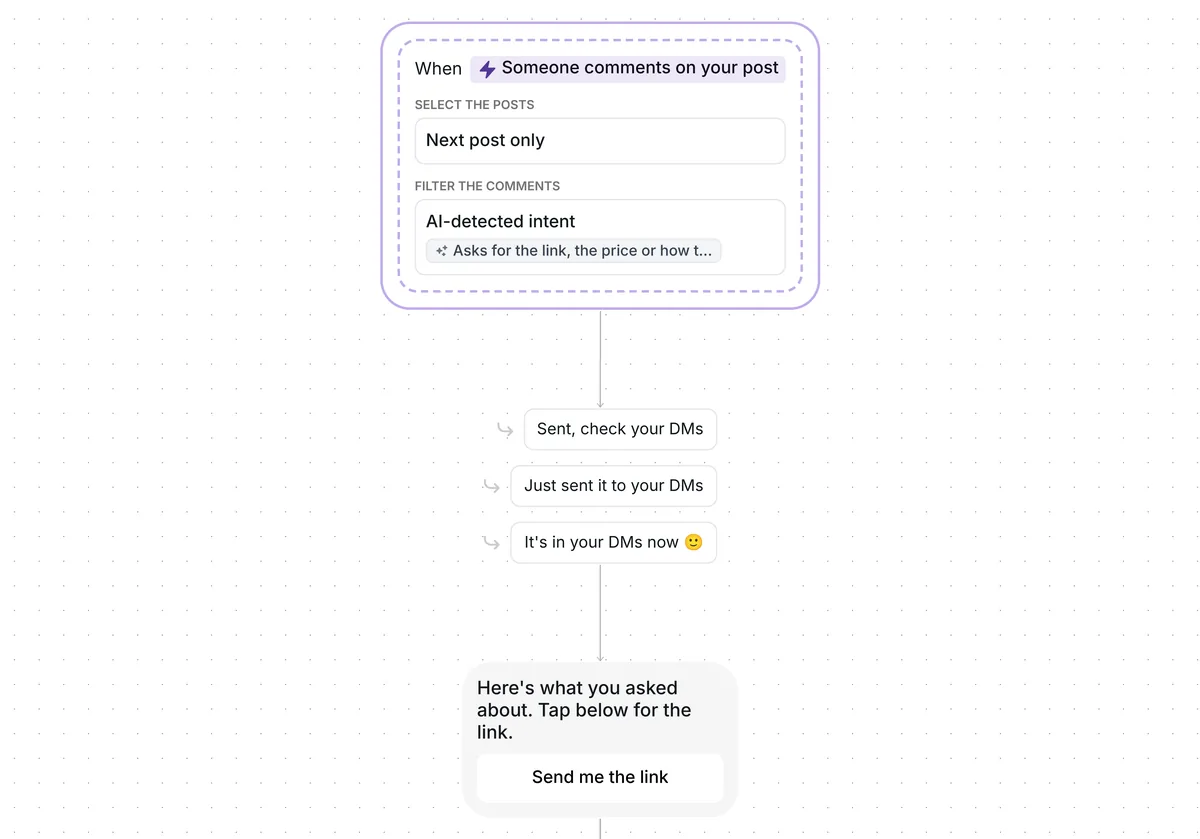
Want everyone who comments on your post to land on your page, without sending a single link by hand? This template gets your link to each person who asks for it.

Kshitij Maheshwari


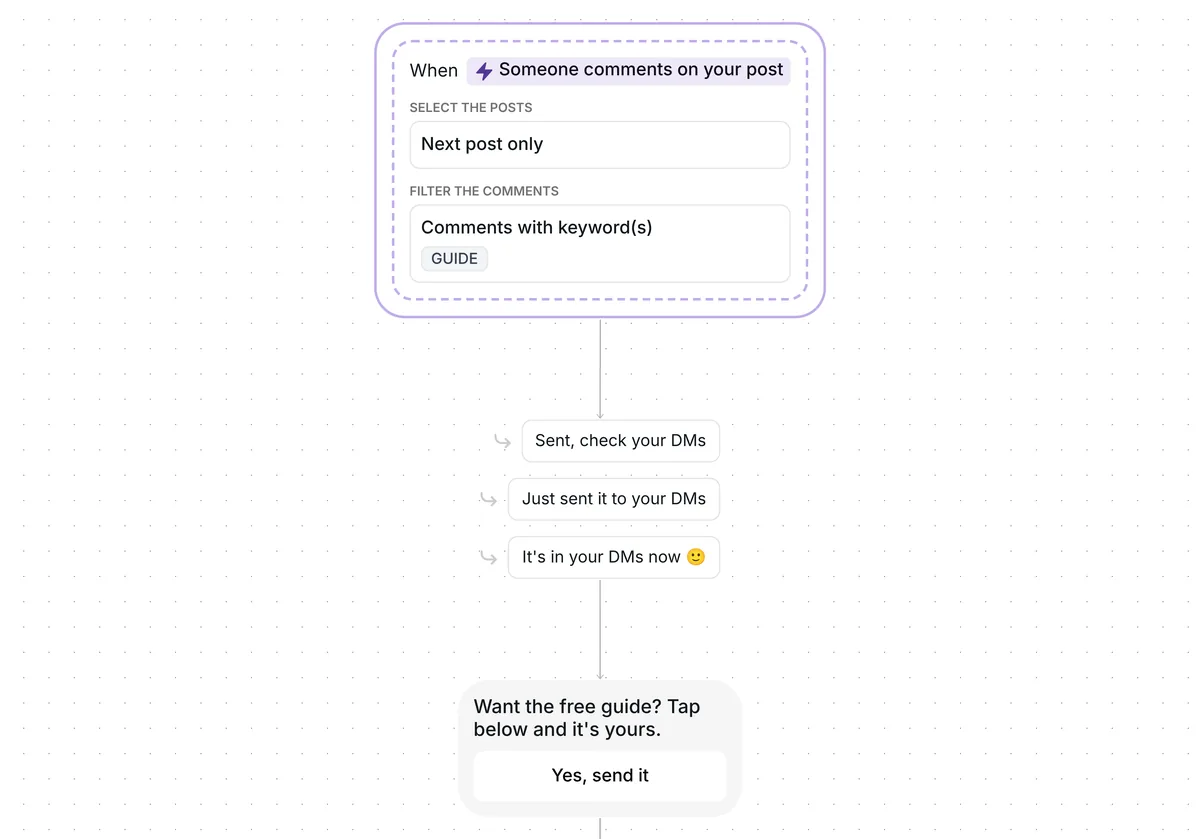
Someone comments GUIDE, taps one button in your DMs and gets your link. No click after 2 hours? One reminder. Everyone who clicks lands in a folder.
Put the word GUIDE in your caption and publish. Whoever comments it gets a DM with a single button, "Yes, send it", and tapping it delivers your link. Two hours on, anyone who has not opened it gets a single reminder. Each click drops the person into a folder, so you can see who clicked.
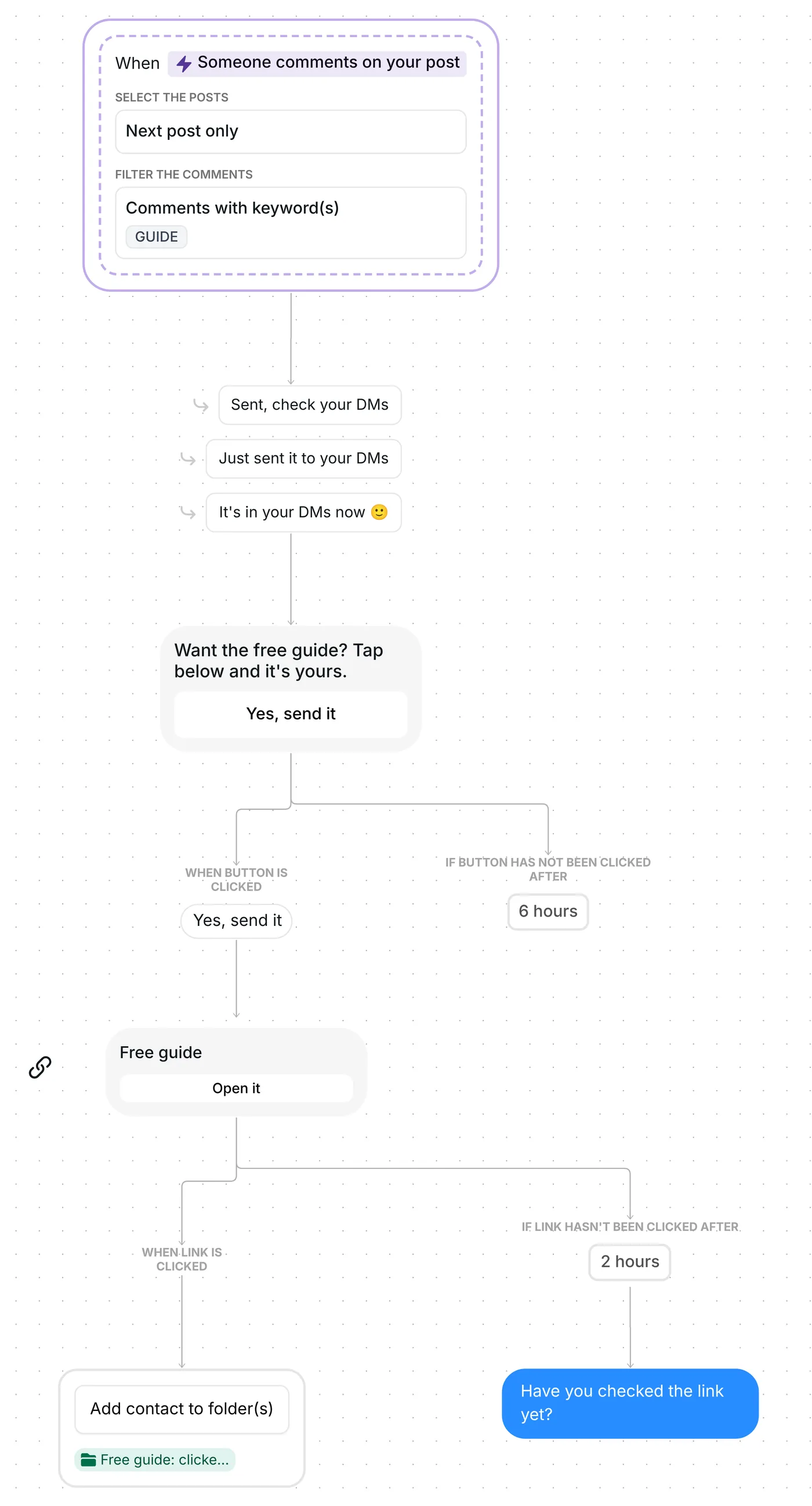
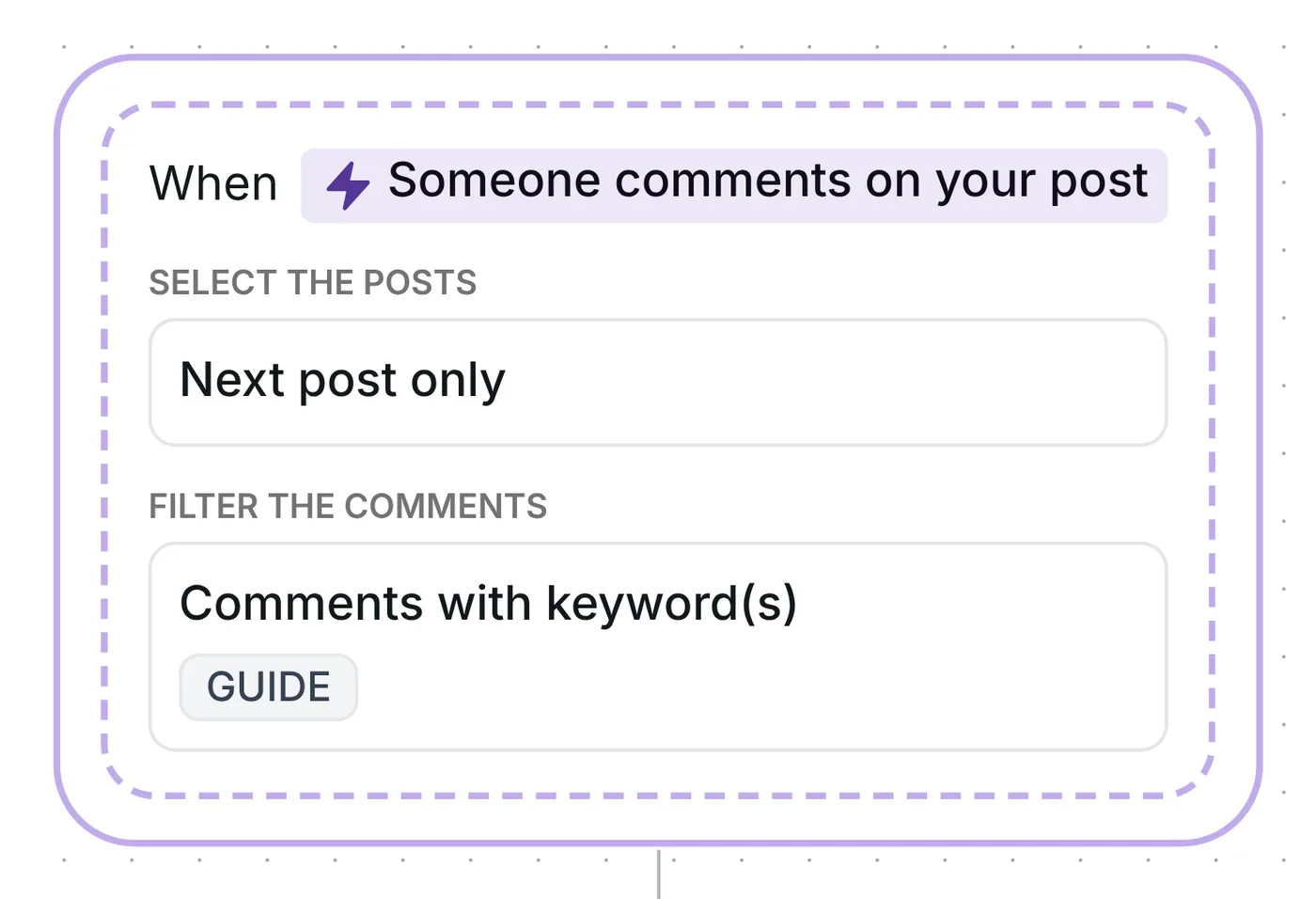
The trigger listens for GUIDE as a whole word in top-level comments, not in replies to other comments. Capitals do not matter and a plural still counts, so "Guide please" and "guides" both start the flow. Behind it is Inrō's comment to DM automation.
Inrō then leaves a public answer below the comment, rotating at random between "Sent, check your DMs", "Just sent it to your DMs" and "It's in your DMs now 🙂". It holds that answer back until the DM has gone out.
Which post counts? Just one, and it is whatever you publish next after the trigger's saved date. Refreshing that date is the first check under "What to change" below.
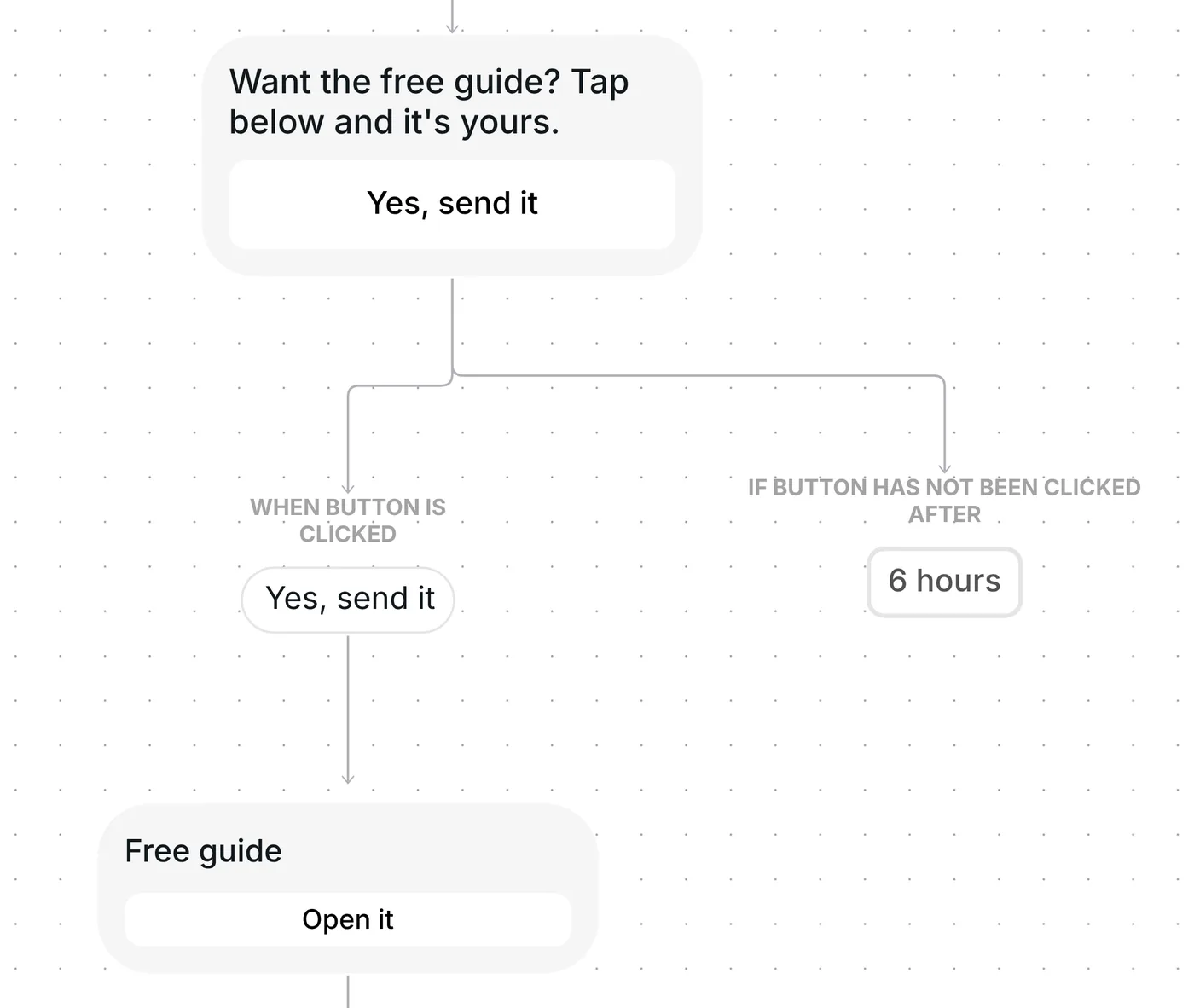
Your GUIDE commenters first see "Want the free guide? Tap below and it's yours.", with "Yes, send it" as the only button.
Why a tap first? Meta's rules for private replies give a business one message to the person who commented, and nothing more until that person writes or taps back (Meta for Developers, checked 22 October 2026). Their tap is that answer, so your link can follow as the second message. Sending the link as message two converted at 42%, against 29% when it went as message one, across the 798,041 conversations in Inrō's DM Benchmark.
The button waits 6 hours. With no tap by then, that person hears nothing more.
The tap is answered by a link card, "Free guide", whose button reads "Open it". It is a trackable link: Inrō logs the tap on "Open it", then passes the person straight on to your page.
A click on the card puts the person in the folder "Free guide: clicked". This happens whenever they click, even after the 2 hours, so the folder holds everyone you can follow up with.
Two hours after the card goes out, anyone who has not opened it receives "Have you checked the link yet?". Those who clicked are left alone. Because the tap in step 2 opened the conversation, this reminder is allowed through.
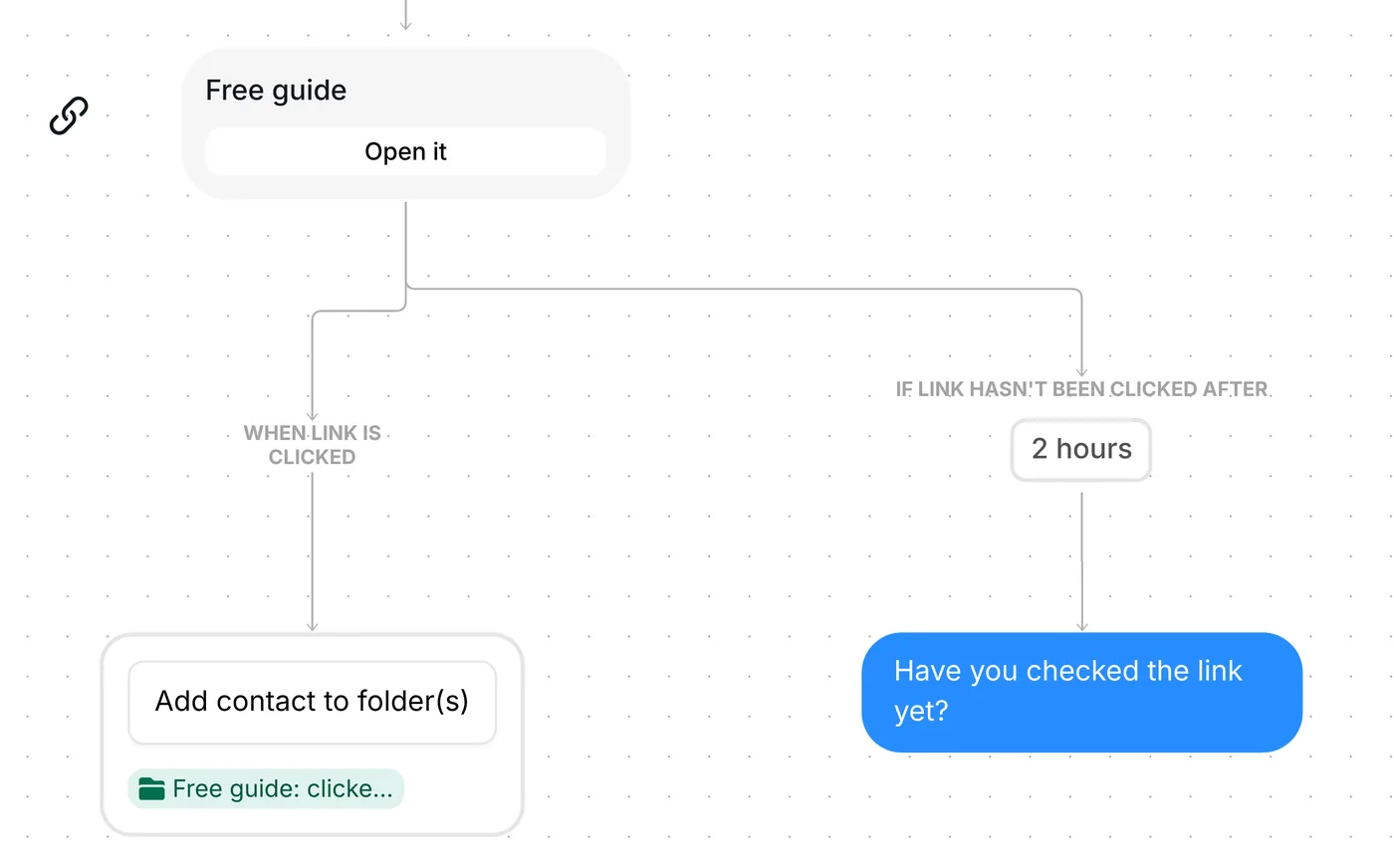
That delay is a timer for the reminder, not an expiry: a click a week later still reaches your page.
Out of the box, the trigger is set to the keyword GUIDE on your next post, top-level comments only, and each person goes through the flow once.
Six things to look at before the post goes up:
The three public replies and both waits can change too: 6 hours for the tap, 2 hours before the reminder. A link step you add yourself waits 3 days by default; this one is set to 2 hours.
The link can be any page: a guide or a video for a creator (Instagram DM automation for creators), a product or collection page for a shop (selling on Instagram with DM automation), a menu or booking page for a local business.
Want the link itself to be the first thing people see in their DMs? That is a separate template to copy, not a setting in this one.
Send your link instantly from comments. Keyword TOOLKIT. There is no opener button: the link card "Your free toolkit", with "Open it", is the first DM. The three public replies, the 2-hour wait and the reminder text stay the same, and people who click go into "Toolkit: clicked". In that copy, the reminder goes out once the person has written back to you.
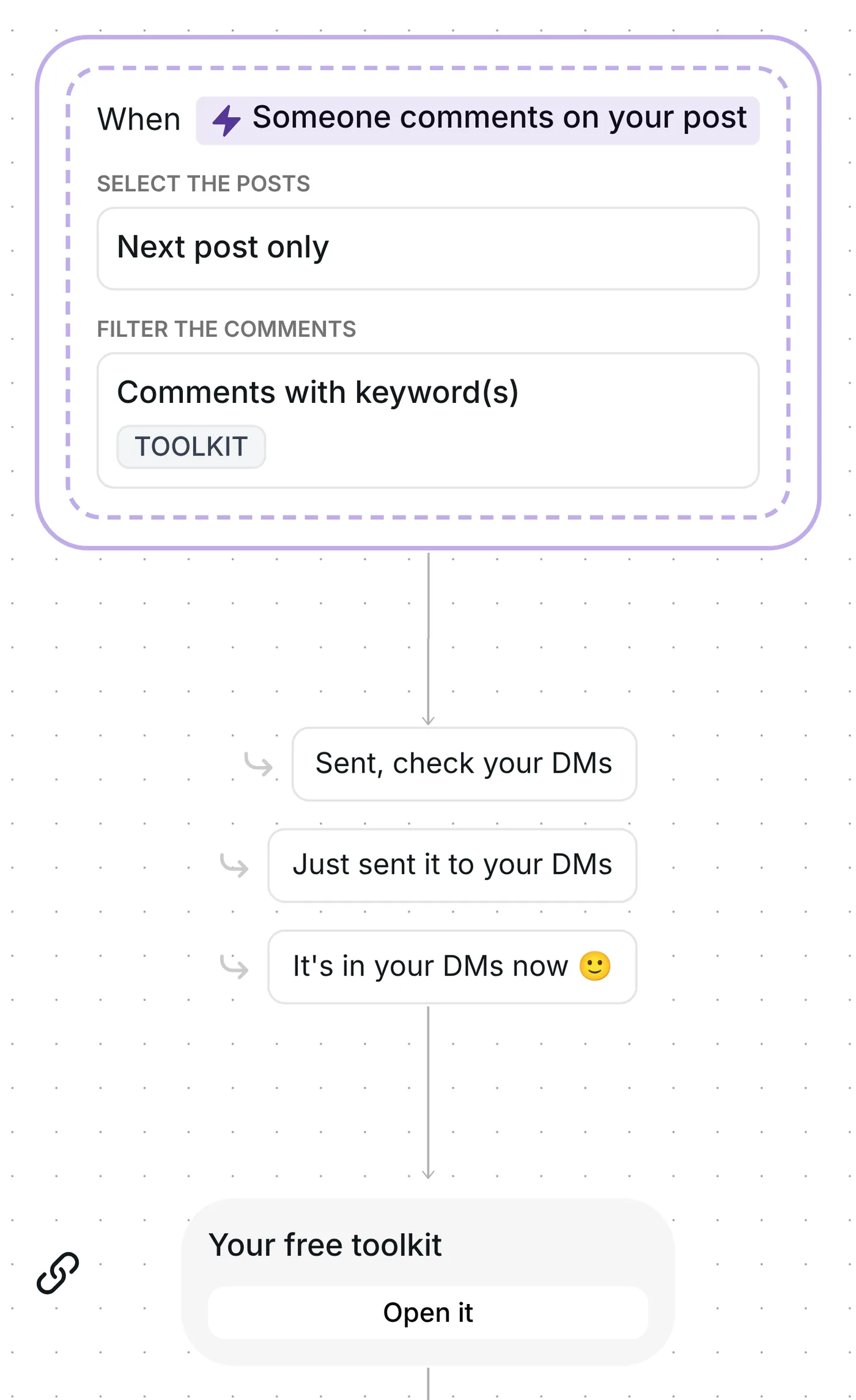
The template above remains the recommended flow: the tap opens the conversation, and your link lands as message two (see step 2).
Same steps, different wording, folders and resource. The name below opens that version to copy.
Apps: download link. Keyword GETAPP. The opener says "Want the app? Tap for the download link." and the card "Download the app", with "Get the app", points to your app's store page (replace the example link). Everyone who taps goes into "App download: clicked"; anyone who has not tapped after 2 hours gets "No rush. The download link is just above." Inrō counts taps, not installs. App download version
Copy this template: a keyword comment starts it, one tap opens the DM, and your link follows. The comment to DM guide covers the full method, and how to send links in Instagram DMs covers the link itself.
No. Two hours is when the reminder is due, nothing more. Someone who opens the link later still reaches your page and still goes into "Free guide: clicked".
The flow runs once per person. A second comment from someone who already got the DM starts nothing.
Yes: every click on the card is recorded, and the person joins "Free guide: clicked". That folder is your list of everyone who opened it.
Not sure how it work?
Read posts about templates on our blog.
Become a creator
Submit your template to the Inrō template gallery and get featured – all in just a few clicks.

It clones straight into your account. Change the message to sound like you, then switch it on.