Campaign
Campaigns

Turn engaged contacts into followers

Want more of the people who already interact with you to follow you? This campaign asks the contacts who do not follow yet, skips the ones who do, and thanks each new follower.

Turn engaged contacts into followers
About

Send one DM campaign that asks contacts who do not follow you yet to follow, skips the ones who do, and files each new follower. Copy the template.

Choose the contacts you want to reach and send the DM campaign. Inrō skips the people who already follow you and asks everyone else to follow, with one button, "I've followed you". When the follow shows, they get a thank-you and go into the folder "Follow ask: followed".
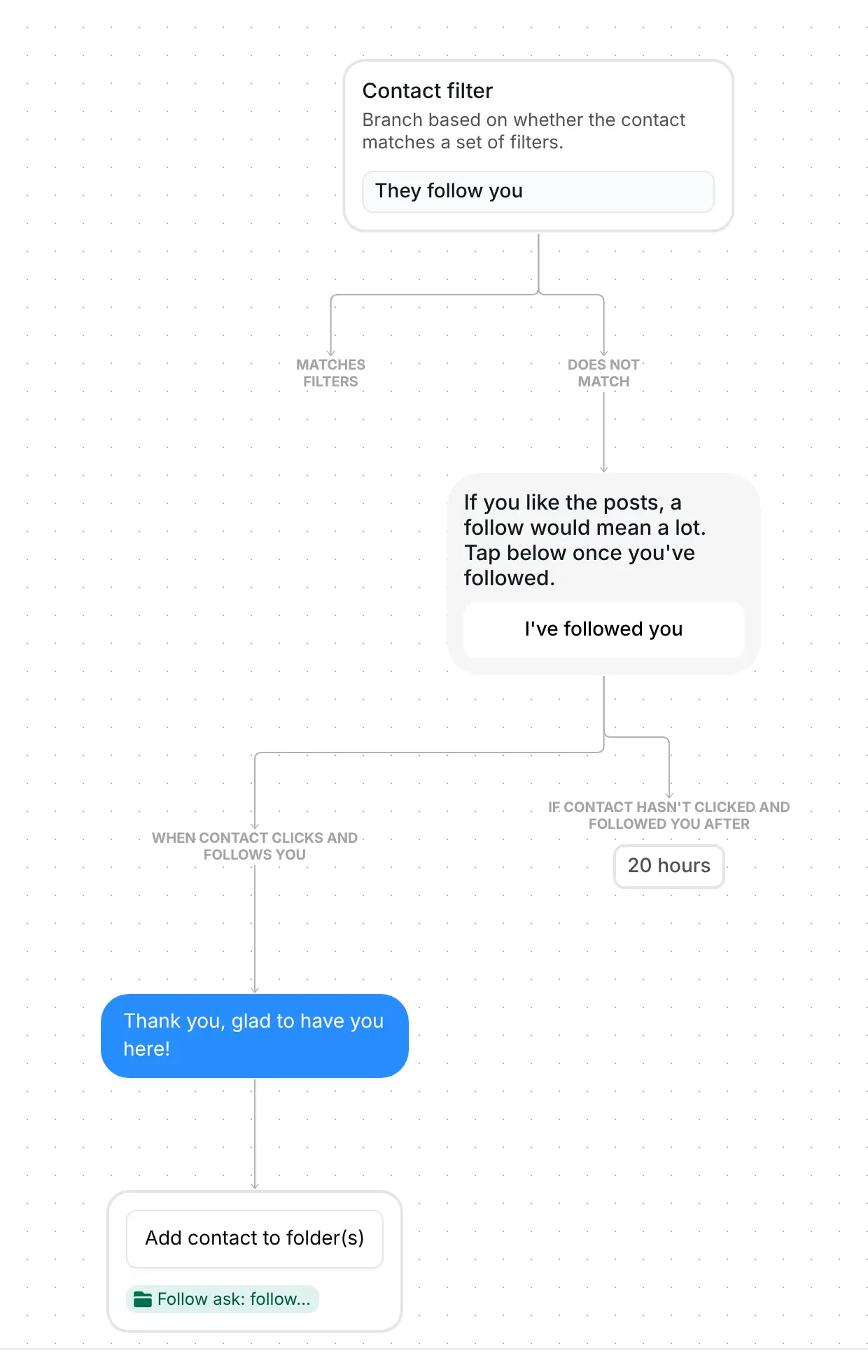
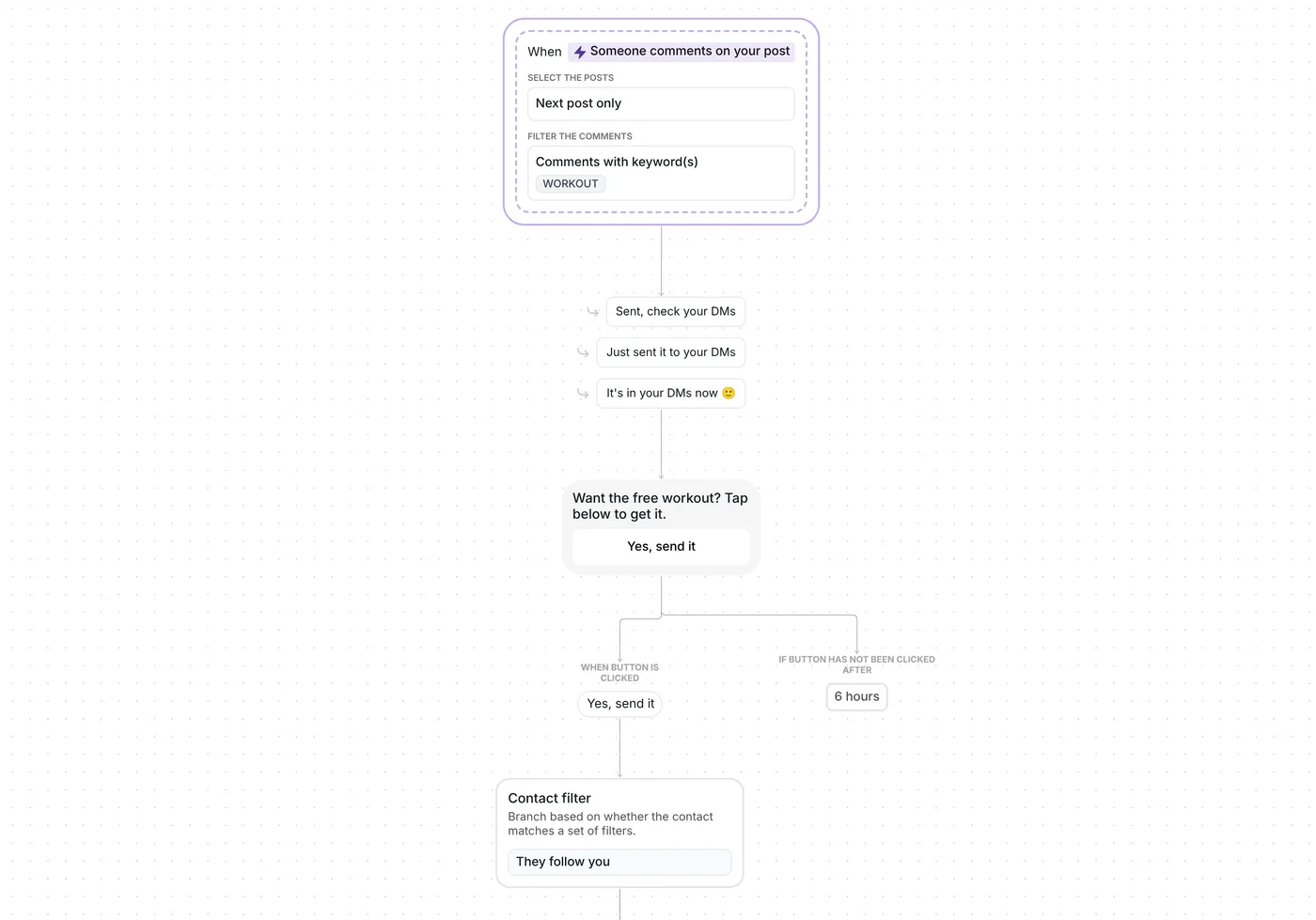
The whole campaign: contact filter, follow request, thank-you message and the "Follow ask: followed" folder step

What the campaign does, step by step

1. Contacts who already follow you are skipped

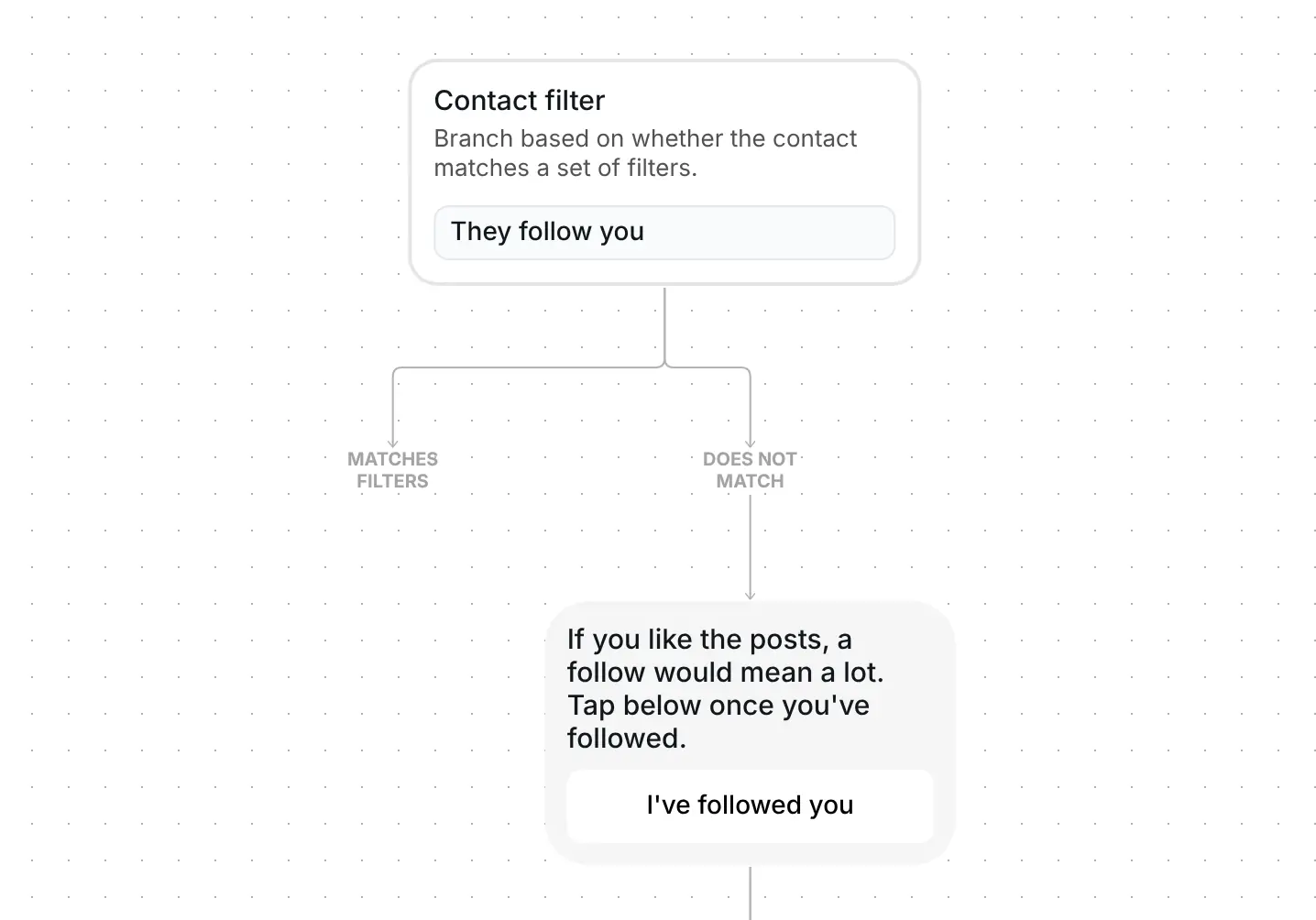
The campaign starts with a Contact filter set to "They follow you". Inrō first refreshes the contact's follow status from Instagram, which reports whether the person follows your account. It is the same follow check a follow gate uses.

Contacts who already follow you get nothing, and the run ends for them. Nobody is asked to follow an account they already follow, so you can send the campaign to a mixed list. Everyone else moves on to the ask.
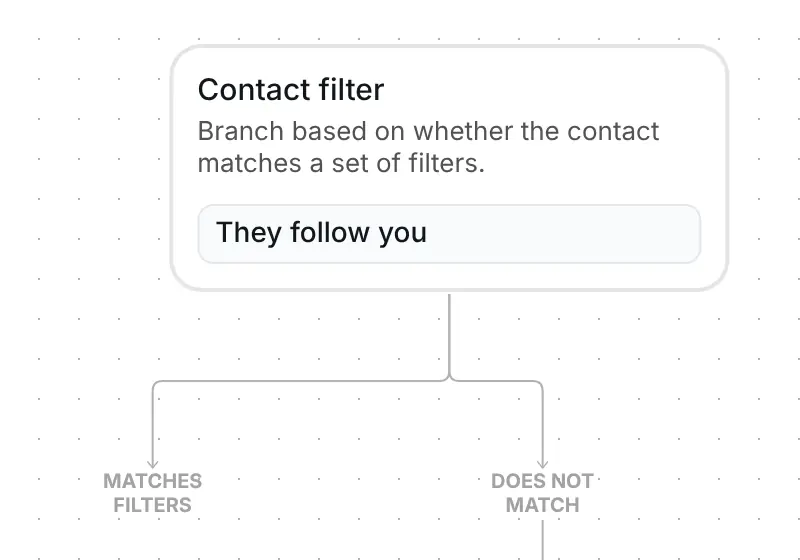
Contact filter step set to "They follow you", with branches for contacts who match and contacts who do not

2. Everyone else gets one ask

The message reads: "If you like the posts, a follow would mean a lot. Tap below once you've followed." It has one button, "I've followed you". It waits 20 hours for the tap. You can put an image on the ask too: the help article on adding an image shows how.
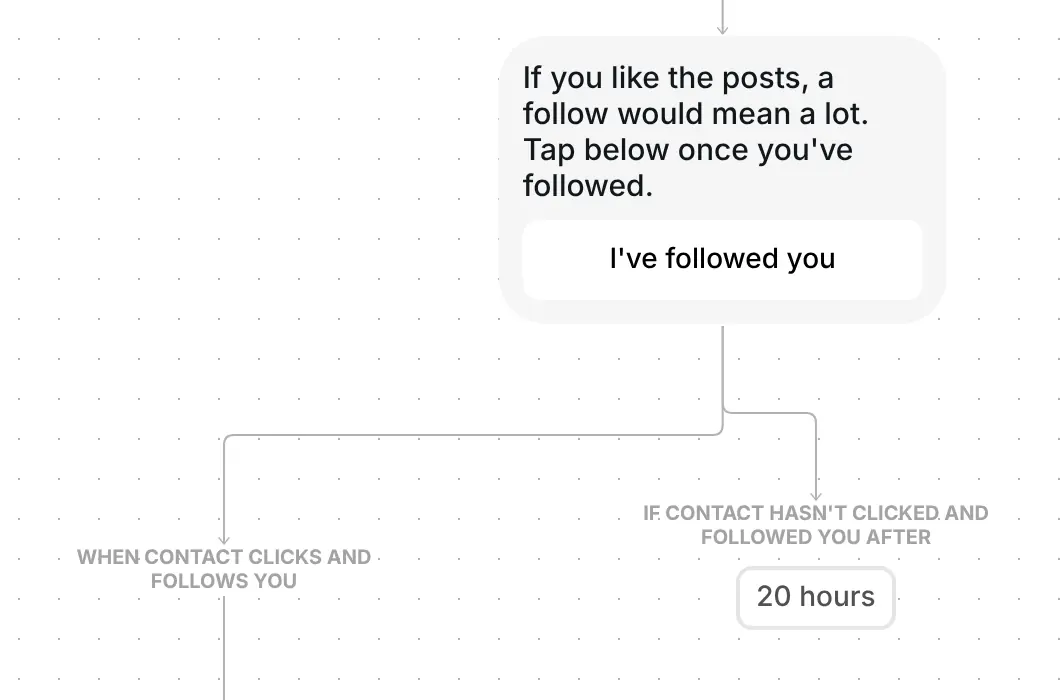
Follow request message with an "I've followed you" button and a 20 hour wait before the branch closes

3. A tap that comes too early gets another chance

Each tap makes Inrō check the follow again. If it is not showing yet, the contact gets "The follow isn't showing yet. Follow this account, then tap again." with the button once more, and every new tap checks again.

4. A thank-you and a folder for new followers

When the follow shows, the contact gets "Thank you, glad to have you here!" and goes into the folder "Follow ask: followed". The folder is your list of people who followed after the ask, and you can rename it.

Thank-you message "Thank you, glad to have you here!" followed by a step adding the contact to a follow ask folder

After you send the campaign, its results show how many contacts reached the ask and how many reached the folder step. Someone may follow for another reason between your send and their tap, so read the folder as "followed after the ask", not "followed because of it".

If 20 hours pass and a contact still does not follow, Inrō checks once more and nothing else is sent to them. The thank-you goes to people who tap the button after they follow, so keep the button label clear.

What to change before you send it

The campaign comes as a draft with no audience set and nothing sent. There is no trigger to set up: you start it yourself. Check six things, audience first:

  1. Choose your audience. Pick a folder or a segment of contacts who already interact with you, or a hand-picked list. A draft with no audience reads as "all", every active contact, so set this before anything else.
  2. Your texts. Replace "If you like the posts, a follow would mean a lot. Tap below once you've followed." with your own reason to follow. Reword the button "I've followed you", the retry text and the thank-you if you like, and add an image to the ask if you want one.
  3. The wait and the folder. 20 hours is how long the ask waits for a tap. Keep the folder "Follow ask: followed" or rename it. There is nothing else to paste: no link and no file.
  4. The two options. "Exclude contacts who have received a campaign in the last 72 hours" is switched on in the template (checked 23 October 2026), so anyone who got any campaign in that time is skipped. Switch it off if you want them included. Then look at the interruption options before you send: with interrupt on reply on, a contact who types a message while the ask is waiting ends their run.
  5. Send a test to yourself. It shows you the ask and the button the way contacts see them.
  6. Send it or schedule it. Send it now or schedule it.

Best tips for your campaign

  • Give people a reason to follow. Replace the default line with what they will see from you, in your own words: a weekly tip, a behind-the-scenes story, new arrivals. A specific reason is easier to say yes to than "a follow would mean a lot".
  • Add a picture to the ask. An image on the message makes it stand out in the conversation, and you can add one in the Ask for follow step.
  • Add one friendly line for people who have not followed. On the branch labelled "If contact hasn't clicked and followed you after", a short message such as "No problem, the posts are there whenever you want them" keeps the conversation warm.
  • Send to contacts who got in touch recently. A folder of people who messaged you this month fits better than every contact. Each contact gets this campaign once, so sending it again to the same audience only reaches contacts who did not have it before. Open the folder in your Inrō inbox and CRM to say hello to new followers yourself.
  • Keep the button text clear. "I've followed you" tells people to tap after they follow, and the tap is what brings the thank-you.

Looking for other campaigns to send? Browse the campaign templates and copy the one that fits.

FAQ

What happens to contacts who already follow me?

Nothing is sent to them. The Contact filter "They follow you" ends the run for people who follow you already, so nobody is asked to follow an account they follow.

What if someone taps "I've followed you" before they follow?

They get "The follow isn't showing yet. Follow this account, then tap again." with the button again. Every new tap checks the follow again.

What happens if someone does not follow within 20 hours?

Inrō checks one last time. If they still do not follow, the run ends for them and nothing else is sent.

Who receives it if I do not choose an audience?

The draft reads as "all", every active contact. Choose a folder or a segment first, and send a test to your own account before the real send.

Not sure how it work?

Read posts about templates on our blog.

Become a creator

Submit your template to the Inrō template gallery and get featured – all in just a few clicks.

Related templates

Copy this template and have it live today

It clones straight into your account. Change the message to sound like you, then switch it on.

Free plan available
Meta Tech Provider
Setup in 5 minutes