Inrō shows Missing Permissions when it lacks some access to your Instagram account. Here are the causes and the steps to reconnect with every permission.
Automate Comments and DMs in 5 Minutes
Someone comments on your IG post. They get a DM instantly. You do nothing.

Trusted by 10K+ creators and SMBs


TL;DR
TL;DR
Connect your account the way Meta intends
Sign in through Meta's own window and approve the permissions yourself. Free plan, no card.
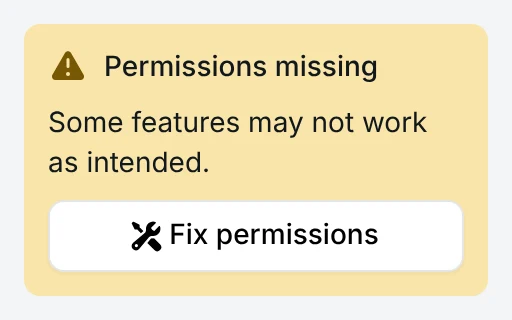
Inrō shows "Missing Permissions" when it does not have all the access it needs to your Instagram account. It usually happens when one or more permissions were skipped while you connected, and the fix is to reconnect and accept every permission.
Inrō needs access to your messages, comments and profile to run automations (see comment-to-DM). If any of that access is missing, things break. The account page, under Profile, lists which permissions are missing, so you can see exactly what needs restoring.
Two other situations trigger it. If you manage an Instagram account through a Facebook Business account you do not own, the Business admin may have restricted your access. And if your account was switched back to a personal account, it no longer supports the permissions Inrō needs.
Go through the connection flow again and accept everything.
The full steps, with screenshots, are in How to Fix the Missing Permissions Error.
Reach out to Inrō's support team with a screenshot of the error. If it appears right after a connection drop, the Authorization Missing guide covers that case, and the main connection guide has the full checklist.
Once you are reconnected, see comment-to-DM automations, the smart inbox and CRM and the template that answers every Story reply with AI.
Yes. On the screen that asks what Inrō can access, check every item and do not skip or decline anything. Inrō needs access to your messages, comments and profile to run automations, and if any of those are missing, things break.
No. Personal accounts do not support the permissions Inrō needs. In Instagram, go to Settings and privacy, then Account type and tools, and confirm it shows Business or Creator.
The Business admin may have restricted your access. Ask the Business account owner to check Facebook Business Manager, then Settings, then Instagram accounts, and confirm your user role has the access it needs.
No. If the error appears right after a connection drop, the Authorization Missing guide covers that case. Missing Permissions means Inrō does not have all the access it needs, usually because one or more permissions were skipped during the connection flow.
Join automations strategies and Instagram Insights weekly
By entering your email address above and clicking Subscribe, you consent to receive marketing communications (such as newsletters, blog posts, event invitations and new product updates), and targeted advertising from Inrō from time to time. You can unsubscribe from our marketing emails at anytime by clinking on the "Unsubscribe" link at the bottom of our emails. For more information about how we process personal information and what right you have on this respect, please see our Privacy Policy.
Connect your Instagram account and build your first automation in minutes. No code required.