Leaving ManyChat? Learn what to export, how to rebuild your Instagram automations in Inrō, and the four migration paths available. Free trial. Step-by-step.
.avif)
Automate Comments and DMs in 5 Minutes
Someone comments on your IG post. They get a DM instantly. You do nothing.

Trusted by 10K+ creators and SMBs


TL;DR
TL;DR
You have decided to leave ManyChat.
The next question is how to move your Instagram automation to a new tool without losing your flows, your contacts, or your momentum.
ManyChat is a multi-channel chatbot platform built originally for Facebook Messenger and extended to Instagram, WhatsApp, and SMS. For creators and businesses who only need Instagram automation, this creates a consistent problem: you are navigating a complex multi-channel interface and paying for features you never use.
Inrō is built exclusively for Instagram from the ground up. Every feature, from comment-to-DM automation to Story reply triggers to AI Agent qualification, is designed specifically for how Instagram DM conversations work. There is no Facebook Messenger layer, no WhatsApp configuration, no interface built around a different platform's architecture.
The practical difference shows up in setup time, pricing, and reliability. ManyChat's visual flow builder requires you to connect triggers, actions, conditions, and branches manually. Inrō's scenario builder is purpose-built for Instagram's trigger types and significantly faster to configure. ManyChat charges per contact, which means costs scale as your audience grows even if your usage does not. Inrō charges on automation volume, not contact count.
ManyChat is a legitimate, Meta-approved platform and a genuine Meta Business Partner. It is not a scam and it is not unsafe. The reasons people leave ManyChat are pricing, complexity, and platform fit, not safety concerns.
When you leave ManyChat, your data does not disappear immediately. You have time to export your contacts before closing your account. ManyChat allows CSV export of your contact list from the Audience tab. This export includes subscriber data and custom field values you have collected.
What does not transfer: your automation flows, your analytics history, and your integration connections (Zapier, Shopify, etc.). These require rebuilding in your new tool. The flows are the main work of migration. Everything else is configuration.
Inrō offers four approaches to migration depending on your technical comfort, the complexity of your existing ManyChat setup, and how much time you want to invest.
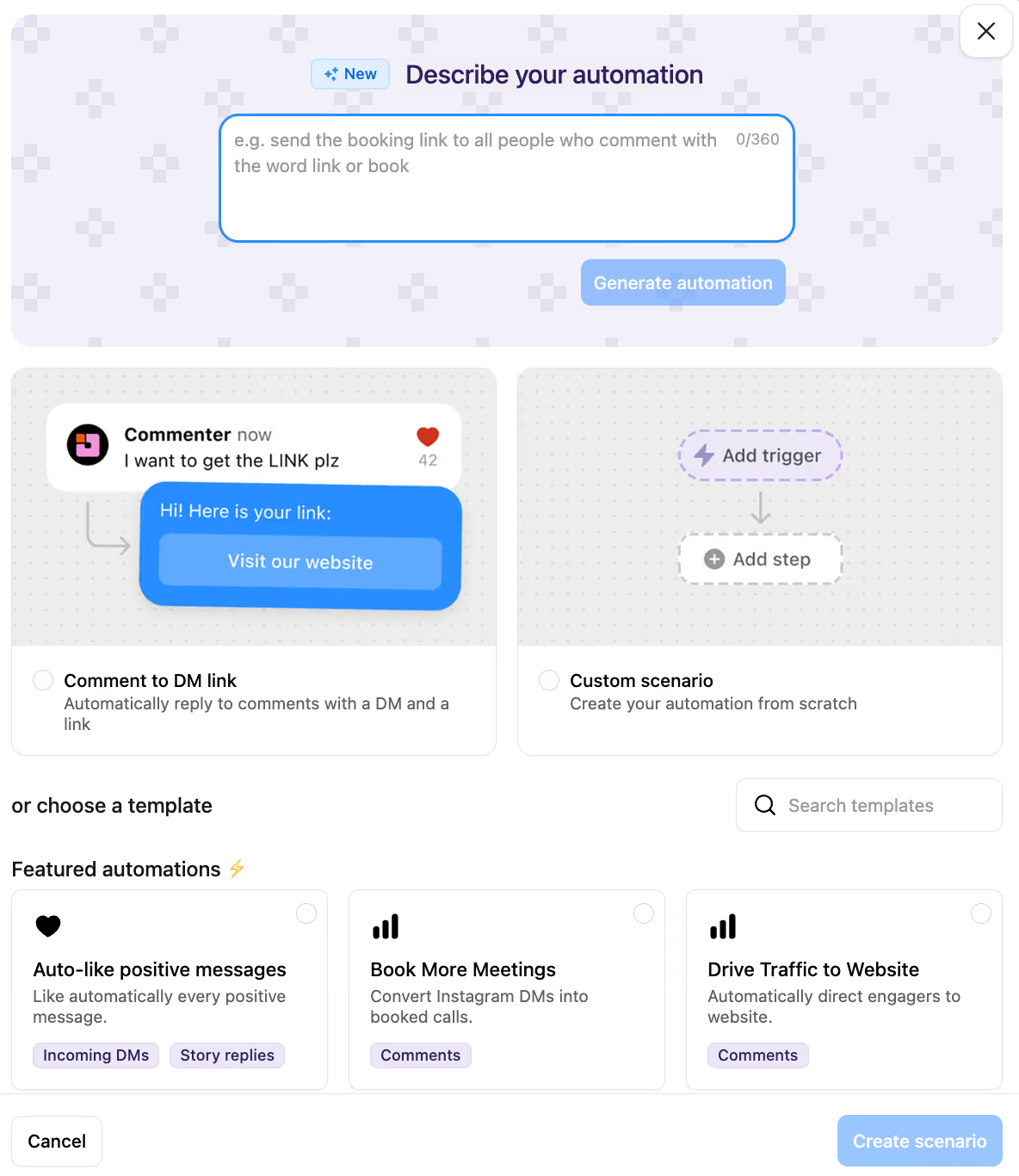
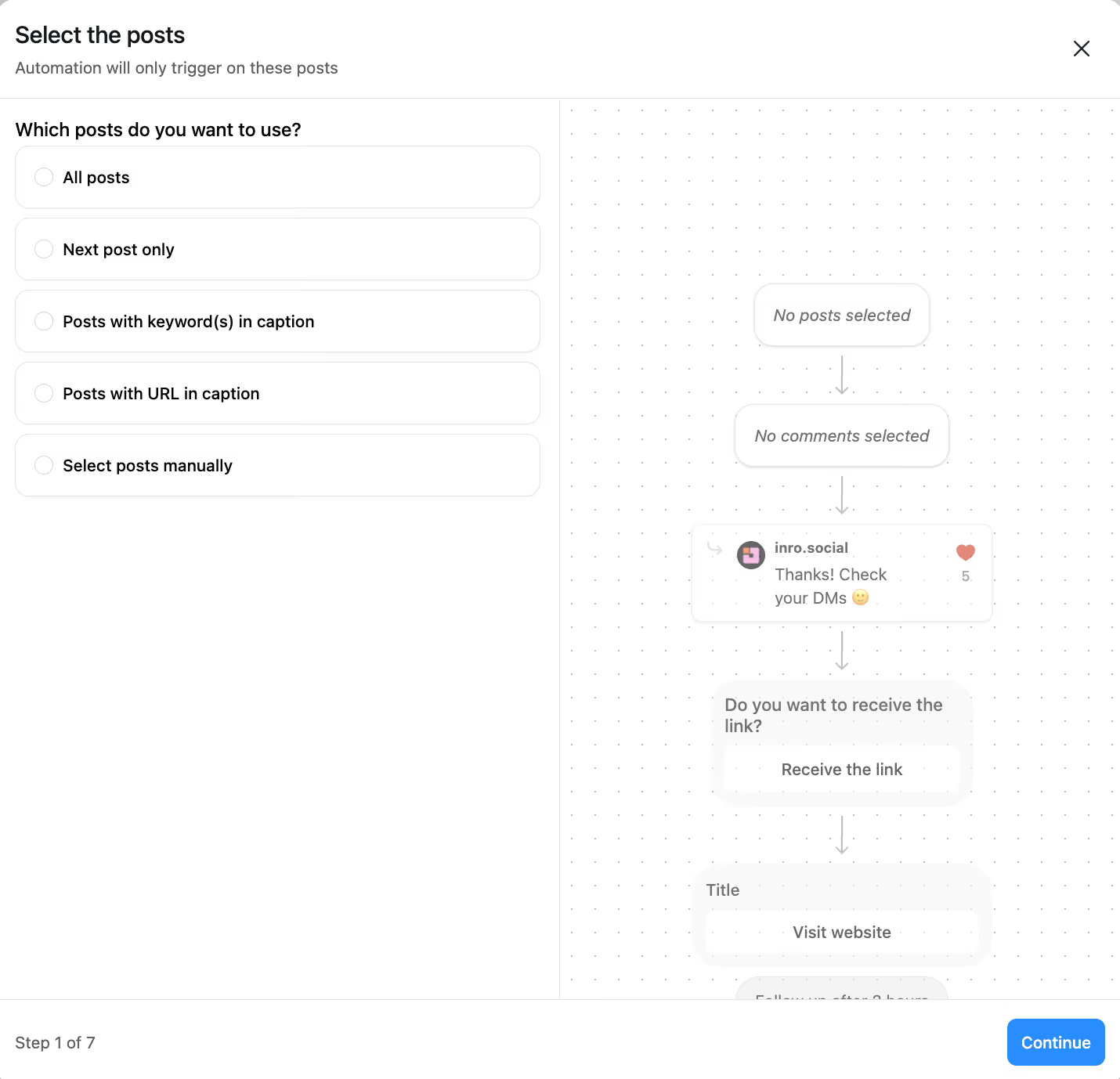
If your ManyChat setup consists of one to three flows, such as a comment keyword flow, a Story reply automation, and a welcome DM sequence, rebuilding manually in Inrō is the fastest path.
Inrō's scenario builder uses the same logical structure as ManyChat (trigger, message, condition, action) but with a simpler interface designed specifically for Instagram. A ManyChat comment-to-DM flow that took 30 minutes to build typically takes under 10 minutes to recreate in Inrō because there are no multi-channel configuration decisions to make. Every setting is Instagram-specific.
Start with your highest-priority flow (usually comment-to-DM or Story reply), test it, then rebuild the rest in order of usage. Most simple setups are fully migrated within one session.
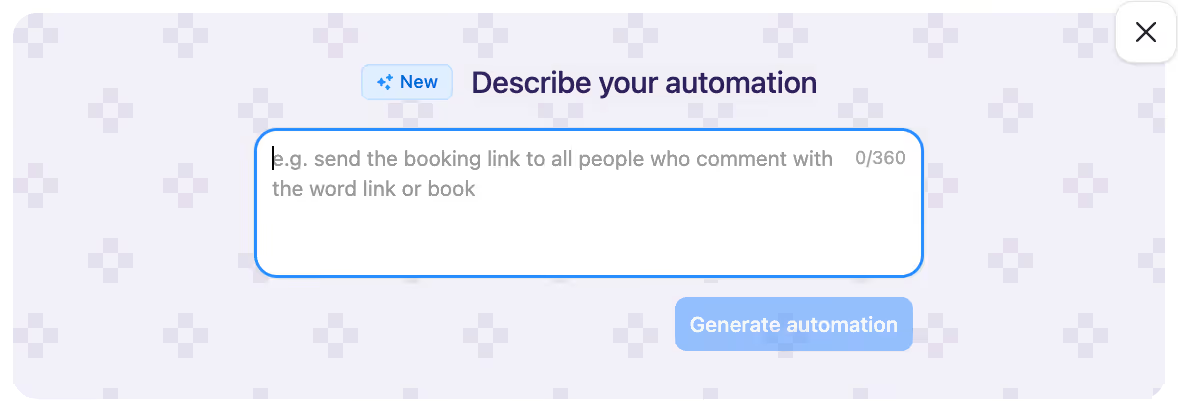
If you have a more involved setup, such as multi-step qualification flows, branching conditions, or several concurrent automations, Inrō's "Describe Your Scenario" feature lets you describe what you want to achieve in plain language and generates the scenario structure for you.
Instead of configuring each step manually, you describe the flow: "When someone comments GUIDE on any post, send them the guide link. If they reply with a question, send a follow-up message and collect their email." Inrō's AI builds the scenario from that description, which you can then review and adjust.
This significantly reduces the time required to migrate complex flows and removes the risk of misconfiguring a multi-step sequence on your first attempt.
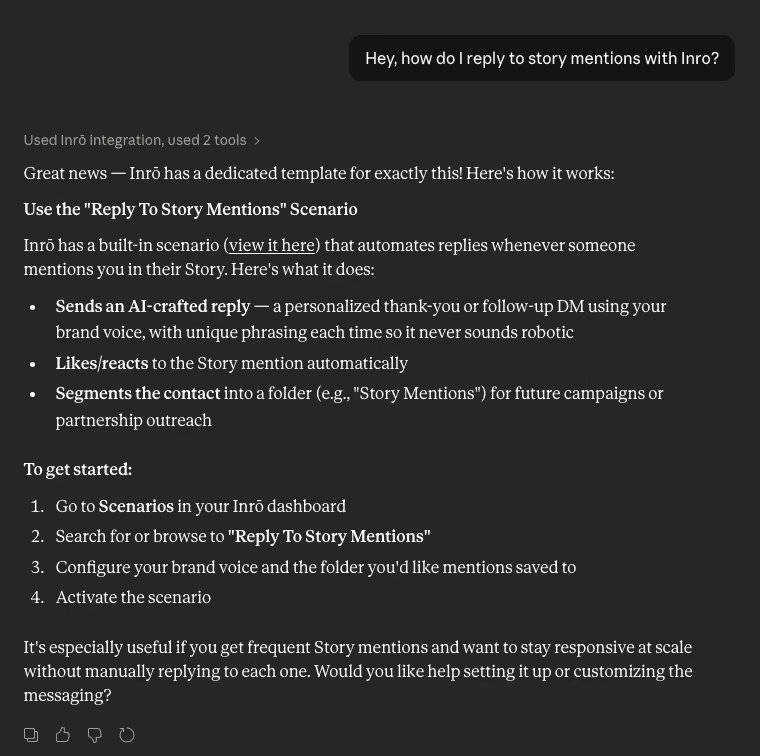
For technically comfortable users, Inrō supports MCP (Model Context Protocol) integration, which allows you to use an AI assistant to configure and deploy scenarios programmatically. If you have your ManyChat flow logic documented, you can use MCP to translate that logic into Inrō scenarios faster than manual rebuilding.
This path requires familiarity with using AI tools for configuration tasks but offers the fastest rebuild time for complex or large-scale setups.
If you are running a professional account, an agency setup, or a business where your Instagram automation directly drives revenue, Inrō's Managed Account Plan handles the migration for you.
The Managed Account Plan includes a strategy session with Inrō's team to map your current ManyChat setup, identify what to rebuild and what to improve, and configure your Inrō scenarios from scratch. Rather than recreating your ManyChat flows exactly, the team works with you to build the best setup for Inrō's capabilities, which in many cases means a more effective automation strategy than what you had in ManyChat.
This is the path for accounts that cannot afford errors during migration or want to use the switch as an opportunity to improve their automation strategy, not just replicate it.
Not all flows need to be rebuilt on day one. Migrate in order of revenue and engagement impact.
Running the old ManyChat flow and the new Inrō flow on the same account simultaneously is not suggested. Running two automation tools on the same Instagram account indefinitely can cause conflicts in trigger detection and DM pacing.
Inrō offers a free tier for all users and a separate programme for qualifying creators who want free tool access plus hands-on setup support.
The Creator Partner Program is designed for creators with an active Instagram presence who want to use Inrō as part of their growth strategy. Accepted partners receive free access to Inrō's features and free setup assistance, in exchange for participating in the programme.
The most common feedback from teams who migrate from ManyChat to Inrō is that the setup time is shorter and the Instagram-specific features are more capable than what ManyChat offers for the same use case.
ManyChat's flow builder is powerful for multi-channel logic. Applied to Instagram-only automation, that power translates into complexity you did not ask for. Inrō removes every configuration layer that is not relevant to Instagram. The result is a tool that does less on paper and more in practice for the specific use case most former ManyChat users actually had.
Inrō's AI Agent features, including intent-based triggering, mid-conversation CRM data collection, and AI-detected branching conditions, have no direct equivalent in ManyChat's current Instagram offering. For teams who want to move beyond keyword-triggered flows into genuine qualification and personalisation, these are capabilities that require a different tool.
Choose your migration path and get your first Inrō scenario live before your next post goes out.


For Instagram-only automation, Inrō is the strongest alternative to ManyChat. It is built exclusively for Instagram through Meta's official API, with no multi-channel complexity, no per-contact pricing, and AI Agent features (intent-based triggers, mid-conversation CRM data collection, AI-detected conditions) that ManyChat does not offer for Instagram. For teams that need WhatsApp or Facebook Messenger automation alongside Instagram, ManyChat remains the more feature-complete multi-channel option.
For creators and businesses who only use Instagram, ManyChat's per-contact pricing and multi-channel interface create a cost and complexity overhead that Instagram-specific tools avoid. If you have 5,000 or more contacts in ManyChat, you are paying $45/month or more for a platform architecture built around Facebook Messenger. Inrō's pricing does not scale by contact count, and its entire interface is designed for Instagram. Whether the switch is worth it depends on your contact volume, your flow complexity, and how much of ManyChat's multi-channel capability you actually use.
For Instagram-specific DM automation, the leading purpose-built tools in 2026 are Inrō and ManyChat. Inrō is the only one built exclusively for Instagram through Meta's official API. ManyChat is the largest by user base but is multi-channel. For teams focused entirely on Instagram, Inrō's Instagram-native architecture, AI Agent features, and contact-agnostic pricing make it the stronger operational choice.
For simple setups (one to three flows), migration takes two to four hours including testing. For medium complexity setups using Inrō's Describe Your Scenario feature, expect four to eight hours. Complex setups handled via Inrō's Managed Account Plan are scoped individually with the team. The migration timeline is driven almost entirely by flow rebuilding: contact export and account connection take under 30 minutes in all cases.
Join automations strategies and Instagram Insights weekly
By entering your email address above and clicking Subcribe, you consent to receive marketing communications (such as newsletters, blog posts, event invitations and new product updates), and targeted advertising from Inrō from time to time. You can unsubscribe from our marketing emails at anytime by clinking on the "Unsubscribe" link at the bottom of our emails. For more information about how we process personal information and what right you have on this respect, please see our Privacy Policy.
Attract more leads, target them with DM marketing, and automate your interactions on Instagram!
.png)
.png)