
.avif)
.png)
Inrō team


Reach out via direct message when you need input on something that matters to your product—invite members to share their thoughts one-on-one, then send gentle follow-up reminders if they don’t reply. This approach lets you hear unfiltered feedback straight from your most engaged supporters.
Listening to your community is one of the most powerful ways to build trust, improve your product, and foster stronger loyalty. But traditional surveys often go ignored, and feed posts asking for opinions get buried in the algorithm.
With Inrō’s Collect Community Feedback campaign template, you can reach out directly via Instagram DMs to your most engaged followers, ask for their input one-on-one, and follow up with gentle reminders if they don’t respond. This approach gives you unfiltered insights from the people who matter most: your active community members.
Generic survey links often go ignored, especially when buried in feeds or emails.
Feedback requests posted publicly may never reach your most relevant or engaged audience.
Without a one-on-one interaction, it’s harder to get honest, detailed input from your community.
The Collect Community Feedback template makes it easy to:
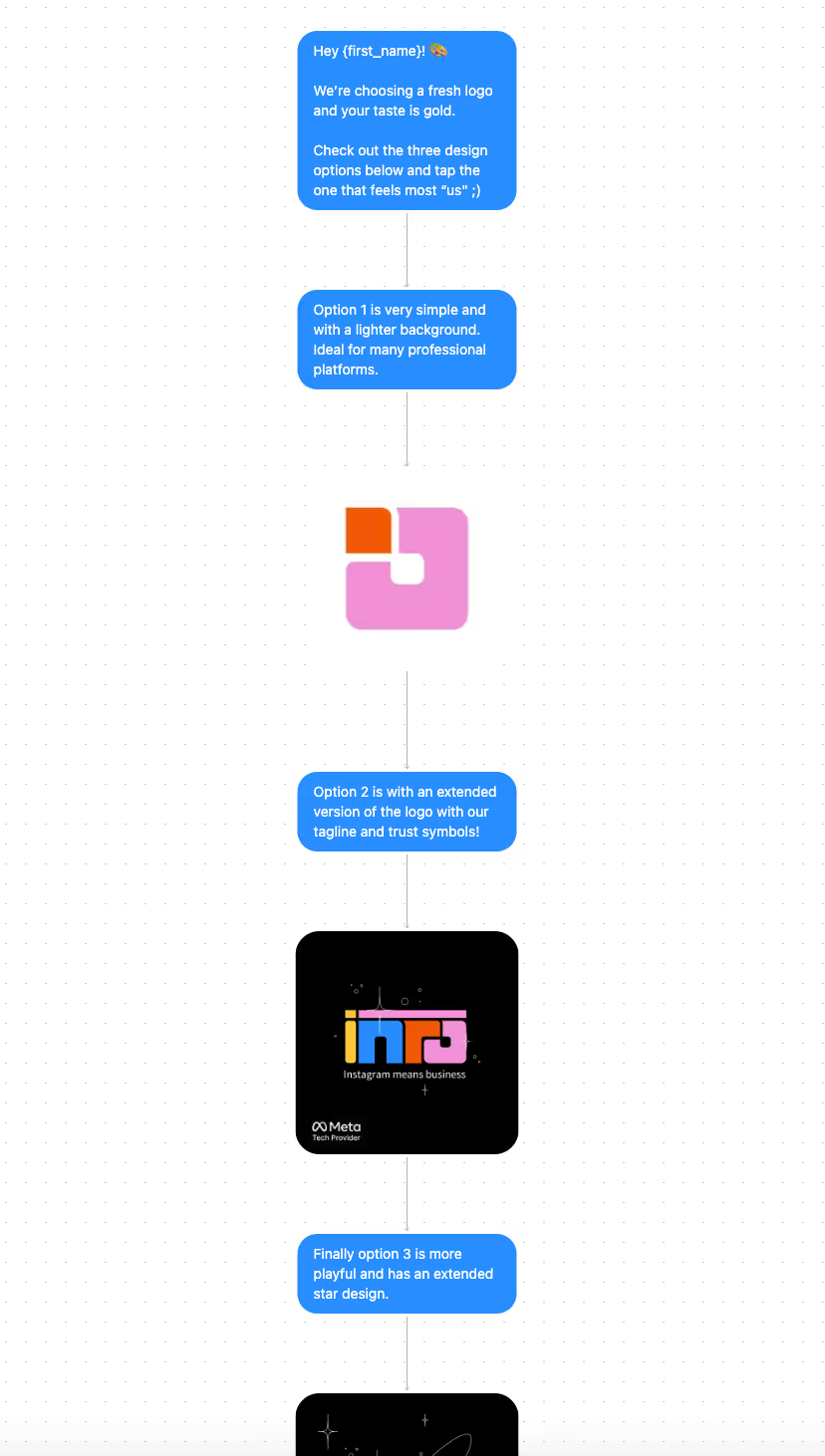
Start by selecting the audience for your launch. In Inrō, this is done through folder selection — a dynamic way to segment your contacts.
Select active contacts with CRM filters (e.g., "recently engaged" or "commented in the last 30 days".
.avif)
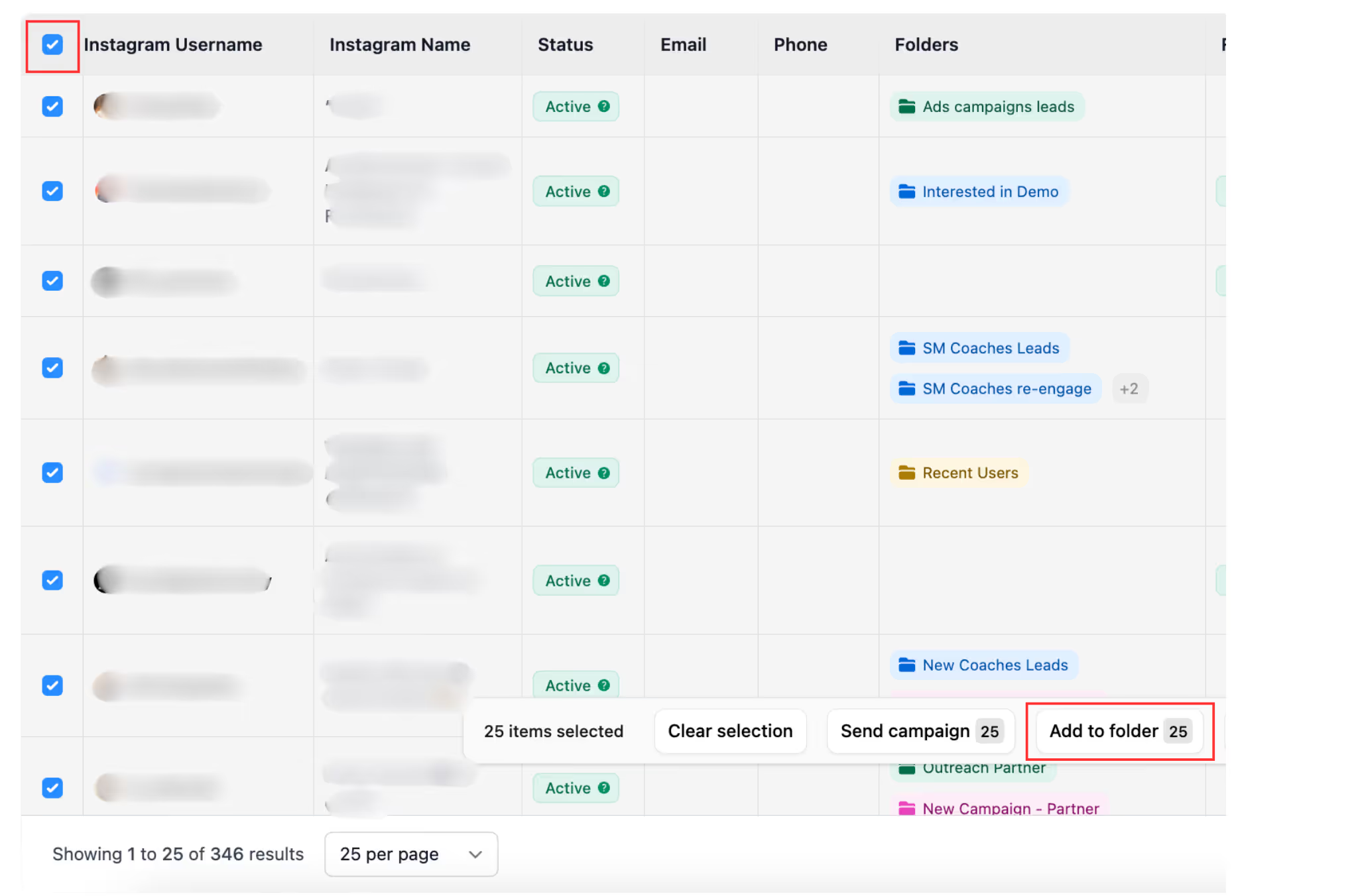
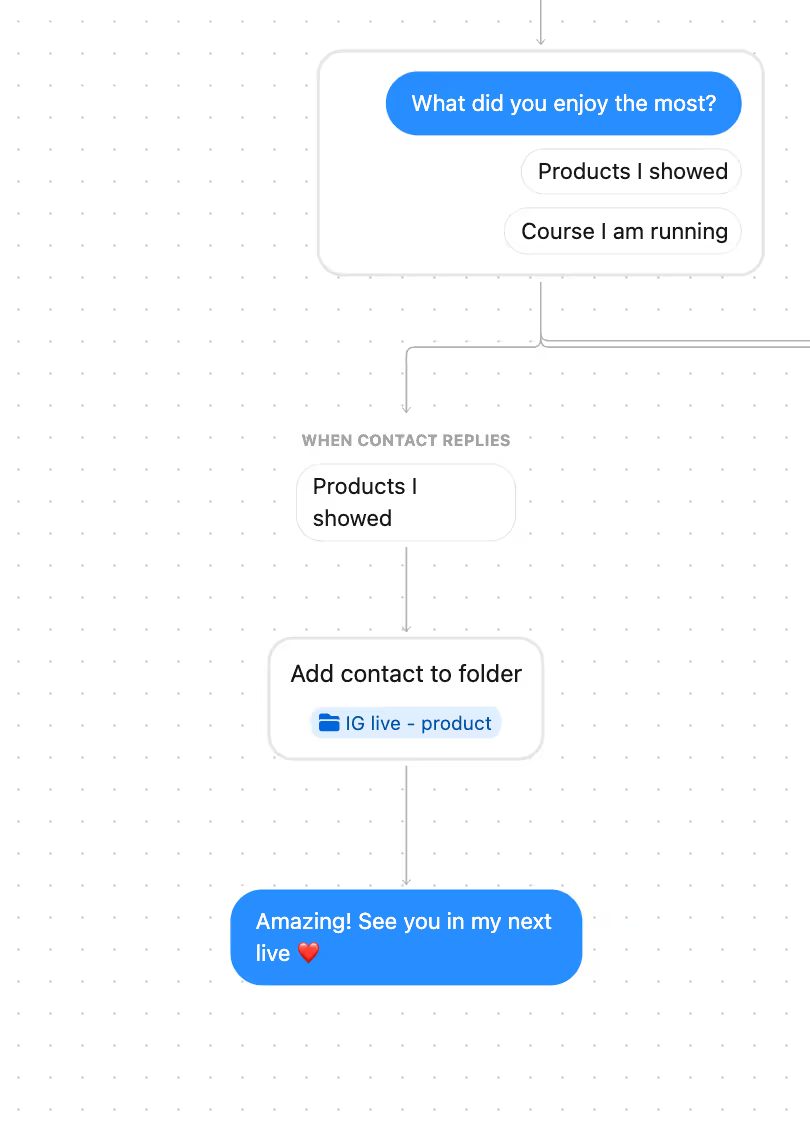
Select users into a folder by setting up automations that tag them after specific actions — for example, commenting on posts, attending lives, or clicking on polls in stories.
For this campaign, you might create a folder like “Feedback Group” including people that actively engage with your content or superfans.
Start with a warm and personal message that highlights why their opinion matters.
Example:
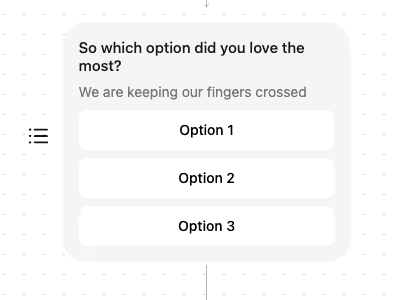
"Hey [Name]! 🎨 We’re refreshing our logo, and your taste is gold. Check out these three options below and tap the one that feels most ‘us’ ;)"
Follow with the options (text or images) to make selection easy.
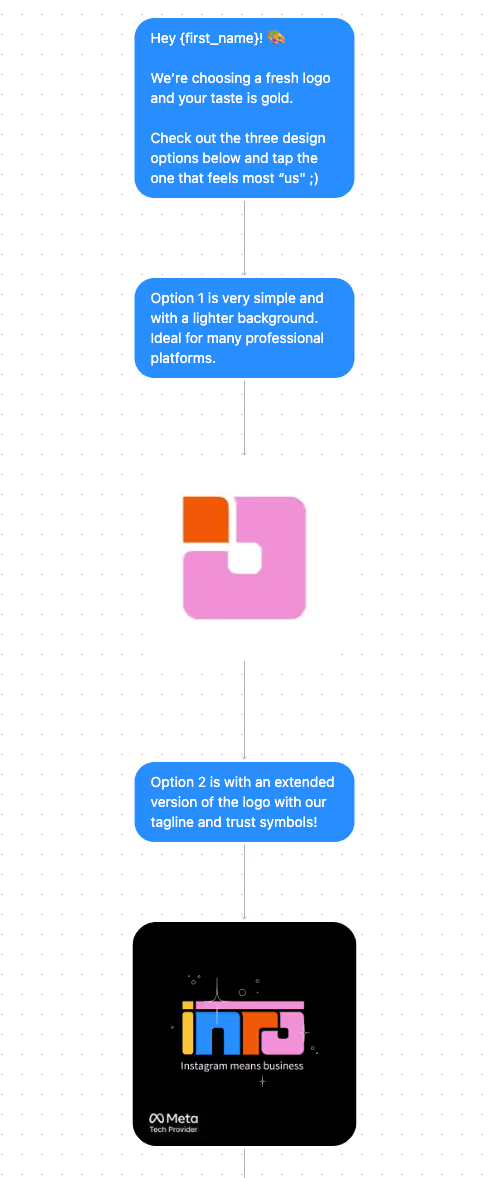
Include quick-reply buttons for options (e.g., Option 1, Option 2, Option 3).
Once a user replies, Inrō records their choice and you can tag them into the “Feedback Respondents” folder for follow-up or deeper insights later.
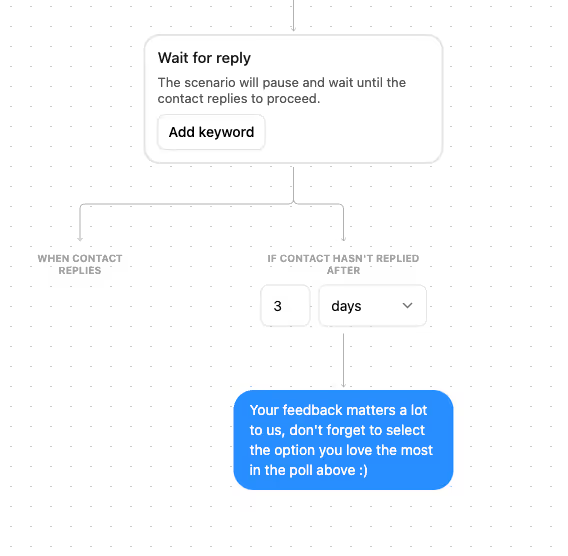
If a contact hasn’t replied after 3 days, send a friendly reminder:
"Your feedback matters a lot to us — don’t forget to pick the option you love most in the poll above :)"
This keeps the nudge light and respectful while boosting response rates.
Once feedback is collected, add all responders into a dedicated folder so you can thank them later or invite them to exclusive “insider” campaigns. This helps build long-term loyalty among your most engaged supporters.
Feedback is more than data — it’s a conversation. By reaching out personally and inviting your community to share their thoughts, you not only gain valuable insights but also show that their opinions matter.
With Inrō’s Collect Community Feedback template, you can automate the process of asking, reminding, and organizing responses — all while keeping the exchange genuine and personal.
Anything from product designs and feature ideas to content preferences or event interest.
Use Inrō’s CRM filters or automations to target your most engaged audience segments.
Yes — every response is stored, and you can add contacts into dedicated folders for analysis.
Quarterly is a good rhythm, or around major launches/updates.
DMs feel more personal, are harder to ignore, and allow you to build stronger one-on-one relationships.
Not sure how it work?
Read posts about templates on our blog.
Become a creator
Submit your template to the Inrō template gallery and get featured – all in just a few clicks.

It clones straight into your account. Change the message to sound like you, then switch it on.


