How to move your Instagram DM automation to Inrō from another tool without losing your flows, your contacts, or your momentum: what actually transfers, what to export first, the four migration paths, and how to cut over cleanly.
Switching your Instagram DM automation to Inrō from another tool is mostly a rebuild, not a transfer. Your automation flows do not move automatically between platforms, there is no standard export format, so you recreate them in Inrō, which usually takes less time than expected because the scenario builder is built specifically for Instagram. Your contact list exports as a CSV but cannot be imported into Inrō to message, because of how the Instagram API works, and your analytics history and integrations get reconfigured rather than carried over. Inrō gives you four migration paths depending on complexity: rebuild manually, describe your scenario in plain language, use MCP to set it up programmatically, or hand the whole thing to the Managed Account team. Rebuild in priority order, comment-to-DM first, then Story replies, welcome DMs, qualification flows, and re-engagement campaigns, and cut over cleanly rather than running two tools on the same account at once. This guide walks through what transfers, what to export, the four paths, the rebuild order, the cutover, and the pitfalls to avoid.
Almost nothing transfers automatically between Instagram DM automation platforms. The industry has no standard export format for flows, and each tool stores its scenario logic in its own proprietary structure, so there is no button that moves your setup across. What you can carry over by hand is small and clear, and what you have to rebuild is worth knowing before you begin.
The flow rebuilding is the real work of any migration. Everything else in that table is straightforward configuration you can finish in a single session.
Every DM automation platform lets you export some things, and you want to do this first, before you touch anything in Inrō. None of it requires cancelling your existing account, it is all preparation.
Export your contact list as a CSV. Look for an Audience, Subscribers, or Contacts tab in your tool. Include the Instagram handle, any custom fields you have collected (email, phone, tags, quiz answers), and the date each contact was added. Even though you cannot import this to message people, it is a useful record of who you had.
Document your active flows. Screenshot each flow's trigger, message sequence, and any branching logic. This becomes your reference during the rebuild. Even a rough handwritten summary works, the goal is to remember what each flow was meant to do, not to recreate it pixel for pixel.
List your integrations. Note what your current setup connects to (Zapier, Shopify, your email platform, a CRM, Google Sheets) and what each connection does, so you can reconnect them one by one.
Note your billing cycle. If your current tool bills monthly, plan the switch for the end of the cycle. If it bills annually, factor the remaining months into how long you keep both accounts open during testing.
Inrō gives you four ways to rebuild your setup, depending on how complex it is and how hands-on you want to be.
Path 1: Rebuild manually, best for simple setups. If you have one to three flows (a comment keyword flow, a Story reply, a welcome sequence), rebuilding by hand is the fastest route. Inrō's scenario builder uses the same logic most tools do, trigger, message, condition, action, but with an interface built only for Instagram, so there are no cross-platform decisions to slow you down. A comment-to-DM flow that took 30 minutes to set up in a multi-channel tool typically takes under 10 minutes to recreate here. Start with your highest-priority flow, test it end to end, then rebuild the rest in order of usage.
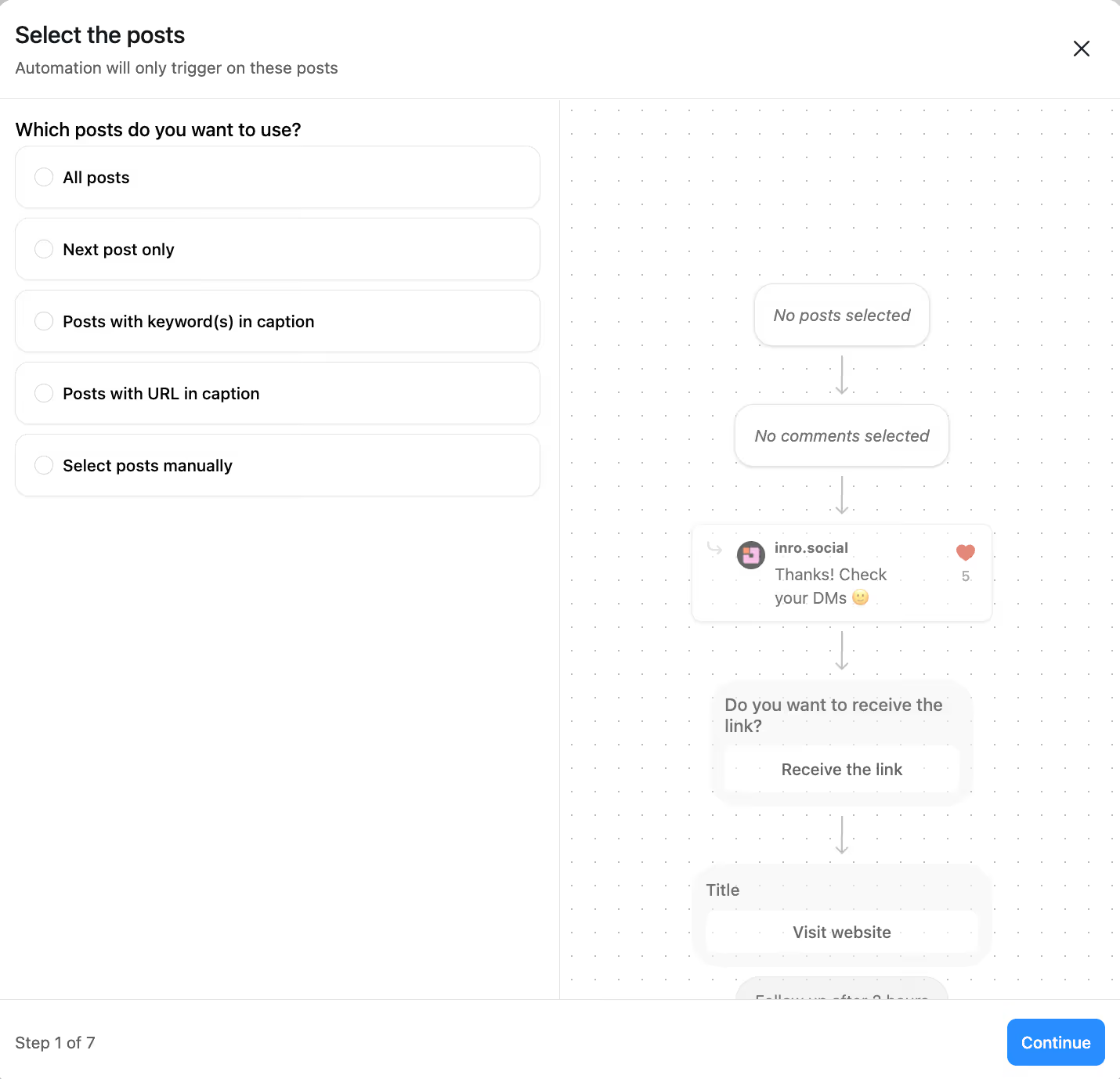
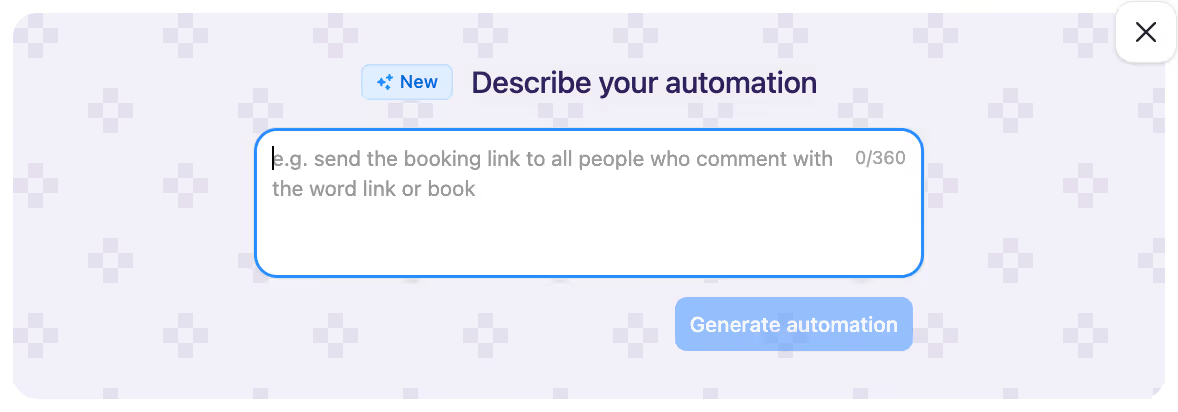
Path 2: Describe your scenario, best for medium complexity. If you have multi-step qualification flows, branching conditions, or several concurrent automations, you can describe what you want in plain language and Inrō generates the scenario for you. Instead of configuring each step, you write something like 'when someone comments GUIDE, send the link; if they reply with a question, send a follow-up and collect their email', and the AI builds it for you to review and adjust. This is much faster than manual rebuilding for complex flows, and it avoids misconfiguring a multi-step sequence on the first try.
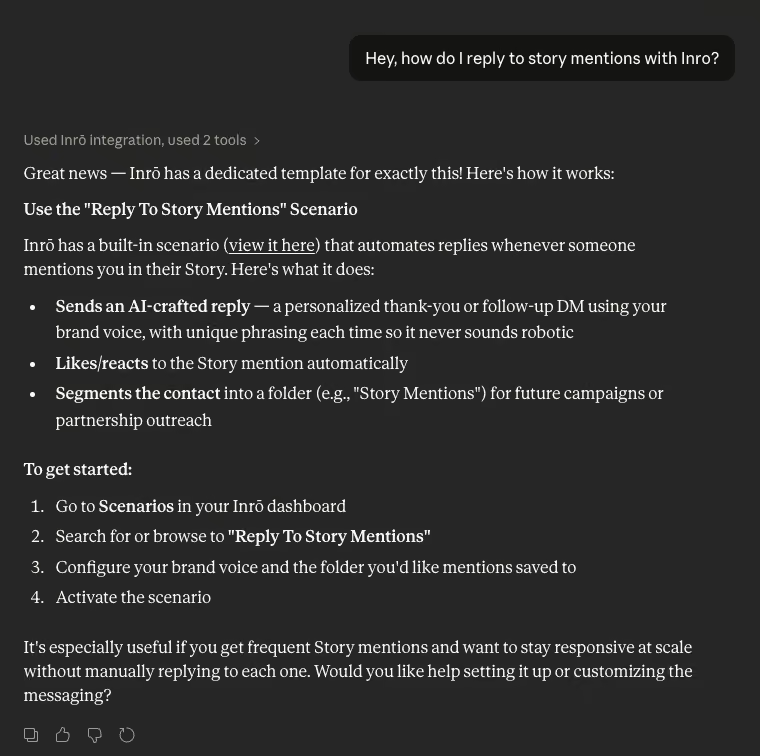
Path 3: MCP for programmatic setup, best for technical users. Inrō supports MCP, the Model Context Protocol, which lets you use an AI assistant to configure and deploy scenarios programmatically. If your existing flow logic is documented, you can use MCP to translate it into Inrō scenarios faster than rebuilding by hand. It assumes you are comfortable using AI tools for configuration, but it offers the fastest rebuild for large or complex setups.
Path 4: Managed Account Plan, best for high-stakes setups. If you run a professional account, an agency, or a business where Instagram automation drives real revenue, the Managed Account Plan handles the migration for you. It includes a strategy session to map your current setup, decide what to rebuild and what to improve, and configure your scenarios from scratch. Rather than copying your old flows one for one, the team builds the strongest setup for how Inrō works, which is often a better strategy than what you had. This is the path for accounts that cannot risk errors during the move, or that want to use the switch to upgrade rather than replicate.

Not every flow needs to be live on day one. Rebuild in order of revenue and engagement impact.
For each flow, follow the same pattern: build it in Inrō, run a test comment or message from a personal account to check the trigger fires, confirm the DM sent correctly, and check the contact was tagged and stored in your inbox and CRM. Only then activate it for real traffic.
A few issues come up during migrations, and all of them are avoidable.
Rebuilding flows exactly as they were. Your old flows were built inside another tool's constraints. Inrō's AI agent, intent-based triggers, and mid-conversation CRM writing let you build stronger versions of the same flows, so ask whether each one could work better here rather than copying it one for one. The AI agent is where most people see the biggest jump in capability.
Not testing before activating. A flow that works in the builder does not always fire correctly on a real Instagram trigger. Always send a test comment or DM from a personal account before you switch a flow on for real traffic.
Expecting your contacts to come with you. The CSV export is a record, not an importable list you can message, because of the Instagram API. Plan to rebuild your reachable audience as your existing contacts re-engage through your flows, rather than assuming they are messageable in Inrō on day one.
Underestimating the time. A simple setup takes two to four hours including testing. Medium complexity takes four to eight. Large agency setups with dozens of flows are best handled through the Managed Account Plan rather than squeezed into a single afternoon.
Handled in the right order, export, rebuild your priority flows, test, cut over, and monitor, a migration is a single focused session for most setups, and you are quickly back to running the same DM marketing you were doing, on a tool built for Instagram.
For a simple setup of one to three flows, two to four hours including testing. Medium-complexity setups built with Describe Your Scenario take four to eight hours. Complex agency or high-volume setups go through the Managed Account Plan and are scoped with Inrō's team. The timeline is driven almost entirely by rebuilding flows, exporting contacts and connecting your account take under 30 minutes in every case.
Not to message them. You can export your list as a CSV and keep it as a record, but Instagram's API means you cannot import a list and start messaging those people, messaging requires each contact to have opened a conversation with you. Your reachable audience in Inrō rebuilds as your existing contacts re-engage through your flows.
No. There is no standard export format for flows, and each tool stores its logic in a proprietary structure, so flows are rebuilt in Inrō from scratch. The four migration paths, manual rebuild, Describe Your Scenario, MCP, or the Managed Account Plan, exist to make that rebuild as fast as possible.
No. Running two DM automation tools on the same Instagram account causes trigger conflicts, where both try to fire on the same event and one fails or double-messages the contact. Finish rebuilding in Inrō, test end to end, deactivate the old tool's automations, then activate Inrō. Keep the old account open for 30 days as a fallback, but with all automations off.
It does not transfer. Your historical performance stays in your old tool for as long as that account is active, and Inrō starts collecting fresh analytics from the moment your first scenario goes live. If historical data matters for your reporting, export the relevant reports from your old tool before you close the account.
Yes, when both tools run on Meta's official Instagram API. Inrō is a certified Meta Tech Provider and connects through the official API, so automations stay within Instagram's rate limits and terms. Disconnecting one API-compliant tool and connecting another does not affect your account's standing with Instagram.
That is what the Managed Account Plan is for. Inrō's team maps your current setup, decides what to rebuild and what to improve, and configures your scenarios directly. Complex agency setups, businesses where automation drives significant revenue, and multi-flow qualification systems are usually best handled this way rather than through a self-service migration.
Yes. Inrō has a free tier, so the common approach is to sign up, rebuild one high-priority flow (usually comment-to-DM), test it, and confirm the setup works for you before migrating the rest.
The most common gap is multi-channel automation, WhatsApp, Facebook Messenger, or SMS, since Inrō is built exclusively for Instagram. If you need automation on other channels, keep your existing tool for those and use Inrō for Instagram. The two can run in parallel, as long as they are not both automating the same Instagram account.
Copy a template that matches it, or describe the flow you want and let AI build it for you.