
How Instagram Live works, who can use it, how to schedule and run one, and what to do with the concentrated attention a broadcast creates before it disperses.
.avif)
Automate Comments and DMs in 5 Minutes
Someone comments on your IG post. They get a DM instantly. You do nothing.

Trusted by 10K+ creators and SMBs


TL;DR
TL;DR
A Live should not end when the stream does
Ask viewers to comment a keyword during the broadcast and every one of them gets a follow-up DM. Free plan, no card.
Instagram Live is Instagram's real-time broadcast format. Eligible accounts can stream to their followers, take comments and questions as they come in, invite guests, assign a moderator, then save the video and share a replay afterwards. You need a public account with at least 1,000 followers to use it.
Most guides stop at how to press the button. The more useful question is what Live is actually good for, and what happens to the attention it creates once the stream ends.
Updated July 2026.
.png)
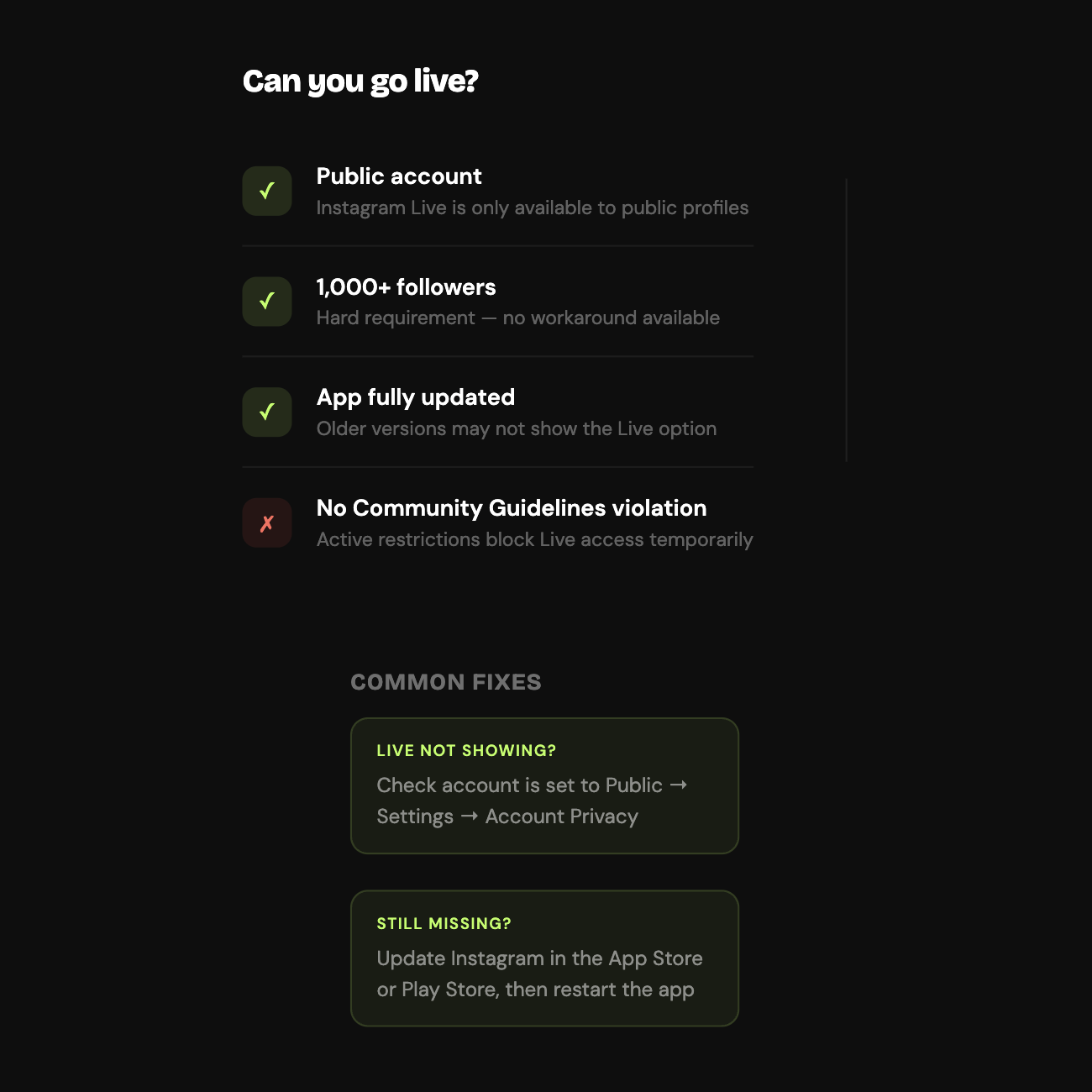
Instagram requires a public account with at least 1,000 followers to start or schedule a Live. That threshold is the single most common reason the option does not appear.
If Live is missing from your camera, check three things in order: whether your account is public, whether you are over the follower threshold, and whether the app is current. It is almost always one of those. The remaining possibility is a restriction: if you see a message saying you are blocked from sharing live video, that is usually a temporary limit tied to a Community Guidelines violation rather than a permanent block.
Tap the plus icon to create, select Live from the format options, and add a title so people know what they are joining before they tap in. Set your audience, either Public or Close Friends, and Close Friends is genuinely useful here for soft launches or sessions meant only for your most engaged followers. Check who can comment, then tap the Live button.
During the broadcast you can respond to comments, invite guests, and hand moderation to someone else. When you end it, you choose whether to save the video to your camera roll and whether to share a replay.
Live is a mobile feature in practice. Desktop broadcasting is limited and most people stream from the app.
.png)
| Feature | What it does | Why it matters |
|---|---|---|
| Schedule Live | Set a broadcast up to 90 days ahead | Followers get a reminder, so attendance is not left to chance |
| Invite guests | Bring other accounts onto the broadcast | Interviews, co-hosting, and access to their audience |
| Assign moderator | Hand comment controls to someone else | Keeps a busy stream manageable while you present |
| Save or share replay | Keep the video after the stream | The content outlives the broadcast |
| Live insights | Performance data afterwards | Shows peak viewers and where people dropped off |
| Badges | Viewer support payments | Direct revenue for eligible creators |
| Questions sticker | Collect and display viewer questions | Makes a Q&A run without you reading the comment feed aloud |
Eligible accounts can also tag products during a broadcast so viewers buy without leaving the stream, which is covered in Instagram Live shopping.
When you schedule a Live, Instagram creates a preview card that followers can set a reminder against. That converts attendance from something you hope for into something people are notified about, which is a meaningful difference for a format that only works if people show up at a specific moment.
You can schedule from one hour to 90 days ahead. Use it for anything where timing matters: launches, guest sessions, anything you are promoting in advance.

The honest answer is whenever your own audience is active, which you can read in your Insights under audience activity rather than taking it from a general guide. Weekday evenings and weekend middays are a reasonable starting point across most accounts, but your own data beats any published average. Track which sessions hit the highest peak concurrent viewers and settle into that slot.
The gap between a Live that works and one that does not is preparation and structure, not production quality.
Beforehand, promote it at least a day out in Stories and feed, say specifically what the session covers, and schedule it so followers get the reminder. Vagueness is what kills attendance.
During, open by telling people what they get for staying, respond to comments by name so joining feels worthwhile, and give live viewers something that is genuinely only available live: early access, a code, information you are not putting anywhere else. Ask for participation rather than assuming it.
Afterwards, save the video immediately, share the replay for people who missed it, and read the insights to see where viewers dropped off.
Ecommerce brands run launches and Live shopping sessions, tagging products so viewers can buy mid-stream. Creators and educators run Q&As and tutorials, using the questions sticker to gather questions in advance rather than scrolling the comment feed. Coaches and service businesses hold open office hours, which works because objections get answered in public and in real time. Musicians go live around releases. Agencies and B2B brands treat it as a lightweight podcast with guest interviews and a live audience.
Most accounts treat Live as awareness. You show up, people watch, it ends, and that is the whole thing.
That skips the most valuable property the format has. During a broadcast, attention is concentrated and viewers are actively participating in a way they never are with a post. Comments arrive in real time from people who chose to be there at a specific moment. For most accounts it is the highest-intent audience they will assemble all month, and then it disperses.
Three things are worth doing with that window.
Make it participatory. Ask viewers to comment a keyword, as an answer to a question, a giveaway entry, or a challenge. Comment activity is visible to everyone watching, which pulls more people in, and watch time holds better when there is something to do. Inrō publishes a ready-made gamified Live automation for exactly this.
Capture the participants. Ask people to comment a keyword to receive something after the stream, a resource, a link, a launch offer, the replay. Everyone who comments gets it automatically, which turns a session into a contact list rather than a view count. The Live lead capture template handles the tagging.
Sell during the window, not after it. If you are showing products, buying intent peaks while you are talking about them and has usually evaporated by the time someone goes hunting for your bio link. A product-specific keyword mentioned as you showcase each item sends the direct link to everyone who asks for it, while they are still watching. That is the Live product template.
All of it runs on Meta's official API and only responds to people who commented first. The general mechanics are in the comment-to-DM guide, and the compliance question is covered in is Instagram automation safe.

Yes, if you treat it as an interaction format rather than a broadcast one. Someone who joins a live stream is demonstrably more engaged than someone scrolling past a post, and the format still carries scheduling, guests, moderation, replays and badges.
The question is not whether Live works. It is whether your Live gives people a specific reason to act while they are still watching.
Ask viewers to comment a keyword during the broadcast and every one of them gets a follow-up DM. Free plan, no card.


Instagram's real-time video broadcast format. You stream to your followers, take comments and questions as they arrive, can invite guests, and afterwards can save the video or share a replay.
Tap the plus icon, select Live, add a title, and tap the Live button. Your account needs to be public with at least 1,000 followers.
Usually because your account is private, you are under 1,000 followers, or the app needs updating. If you see a message saying you are blocked from sharing live video, that is typically a temporary Community Guidelines restriction rather than a permanent one.
Yes, from one hour to 90 days ahead. Scheduling creates a preview card followers can set a reminder against, which is the difference between hoping people show up and telling them when to.
Yes. You can save the video to your camera roll and share a replay on Instagram for anyone who missed the broadcast.
Not natively in any useful way. Live is built for mobile, and while third-party streaming software can be configured for it, the supported experience is the app.
Live is happening now and viewers know it, which is what creates the urgency and the real-time comments. Stories are pre-recorded and sit there for 24 hours. Live suits events and interaction, Stories suit ongoing updates.
Yes, when the tool runs on Meta's official API and only replies to people who commented during the broadcast. That is permitted. Tools using scraping or unofficial access are the ones that put accounts at risk.
Join automations strategies and Instagram Insights weekly
By entering your email address above and clicking Subscribe, you consent to receive marketing communications (such as newsletters, blog posts, event invitations and new product updates), and targeted advertising from Inrō from time to time. You can unsubscribe from our marketing emails at anytime by clinking on the "Unsubscribe" link at the bottom of our emails. For more information about how we process personal information and what right you have on this respect, please see our Privacy Policy.
Connect your Instagram account and build your first automation in minutes. No code required.
.avif)

.avif)