
Step-by-step guide to automating Instagram DMs for a medspa, plastic surgery clinic, or aesthetic practice. Tools, setup, and qualification flows. Free guide.
.avif)
Automate Comments and DMs in 5 Minutes
Someone comments on your IG post. They get a DM instantly. You do nothing.

Trusted by 10K+ creators and SMBs


TL;DR
TL;DR
A patient DMs your clinic at 11pm.
By 11:00:06pm, they have a contextual reply, the start of a qualification flow, and a place in your CRM pipeline.
Automating Instagram DMs for a medspa means using software to handle inbound DMs end to end: replying instantly, qualifying patient inquiries, and routing leads into a CRM, all without requiring a team member to triage each conversation. The system runs through Meta's official Instagram API and operates 24/7, including nights, weekends, and holidays.
For most clinics, the trigger to automate is volume. A practice posting consistent before-and-after content drives a steady stream of inbound DMs, and at some point the team's ability to respond manually breaks. The DMs arrive faster than the front desk can process them, in languages the team does not all speak, with off-script questions that take time to answer well.
Manual response with saved templates and Instagram quick replies works for the first 6-12 months of a clinic's IG growth. After that, the math stops working. This article walks through the full setup process, from the moment a clinic decides to automate to the moment qualified leads start landing in the CRM.
Manual response stops working for a clinic when one or more of four operational thresholds is crossed. Most clinics hit at least two of them within a year of consistent Instagram content.
When inbound DMs arrive faster than the team can respond inside business hours, the backlog grows daily. The lead that DM'd Tuesday morning gets a reply Wednesday afternoon. The DM thread has gone cold.
The Saturday-night DM gets a Monday-morning reply. By then, the patient has DM'd two other clinics. One of them replied immediately. The lead is gone.
The Spanish-language DM in Miami, the Arabic DM in Dubai, the Portuguese DM in São Paulo. Without a bilingual team member on shift, the lead either gets an English reply (which patients often abandon), waits for translation, or gets ignored entirely.
Some leads have full contact details and procedure interest captured. Others have a name and a phone number with no procedure tag. The CRM ends up half-full of half-qualified leads that no one chases.
When two or more thresholds are crossed, the cost of leaked leads exceeds the cost of an automation tool. That's the practical decision point. For the broader breakdown of why clinics lose patients in their DMs, see why aesthetic clinics lose patients in their Instagram DMs.
Automating Instagram DMs for a clinic comes down to four sequential phases: connect, train, configure, launch. The total elapsed time is 1-6 weeks depending on whether the clinic uses self-serve software or a managed service.
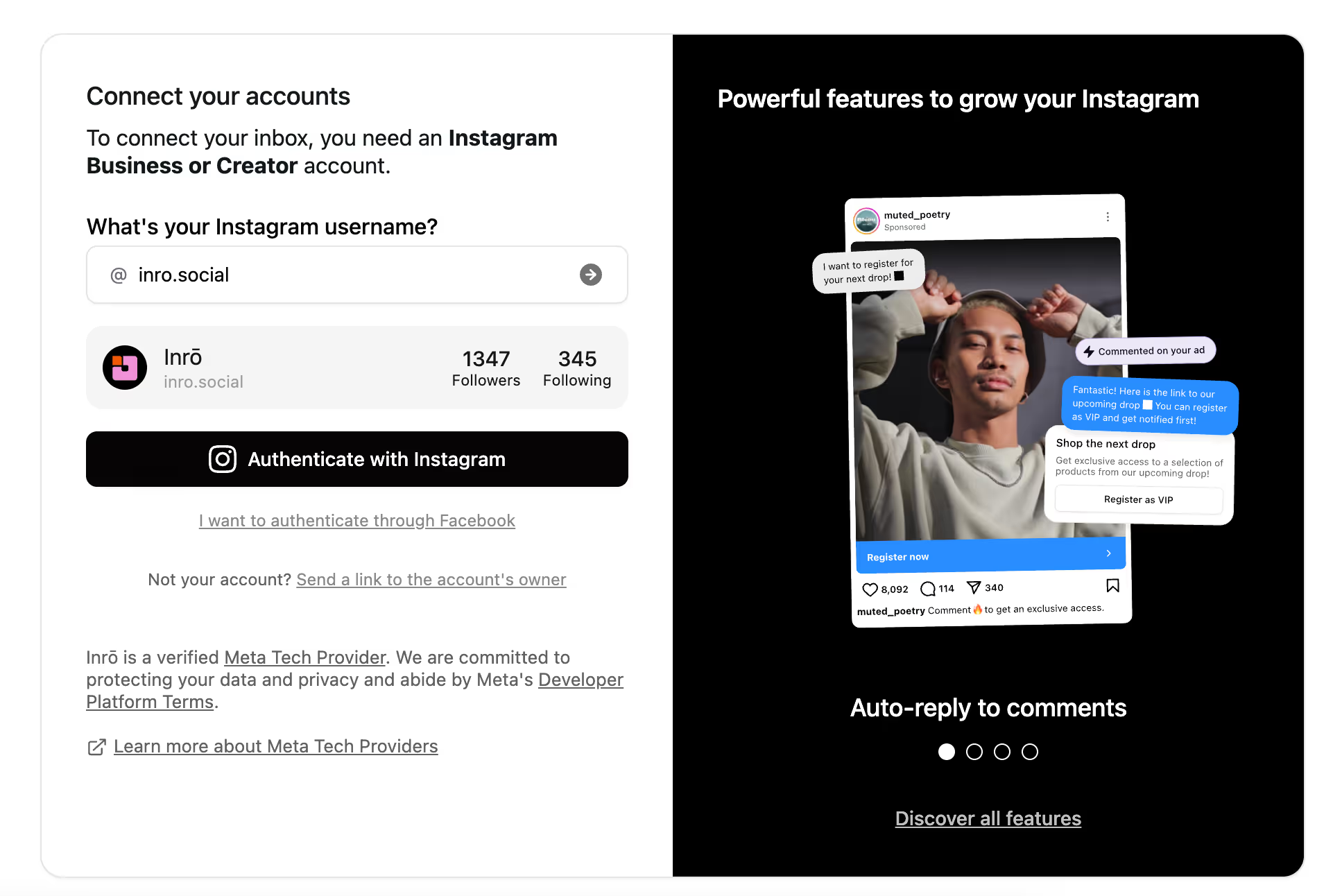
Instagram’s API only works with Business or Creator accounts. Without this, you can’t use any comment-to-DM automation tool, including Inrō.
To connect your Instagram, sign up to Inrō and start automating in less than 2 minutes,
This is where tools differ significantly. The clinic's response logic has to handle three types of incoming messages: structured inquiries (price, hours, availability), procedure-specific questions (recovery, technique, financing), and off-script conversation (anything the patient says that doesn't fit a predefined path).
Self-serve / generic tool setup: the clinic builds button-tree flows for each procedure and each language. A practice offering Botox, fillers, laser, and body contouring across an English plus Spanish patient base needs at minimum eight separate flows, plus a separate flow for general inquiries. Off-script replies typically dead-end the flow.
Clinic-grade managed setup: the AI agent is trained on the clinic's content. Required inputs:
.avif)
This phase defines what data the tool captures and where it lands. Five configurations to set:
Self-serve setup means the clinic builds and tests each of these manually. Managed setup means the tool's team configures all five based on clinic input.
Once the connections, response logic, qualification flows, and CRM sync are configured, the clinic launches. Three monitoring layers in the first 30 days:
After 30 days, the clinic has a baseline. The next 60-90 days are about iterating: refining the qualification questions, adding new comment-to-DM triggers tied to current promotions, and expanding nurture sequences.
Five mistakes show up consistently when clinics set up Instagram DM automation. Each one creates a leak the clinic doesn't see until the data shows it.
Choosing an Instagram DM automation tool for a clinic comes down to seven capabilities. A tool missing any of the seven will leak leads through the gap.
The seven capabilities are: 24/7 instant reply, conversational AI agent, multilingual auto-detection, structured qualification with auto-followup, CRM sync with profile enrichment, cold-lead nurture sequences, and real-time team alerts.
The tool selection question for most clinics narrows to: do we want a generic chat marketing platform (lower headline cost, manual setup, button trees) or a clinic-grade managed tool (higher headline cost, full setup included, conversational AI)? The answer depends on internal time, audience size, and the languages the clinic needs to support.
Inrō is an Instagram DM automation platform purpose-built for medical and aesthetic clinics among its core verticals, with managed setup that handles all four phases end to end. The clinic provides source content for the AI agent training (procedure library, tone, team, FAQs) and Inrō's team configures the response logic, qualification flows, CRM sync, real-time alerts, and cold-lead nurture sequences.
Inrō auto-detects the patient's language across all major languages in inbound DMs and runs the entire qualification flow in that language, with fully optimized clinic flows in English, Spanish, Arabic, French, Portuguese, and Italian. Most clinics are live within 1-2 weeks with a few hours of clinic-side input, compared to 2-6 weeks of internal work for self-serve setups on generic platforms.
For the full clinic configuration walkthrough, see Inrō for medical and aesthetic clinics.
Set up your ai agent and start replying to all patients inquieries.


Automate Instagram DMs in four phases: connect the IG Business account through Meta's official API, train the response logic on the clinic's procedures and tone, configure qualification flows and CRM sync, and launch with monitoring.
Yes, when the tool runs through Meta's official Instagram API and is designed to avoid capturing sensitive medical information through chat. Compliance is about how the tool handles patient data, not the automation itself. Clinic-grade tools capture qualifying details (name, contact, procedure interest, timeline) and route patients into a secure handoff flow rather than collecting clinical data over DMs.
Yes. Both self-serve and managed-service tools are no-code. Self-serve tools require building flows through visual flow builders, which has a learning curve but no actual coding. Managed-service tools handle the build for the clinic; the clinic only provides source content and reviews the configuration before launch.
A chatbot is a generic term for any automated chat tool, often built on button trees and keyword triggers. Instagram DM automation for clinics specifically uses conversational AI trained on the clinic's procedures, plus multilingual auto-detection, structured qualification, CRM sync, and nurture sequences. The difference shows up when patients reply off-script: chatbots break, AI agents handle the conversation.
No. Instagram DM automation runs alongside the front desk, handles after-hours and overflow, and hands warm qualified consults to the team in the morning. The team focuses on the high-touch moments (booking the actual consult, complex case-specific questions, in-person care) while the automation handles the repetitive triage that does not need a human.
Yes, when the tool supports multilingual auto-detection. Clinic-grade tools (like Inrō) detect the patient's language at the inbound DM level and run the entire qualification flow in that language, with no per-language flow setup. Generic chatbot tools require building a separate flow per language and do not auto-detect from the message itself.
Existing DM history stays intact. The automation tool connects through Meta's API and handles new inbound messages from the moment of activation forward. Past conversations remain visible in the Instagram inbox and in the tool's smart inbox if it has one. Clinic-grade tools typically also import existing contacts into the CRM at activation.
Join automations strategies and Instagram Insights weekly
By entering your email address above and clicking Subcribe, you consent to receive marketing communications (such as newsletters, blog posts, event invitations and new product updates), and targeted advertising from Inrō from time to time. You can unsubscribe from our marketing emails at anytime by clinking on the "Unsubscribe" link at the bottom of our emails. For more information about how we process personal information and what right you have on this respect, please see our Privacy Policy.
Attract more leads, target them with DM marketing, and automate your interactions on Instagram!
.avif)
.avif)
.avif)