
Close Friends is a private list for sharing Stories with a chosen few. Nobody can see the list, not even the people on it. Here is how it works.

Automate Comments and DMs in 5 Minutes
Someone comments on your IG post. They get a DM instantly. You do nothing.

Trusted by 10K+ creators and SMBs


TL;DR
TL;DR
Not sure who belongs on the list?
Inrō tags contacts by how they engage, so you can see who your regulars actually are before you decide who gets the green ring. Free plan, no card.
Close Friends is a private list you control. Post a Story to it and only the people on that list can see it, marked by a green ring around your profile picture instead of the usual pink. Nobody can see who is on your list, not even the people on it, and Instagram never notifies anyone when you add or remove them.
Nobody. The list itself is invisible to everyone, including the people on it. What they can see is the content you post to it.
Someone can work out that they are on your list, because your Story ring turns green for them. That is the only signal, and it is indirect. They cannot see who else is included, cannot see the size of the list, and get no notification when you add them or take them off.
You cannot see anyone else's list either, and there is no way to find out whose Close Friends you have been added to beyond noticing green rings as you scroll. Any tool claiming to show you that is either guessing or scraping in ways that violate Instagram's terms, and it is not worth the account risk.
There is also no way for someone to remove themselves. If a person does not want your Close Friends content, their options are muting your Stories or unfollowing.
Open your profile, tap the menu icon, and choose Close Friends. From there you add or remove people, and changes take effect immediately with no notification sent.
To post to it, create a Story as normal and choose Close Friends instead of Your Story before sharing.
Two things people get caught by. You cannot convert an existing Close Friends Story to public after posting, so if you want something seen by everyone you have to post it again to Your Story. And a Close Friends Story saved to a Highlight keeps its Close Friends visibility, so it stays private rather than becoming public once it is in the Highlight.
Replies work exactly as they do on any Story: they arrive privately in your DMs rather than appearing on the Story. Public Story comments are a separate feature, and the difference between the two is covered in Story replies versus Story comments.
These get confused constantly and they do opposite jobs.
Close Friends controls who sees your content. It is a privacy list.
Favourites controls what you see. It tells Instagram to prioritise certain accounts in your own feed, and it has no effect on your audience whatsoever.
One is about broadcasting narrowly, the other is about filtering what reaches you. Neither is visible to anyone else.
Usually one of these, in order of likelihood.
Sometimes, and it is worth being honest about when it is not.
Close Friends works when you have something genuinely worth restricting: an early drop, a price only regulars get, a working-in-public update that would not make sense to a cold audience. The restriction is the value. People pay attention because not everyone is seeing it.
It stops working the moment the list gets big. A Close Friends list with two thousand people on it is just your Story with a green ring, and the audience notices. The same is true if the exclusive content is a discount code you also posted publicly. Exclusivity that is not exclusive is worse than no exclusivity, because it reads as a gimmick.
It is also the wrong tool if your goal is conversion rather than retention. Close Friends is a broadcast to a small group, with no way to tell who is interested, no way to follow up individually, and no record of anything. For actually selling, a DM conversation does more, because it is two-way and the contact still exists tomorrow. What you can and cannot send in one is covered in sending links in Instagram DMs.
The honest framing: Close Friends is a loyalty tool, not a sales channel. Treat it as a way to make your best followers feel like insiders, and let the DM do the converting.
The common mistake is adding everyone who has ever engaged, which defeats the point, or adding friends and family, which makes it a personal feature rather than a business one.
Two better approaches, and they combine well.
Let people opt in. Post publicly and ask: comment or reply with a keyword to get on the list. The people who bother are the people who want it, which is exactly the filter you need. This also avoids the awkwardness of adding someone who did not ask. The same keyword mechanic used for lead magnets works here, and is covered in generating leads from Instagram Reels.
Look at who already engages. The people who reply to your Stories, click your links and come back repeatedly are your real regulars, and they are usually not the accounts you would have guessed. If you run Inrō, contacts get tagged automatically by how they came in and what they did, so that list already exists rather than needing to be reconstructed from memory.

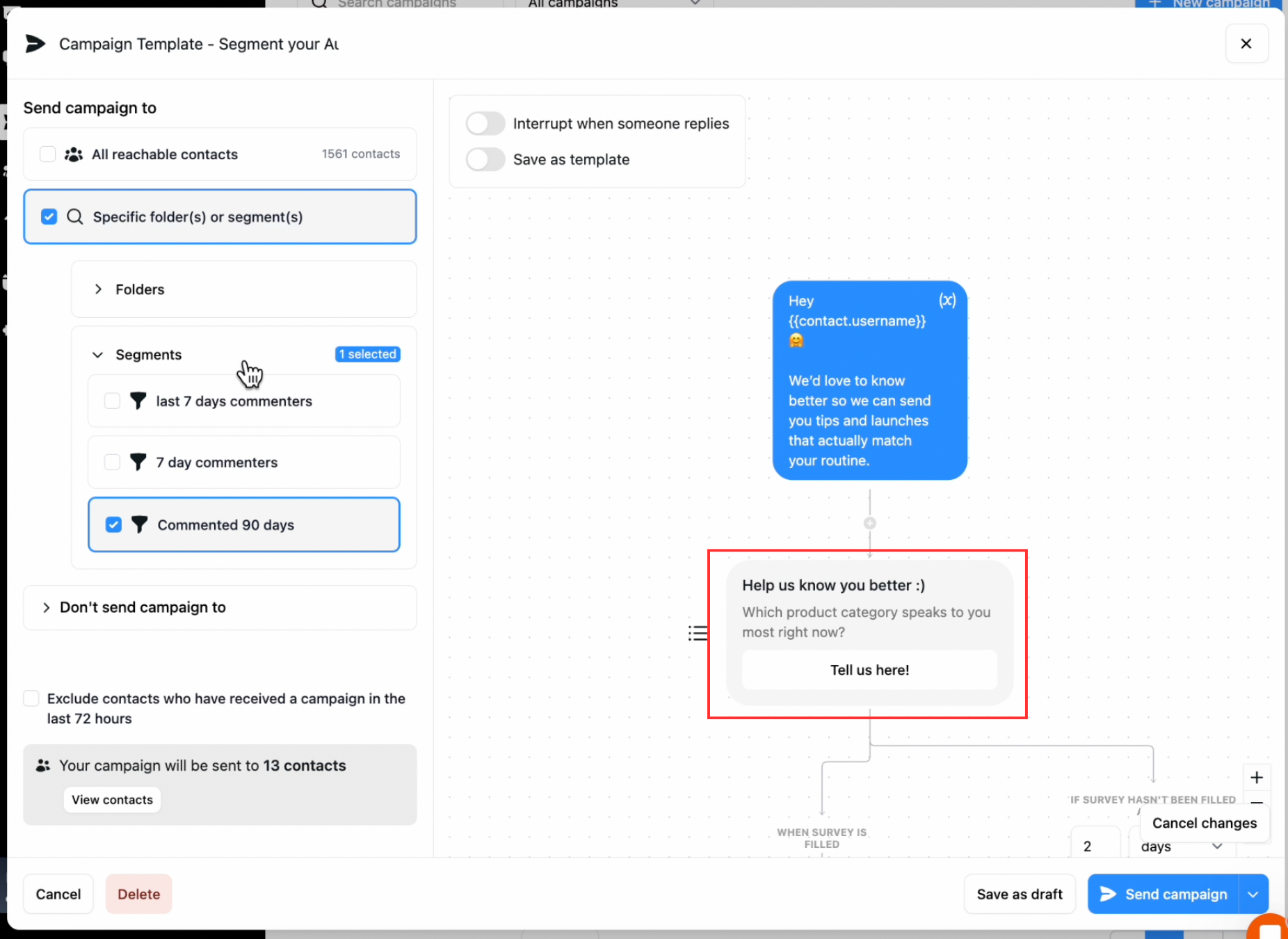
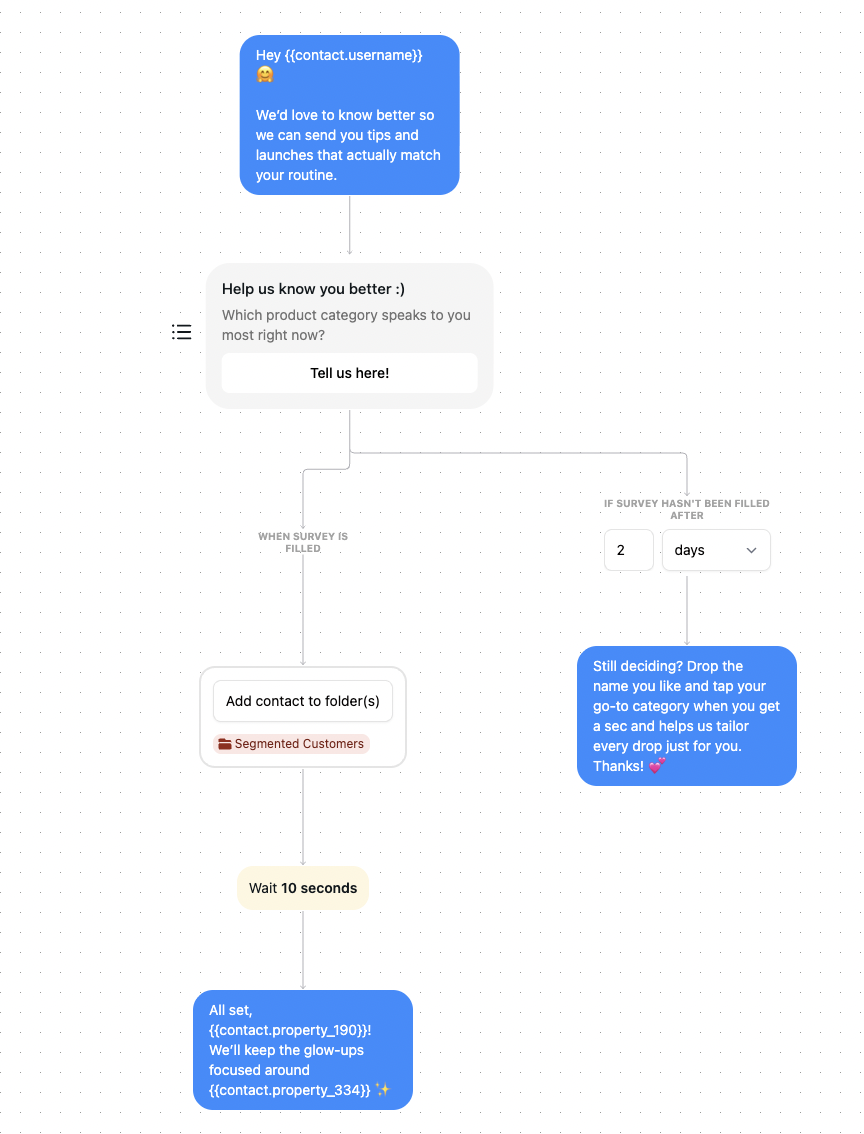
A middle step that is worth the effort: before you build the list, ask what people actually want from it. A short DM question, along the lines of what you would rather get first, behind the scenes or early access, tells you what to post and tags the contact by preference at the same time. It also means the first Close Friends Story lands on people who asked for that specific thing.
Then keep the list small and keep the content worth the green ring. If you would be comfortable posting it publicly, it does not belong on Close Friends.
If you plan to message the list rather than only post to it, check Instagram's sending limits first, since a burst of DMs to a large group is exactly the pattern that gets flagged.
Every contact tagged by how they engaged, so the invite goes to the right people. Free plan, no card required.


No. The list is private from everyone, including the people on it. Someone can tell they are on your list because your Story ring shows green, but they cannot see who else is included or how many people there are.
No. Adding and removing is silent. The only change someone might notice is your Story ring turning green, or no longer doing so.
No. Instagram does not send screenshot notifications for Stories, and Close Friends Stories are no exception. Screenshot alerts apply to view-once and disappearing media sent in DMs, which is a different thing. Assume anything you post can be saved.
Instagram has not published one, and normal use will not hit a ceiling. The practical limit is not technical: once the list is large enough that it stops feeling selective, the feature has lost the thing that made it work.
You can add accounts to the list, but visibility depends on whether they can see your Stories in the first place, which for a private account means they need to be an approved follower. For a public account they can see the content without following, though in practice people rarely watch Stories from accounts they do not follow.
Not directly. You would need to post it again to Your Story. The same applies to Highlights: a Close Friends Story saved to a Highlight stays visible only to Close Friends.
Join automations strategies and Instagram Insights weekly
By entering your email address above and clicking Subscribe, you consent to receive marketing communications (such as newsletters, blog posts, event invitations and new product updates), and targeted advertising from Inrō from time to time. You can unsubscribe from our marketing emails at anytime by clinking on the "Unsubscribe" link at the bottom of our emails. For more information about how we process personal information and what right you have on this respect, please see our Privacy Policy.
Connect your Instagram account and build your first automation in minutes. No code required.
.avif)

.avif)